Overview
AI Recommendations for Accuracy help you identify and resolve incorrect brand information across AI-powered search platforms by focusing on URL, Name, Address, and Phone (UNAP) data.
Step-by-Step: How to View Accuracy Recommendations
Step 1: Navigate to Accuracy.
Go to: GEO Intelligence → Accuracy
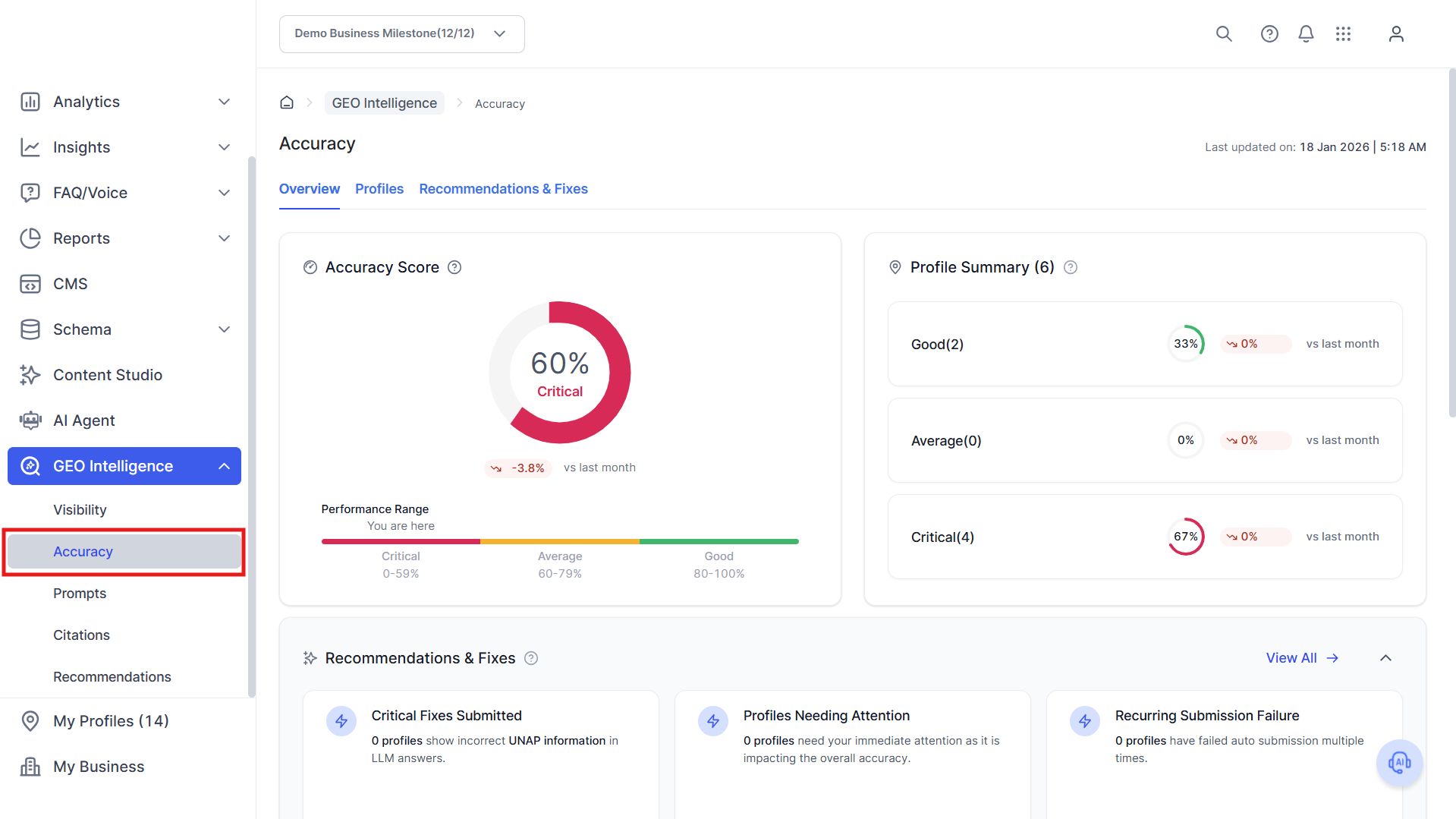
Step 2: Click on the Recommendations & Fixes section.
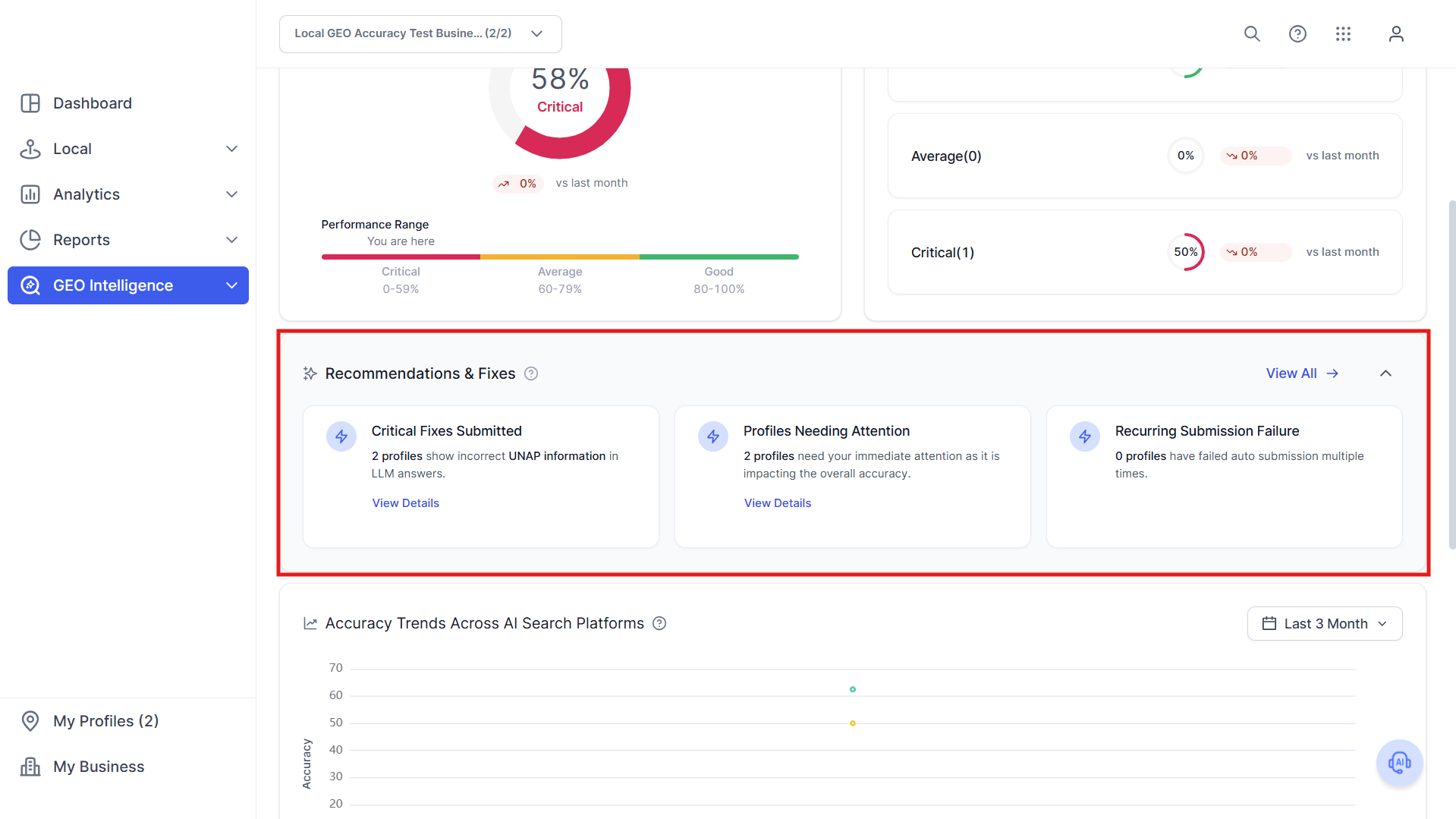
Step 3: Click on a profile or location that shows accuracy issues.
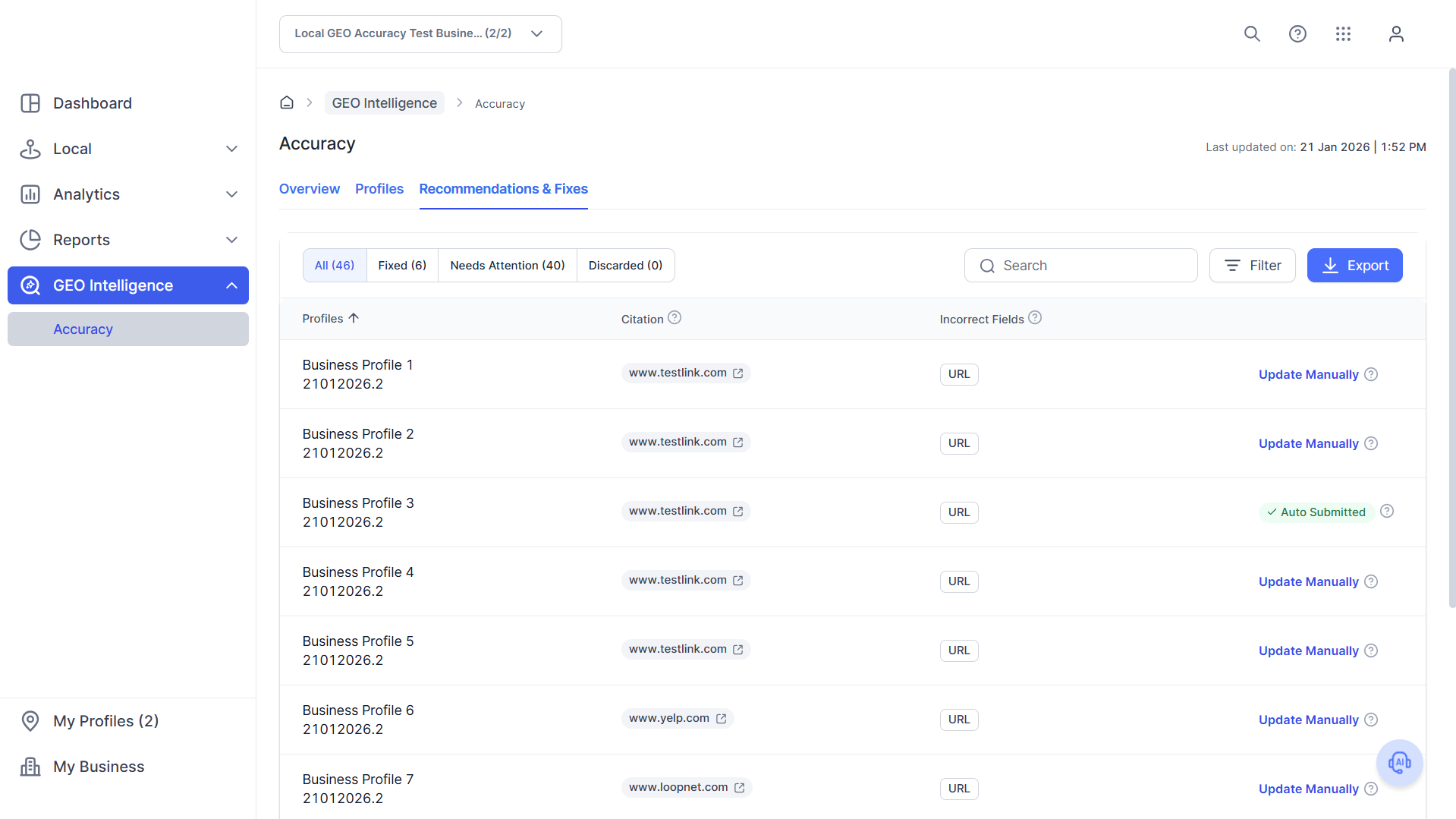
How to Investigate an Accuracy Issue
Step 4: Review Incorrect Fields
At the profile level, review:
- Which AI platform shows the issue (e.g., Gemini)
- Which UNAP fields are incorrect (URL, Phone, Address, etc.)
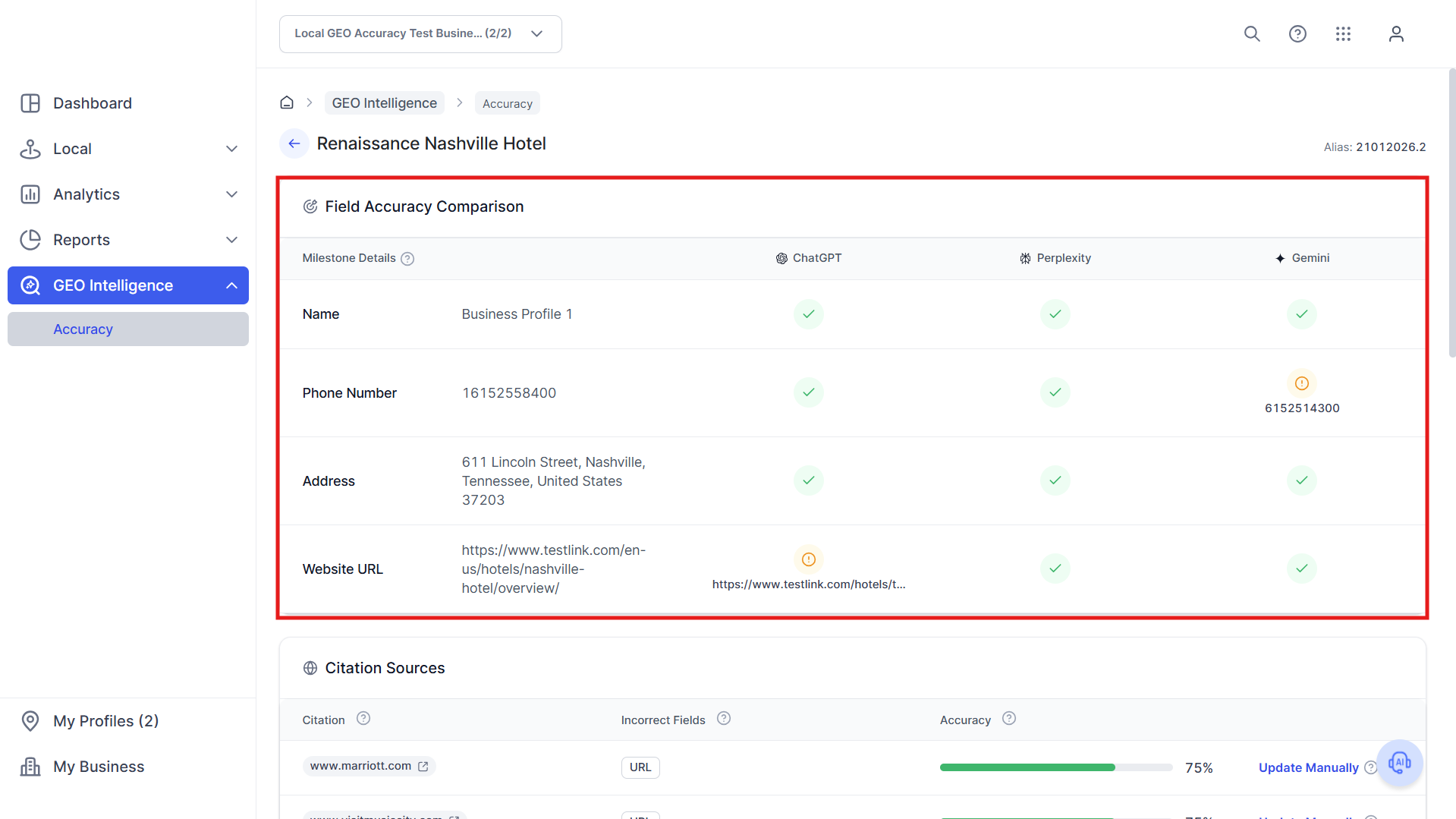
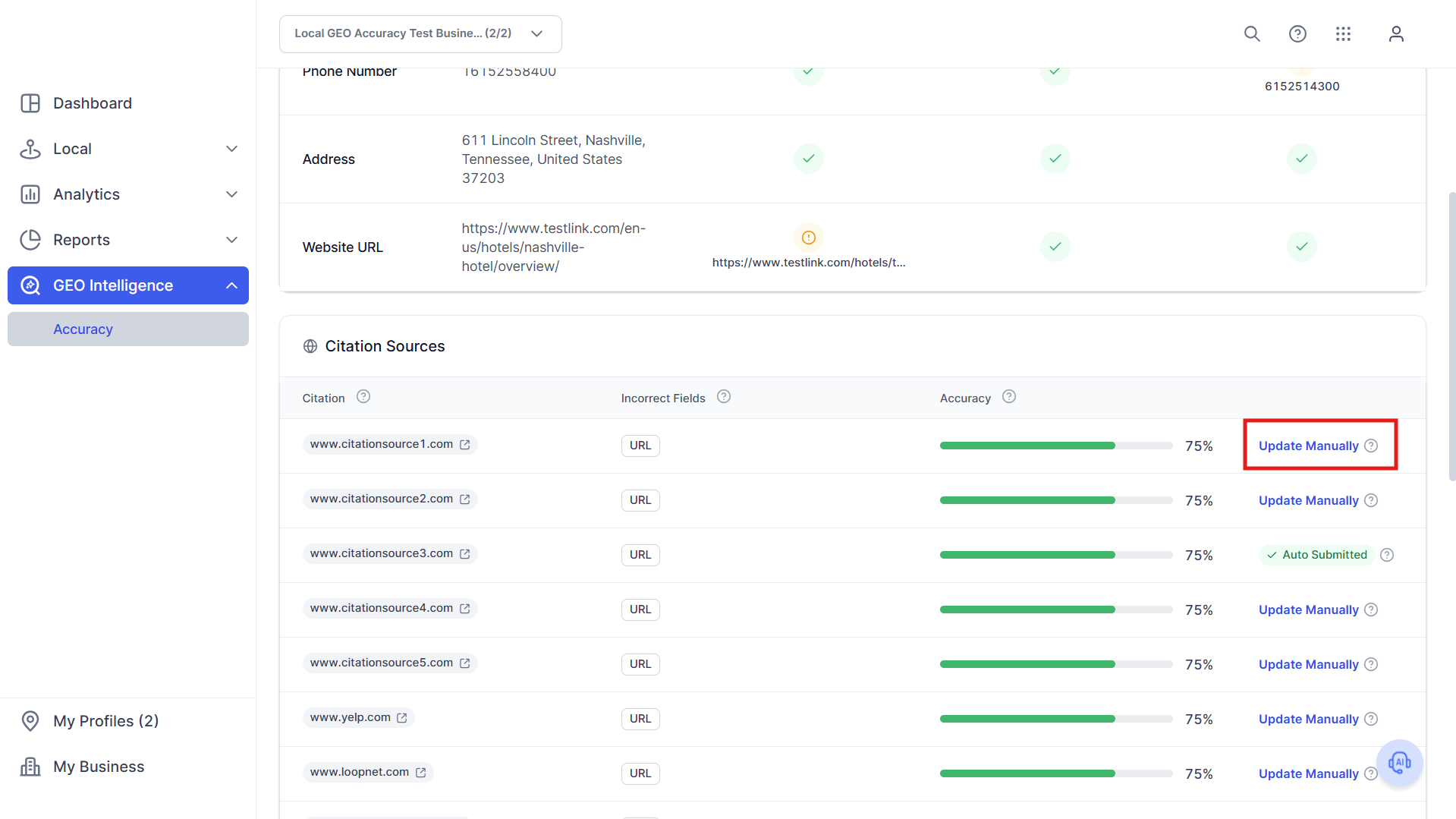
Step 5: View source-level details from the list of citation sources below.
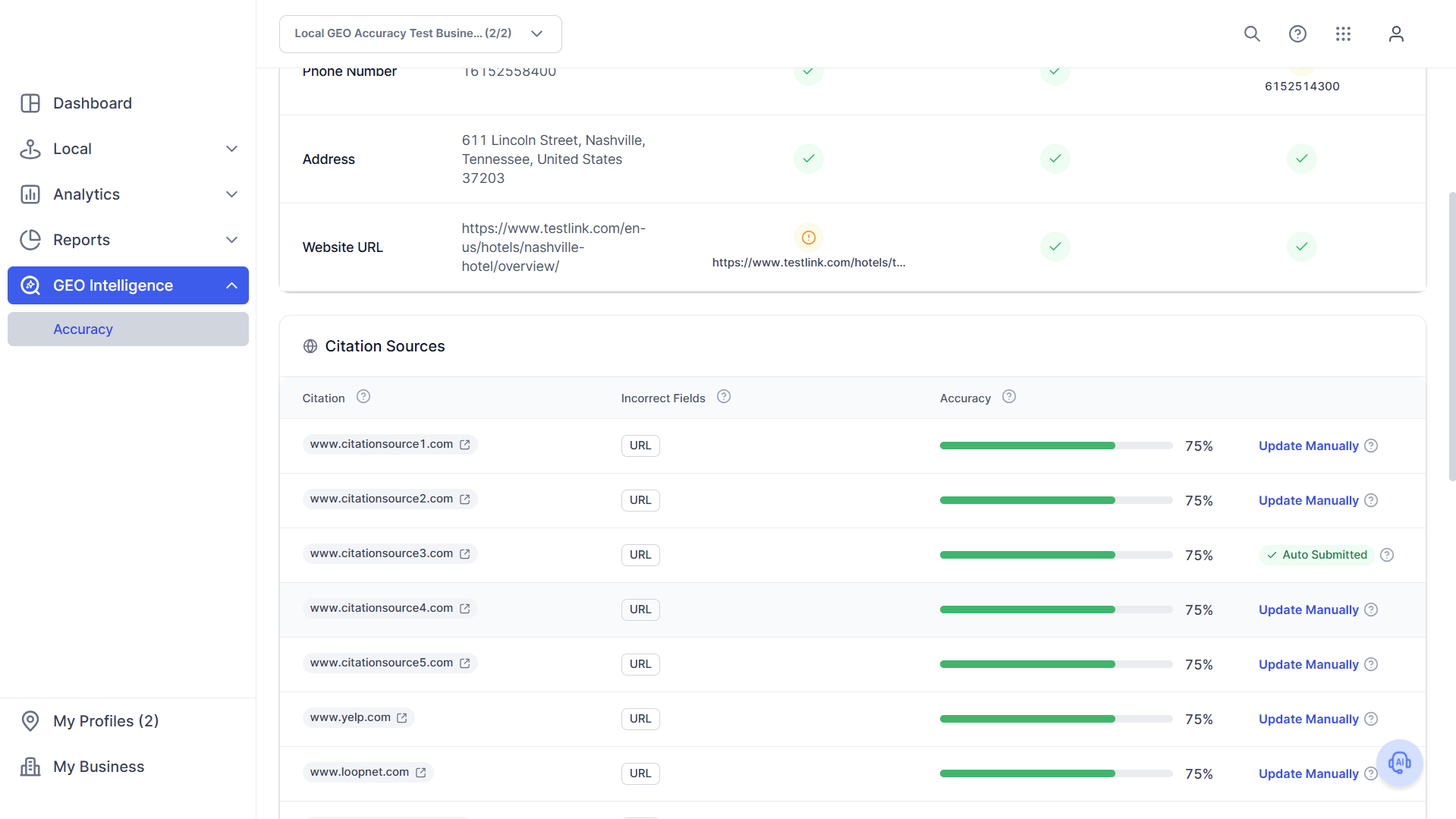
Step 6: Determine Fix Type (Auto vs Manual)
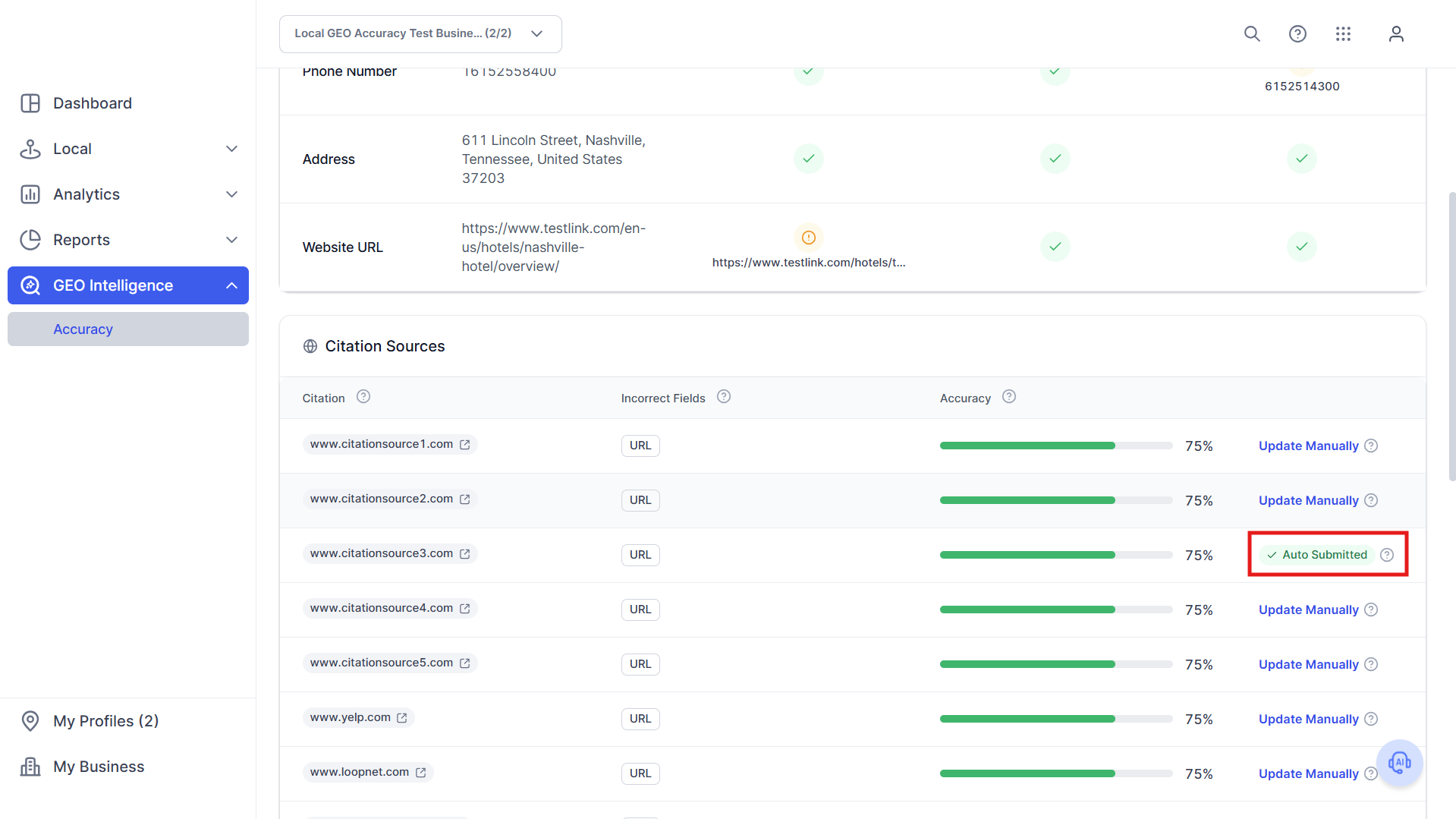
Check whether the source is:
- Auto-submitted (Managed): Our platform will submit corrections automatically.
- Manual update required: You must update directly on the source site
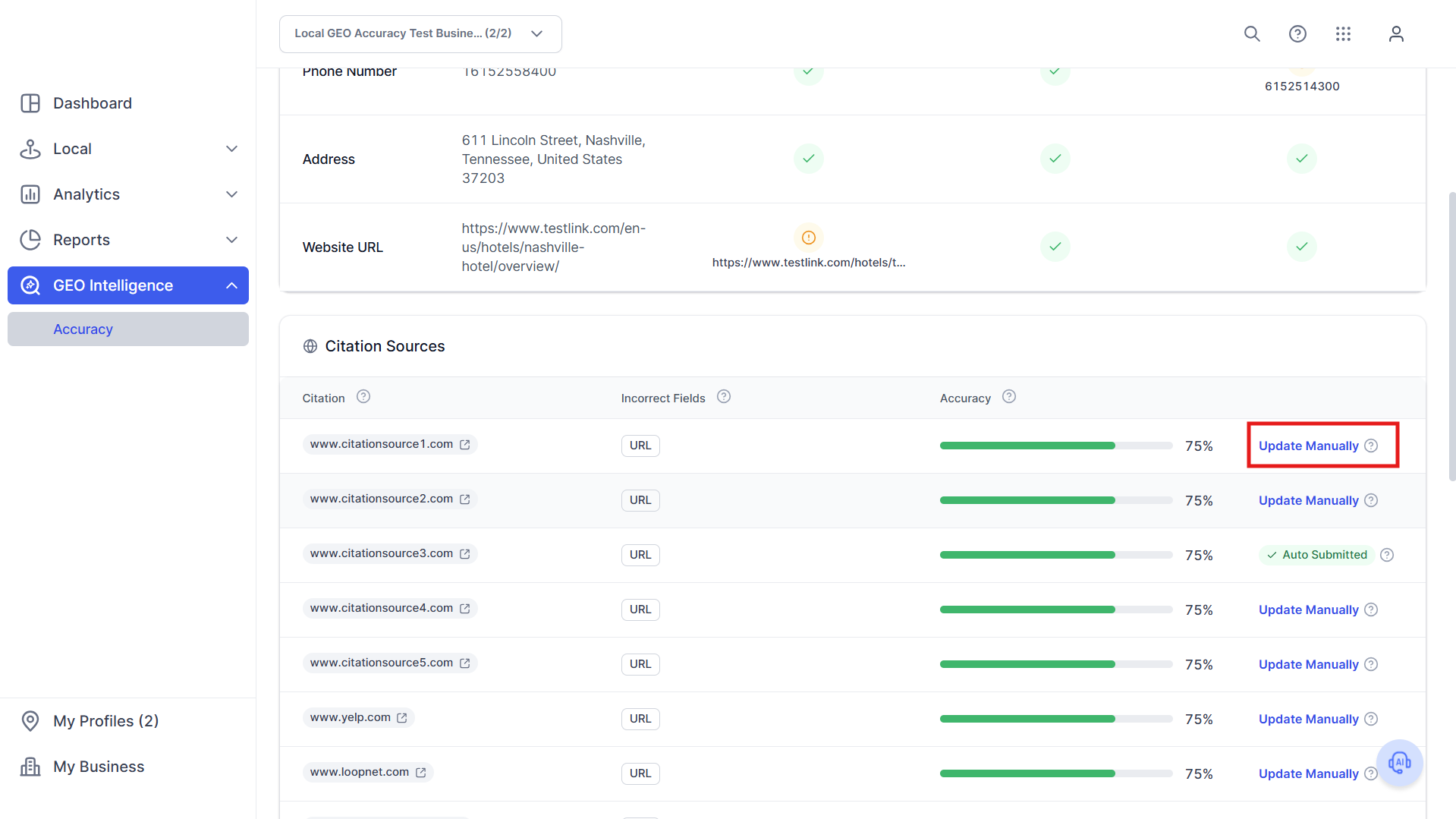
How to Fix Accuracy Issues
Step 7A: Auto-Submitted Fixes. For managed sources, there is no action required. The system submits updates automatically. Fixes should reflect in the next crawl.
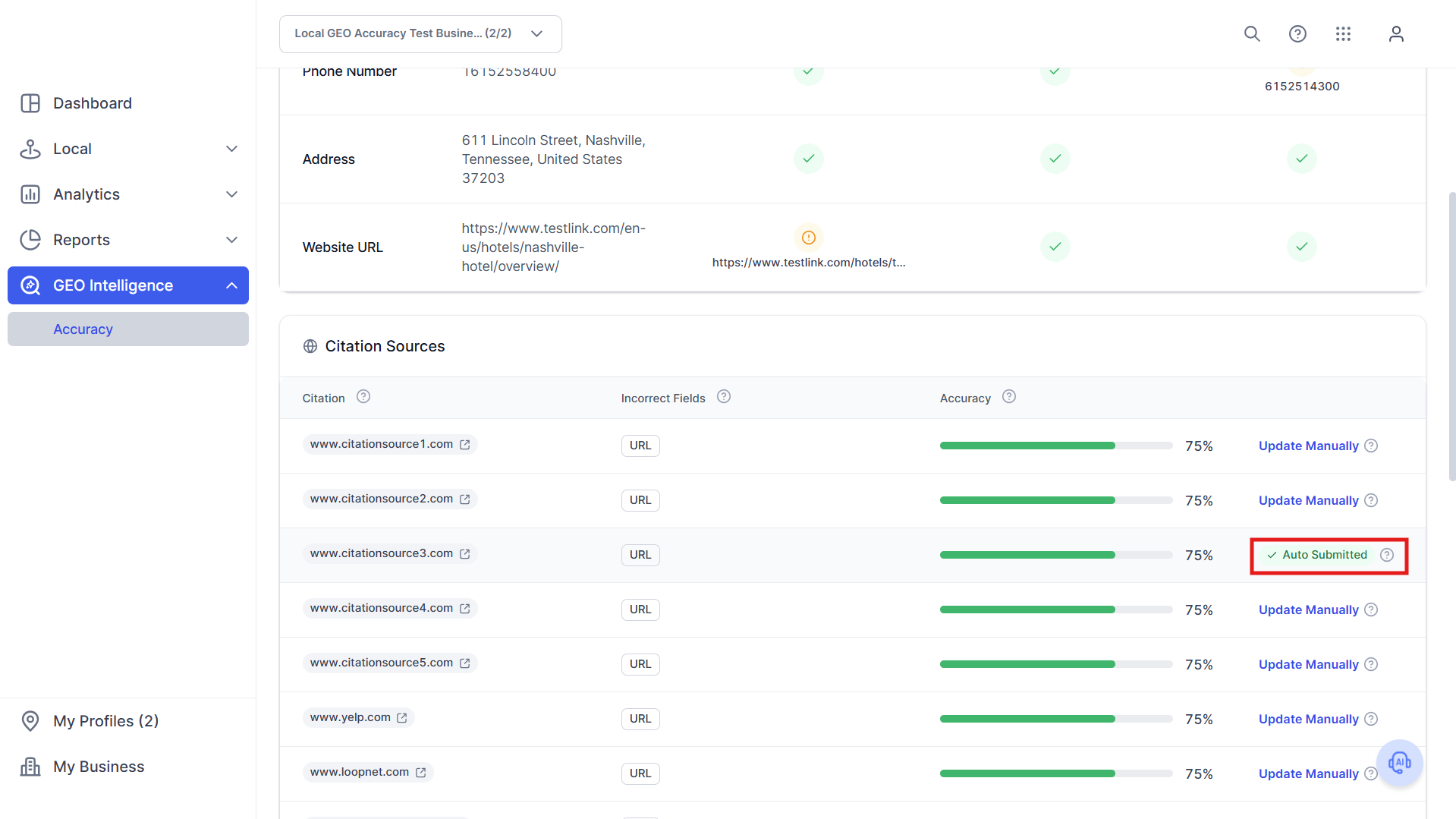
Step 7B: Manual Fixes. For unmanaged sources, click the source URL. Log into the partner platform (if applicable). Update your business information. Save and submit changes.
Best Practices
- Prioritize phone and address mismatches
- Fix high-authority sources first
- Review recommendations weekly
Was this article helpful?
That’s Great!
Thank you for your feedback
Sorry! We couldn't be helpful
Thank you for your feedback
Feedback sent
We appreciate your effort and will try to fix the article