By providing topic, content type, audience, brand voice, and goals, users can generate an AI-powered outline with:
- Optimized meta title, description, and URL slug
- Suggested headings (H1, H2) with word counts
- Target and supporting keywords
- Image alt text suggestions
- FAQs with draft answers
- Related content ideas
- Basic schema recommendations
Teams can use this outline to draft content or (in the future) generate full articles directly. Here's how it works.
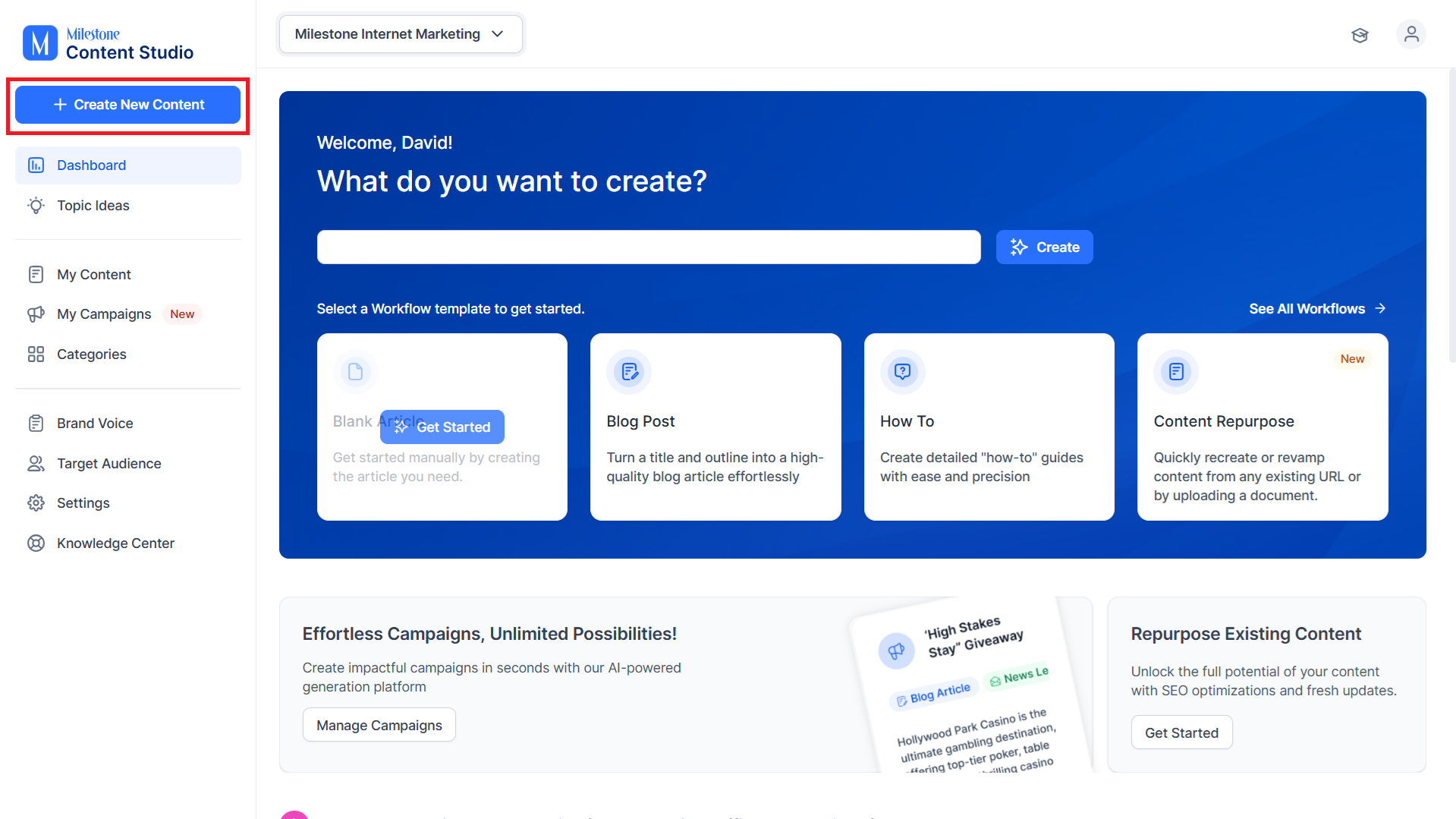
Step 1: To start off, click on ‘Create New Content’.
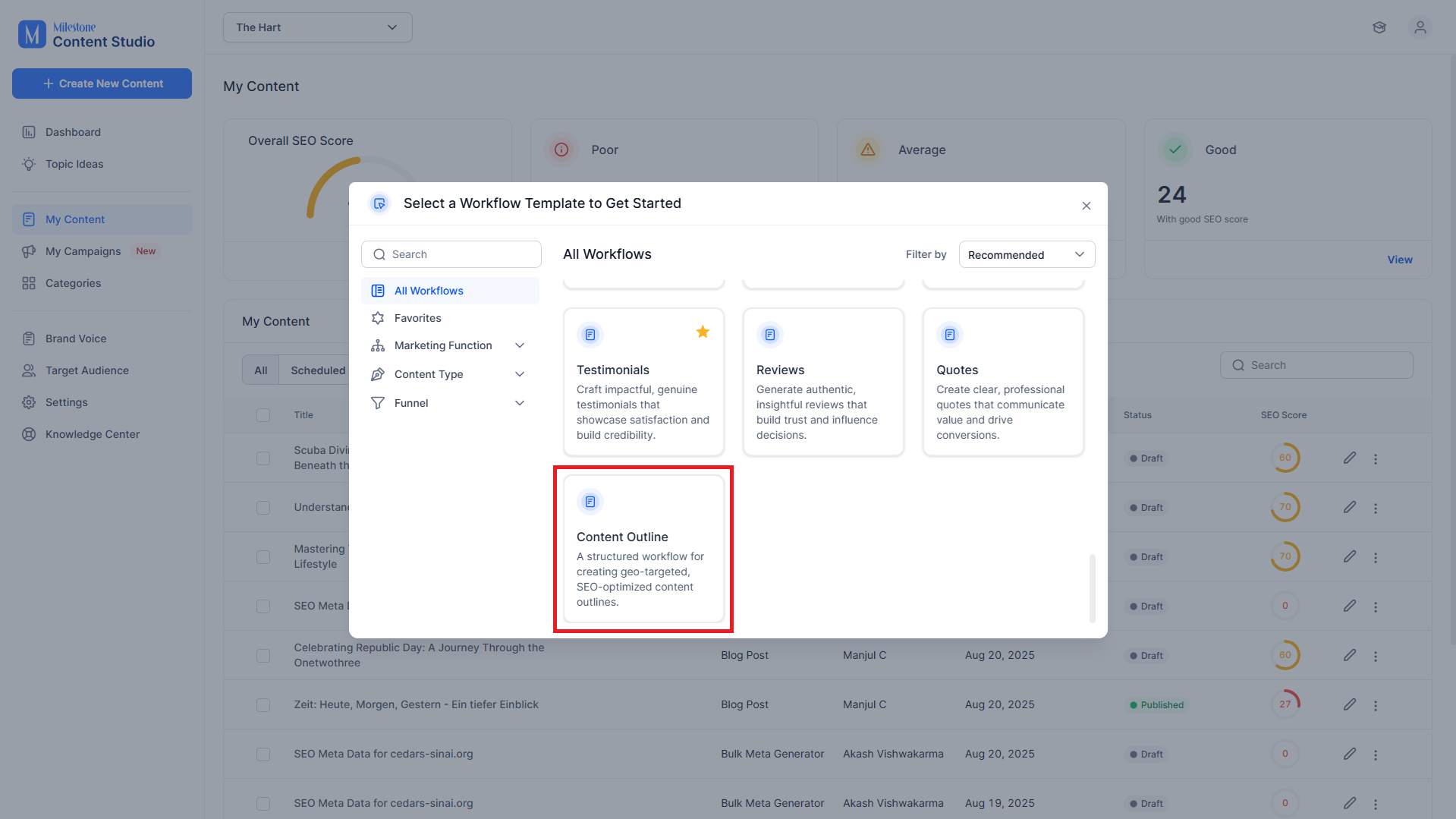
Step 2: Select the ‘Content Outline’ template.
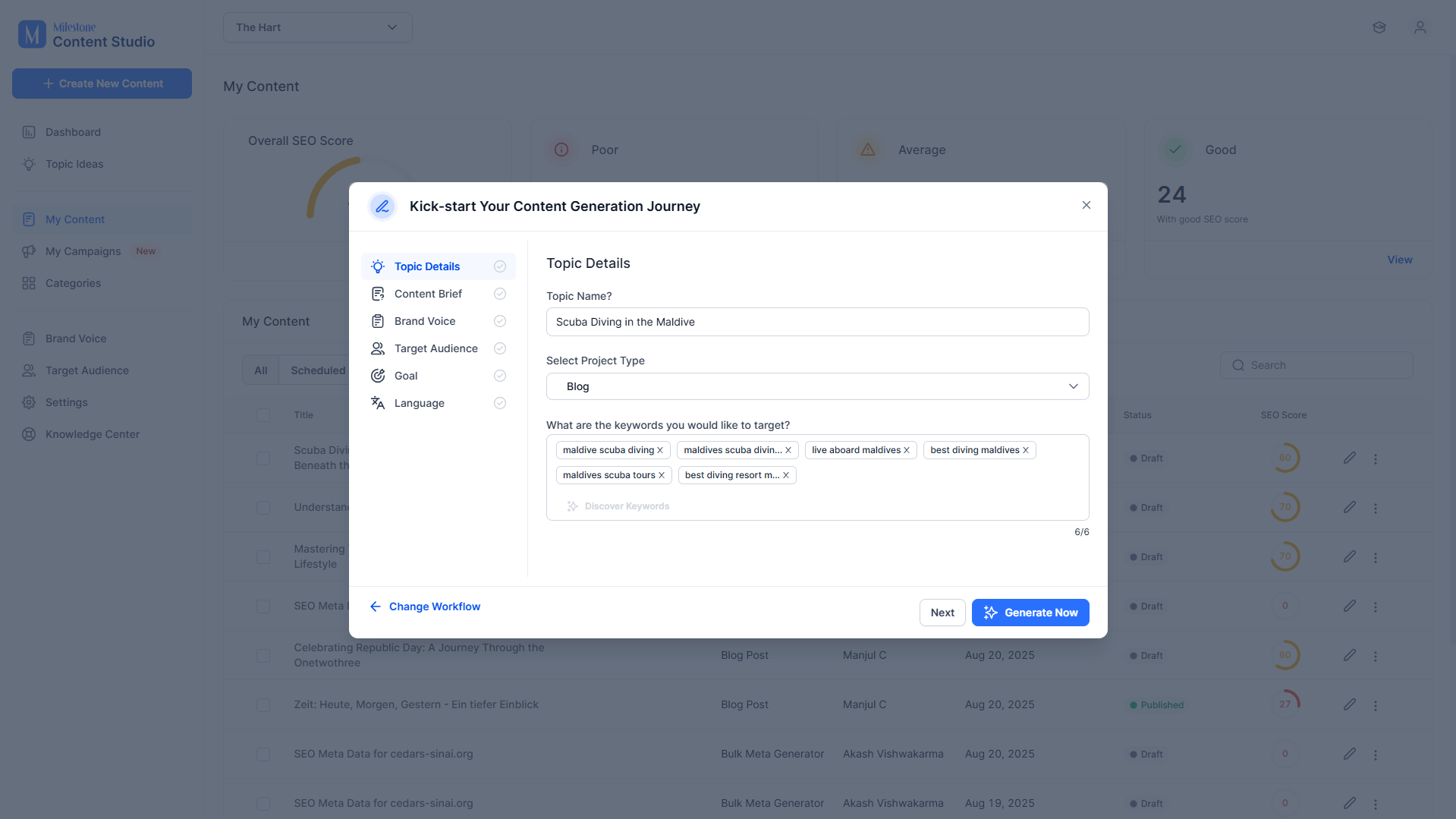
Step 3: Provide the Topic Name, the project type, and keywords.
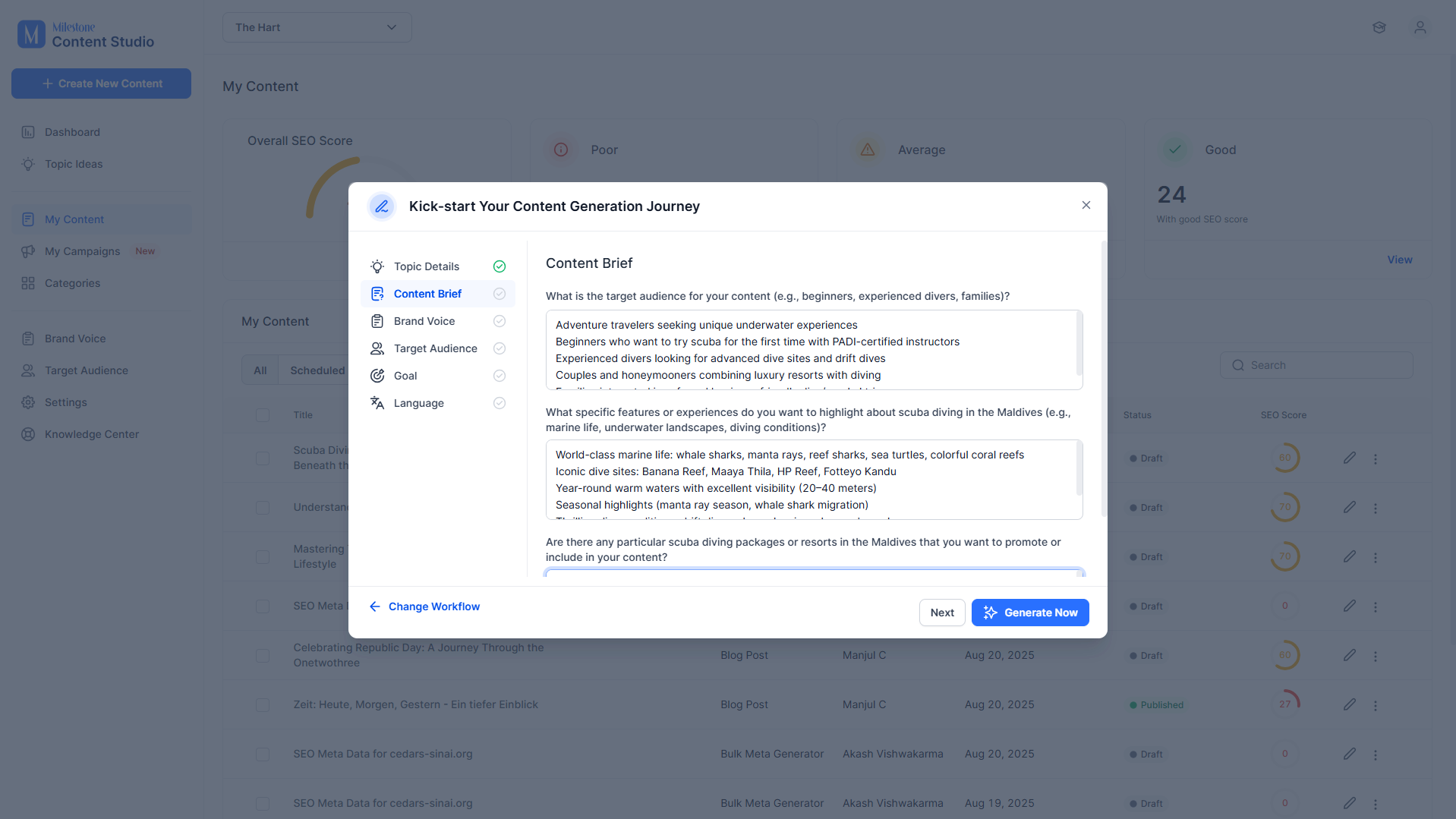
Step 4: Provide the details in the Content Brief.
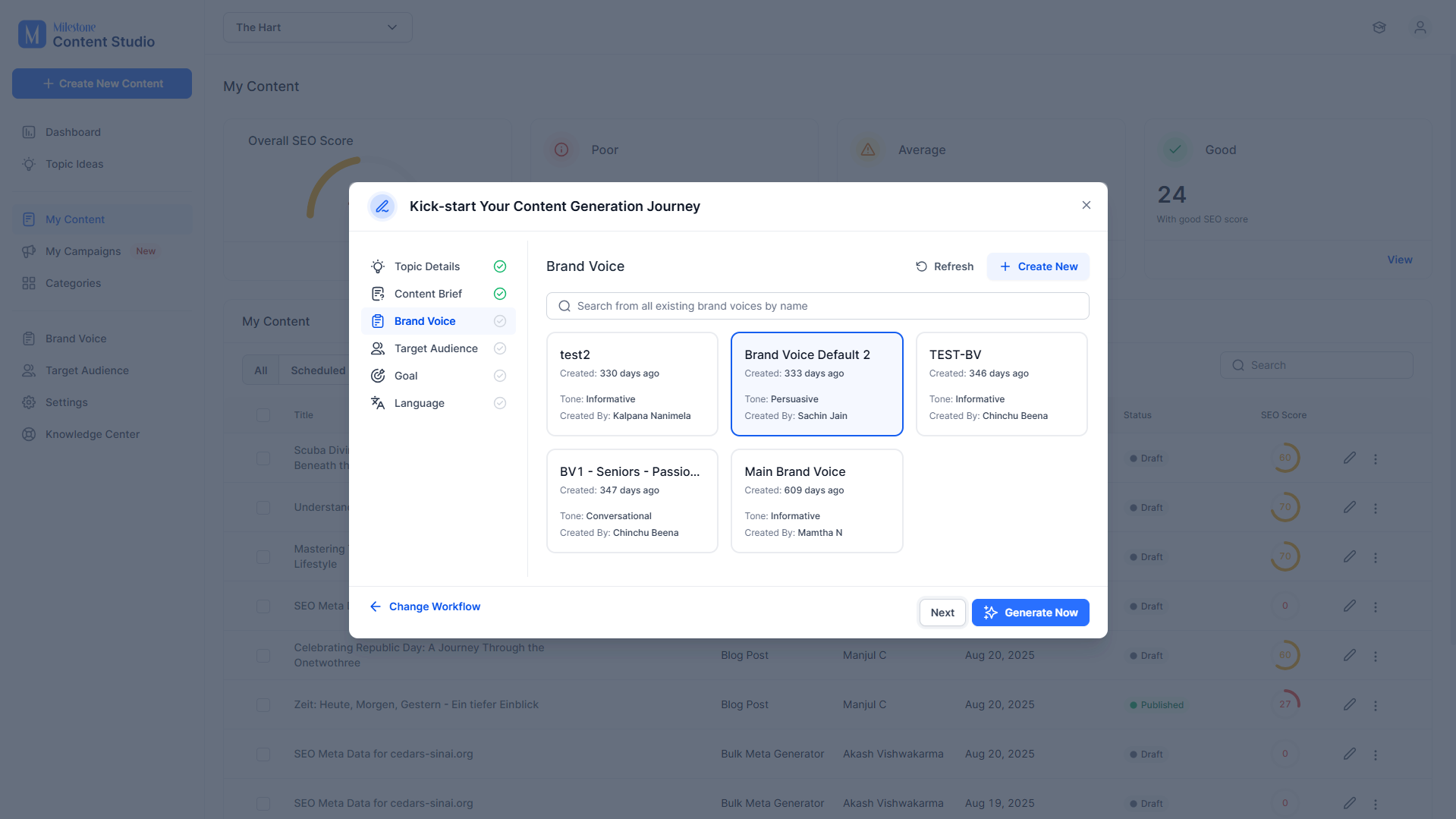
Step 5: Select a Brand Voice.
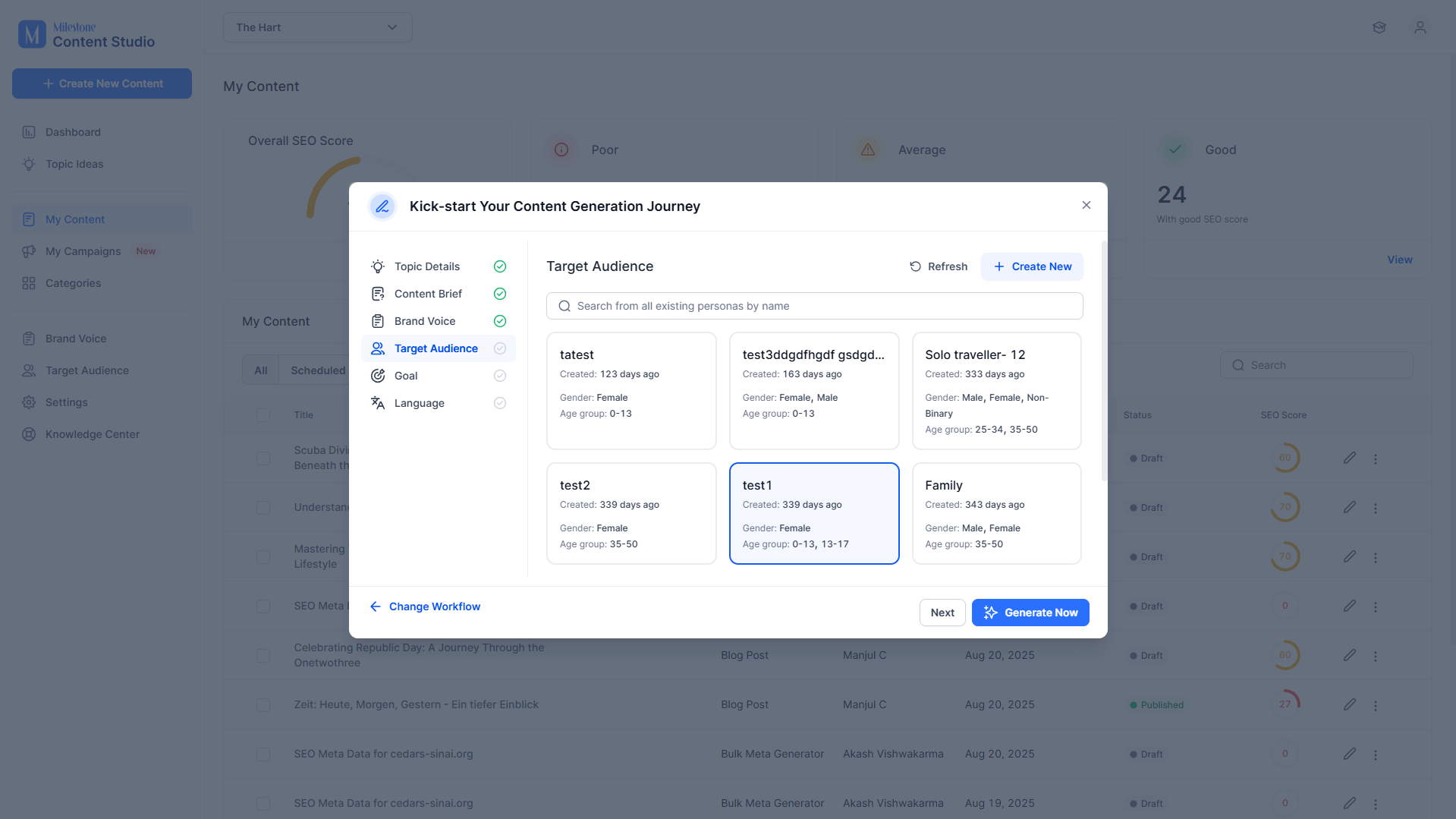
Step 6: Select a Target Audience.
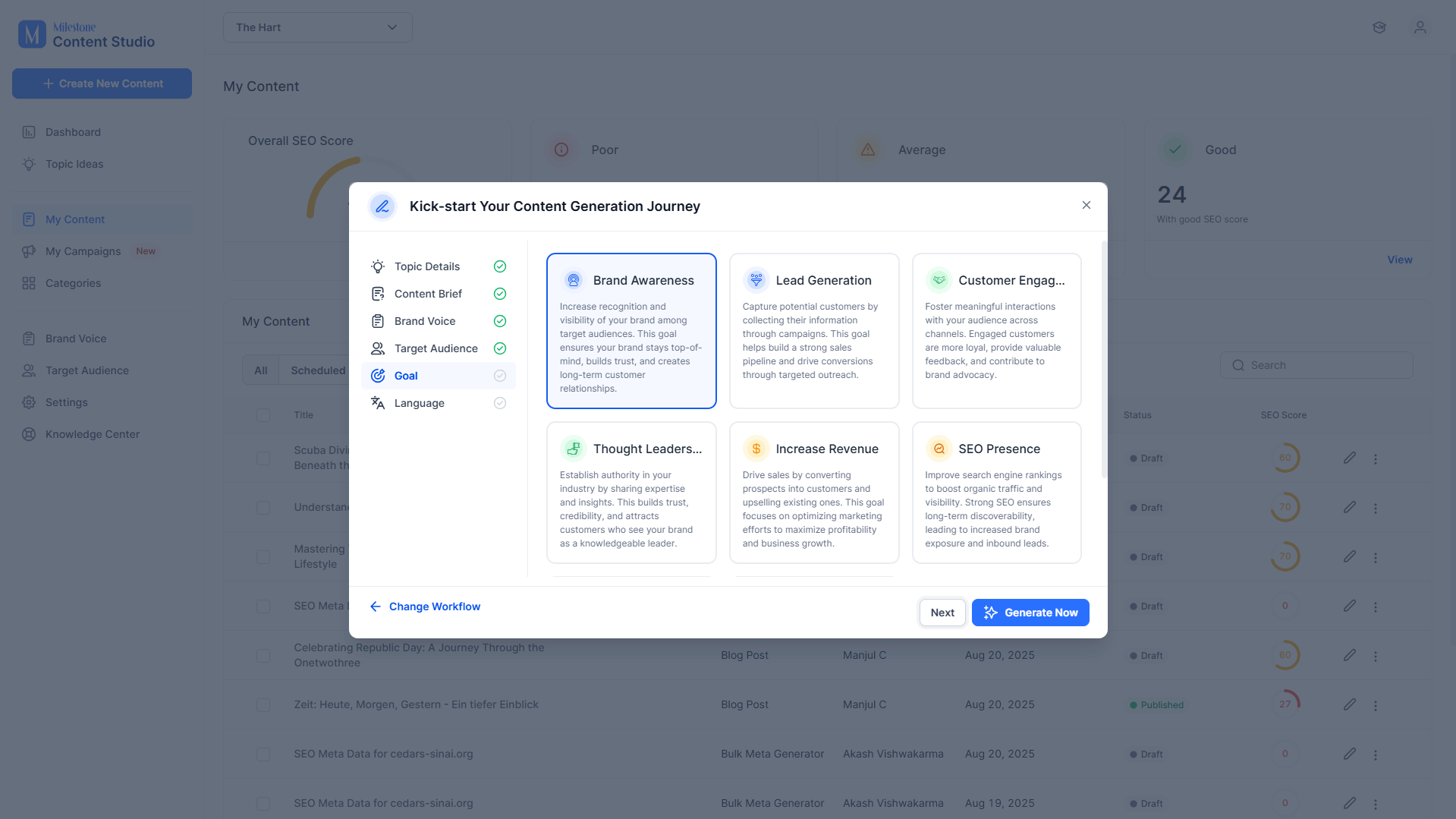
Step 7: Add a Goal for the content.
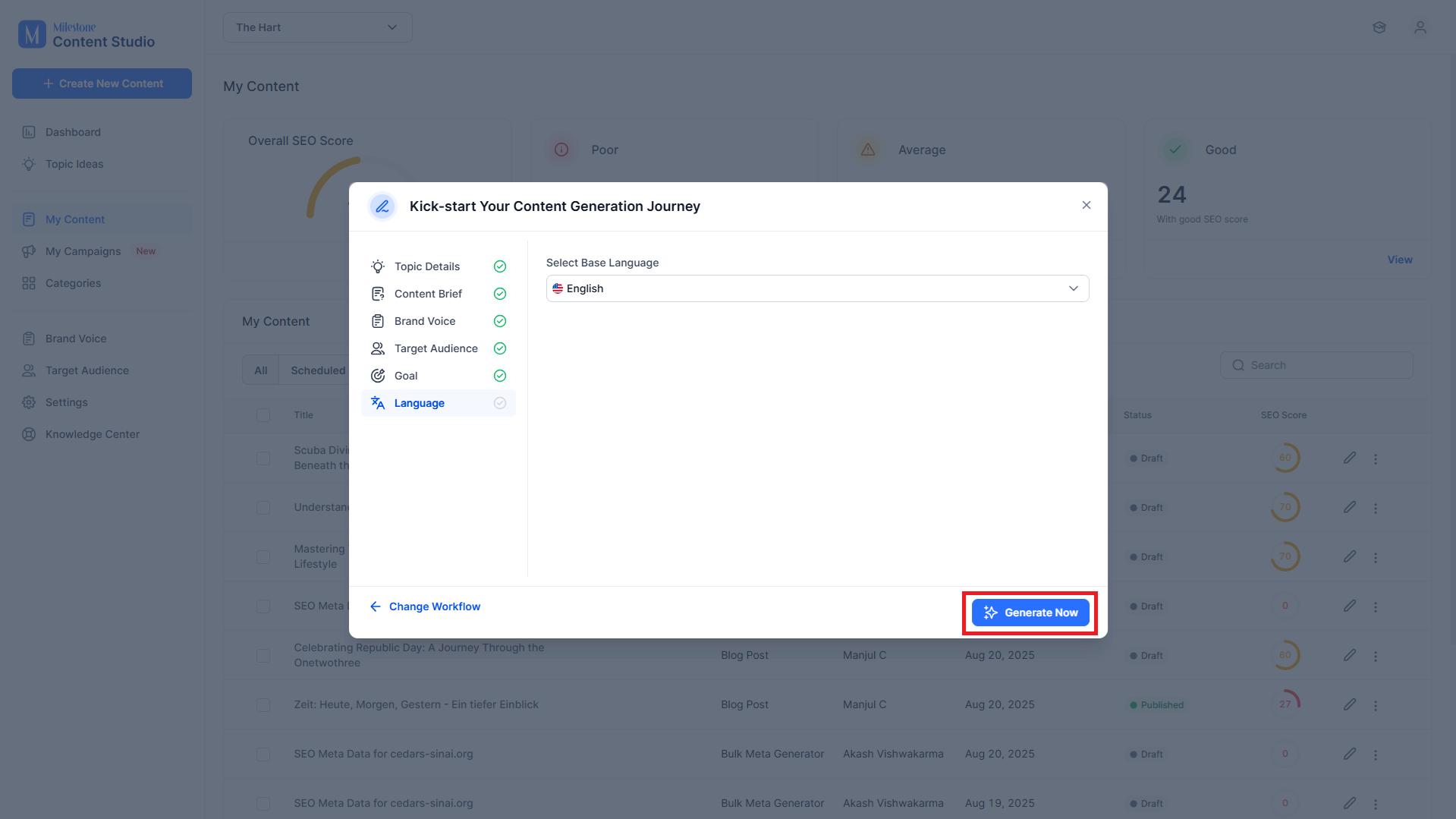
Step 8: Select the language you want the content generated in.
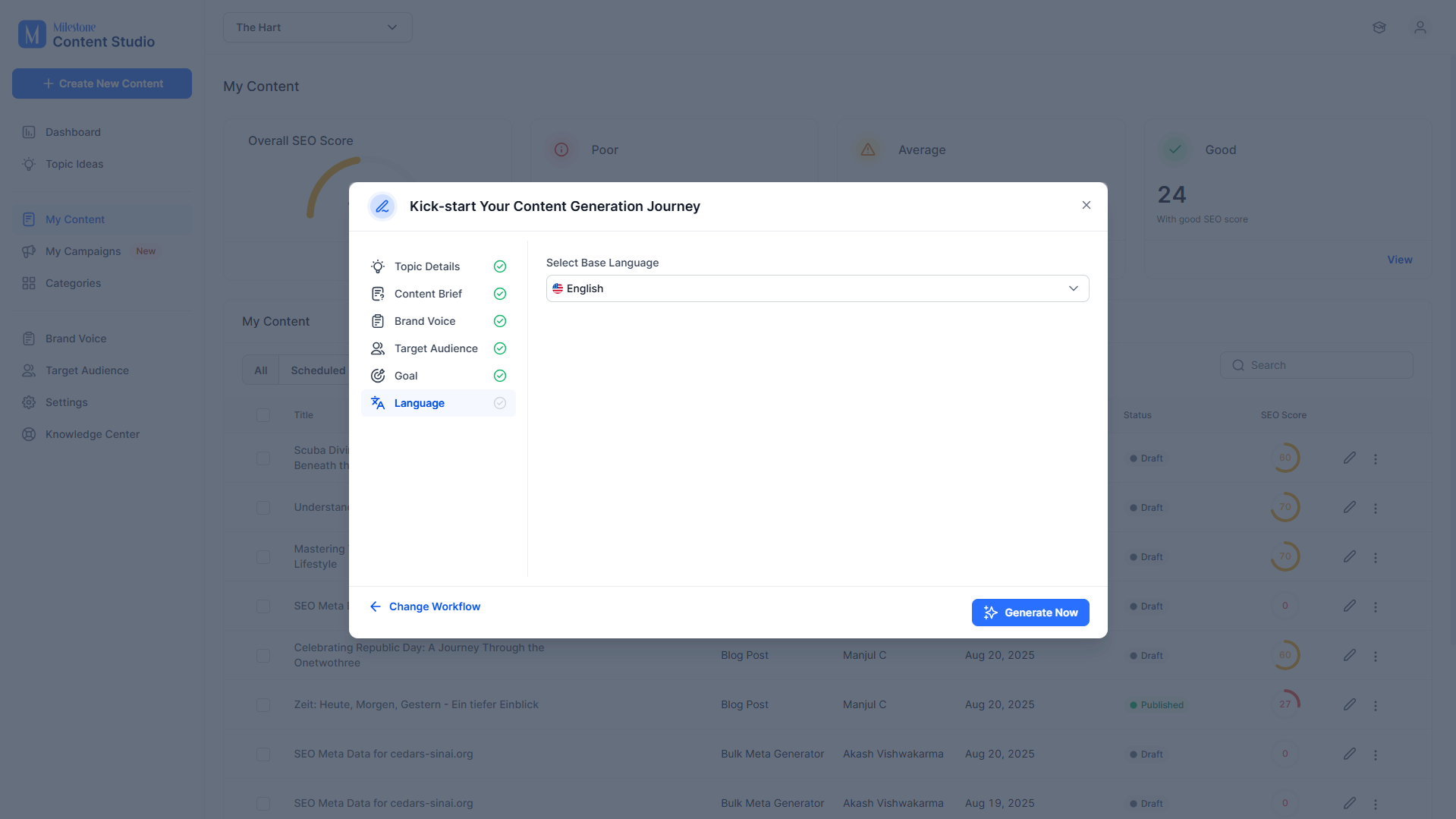
Step 9: Click on ‘Generate Now’ to start generating the Content Outline.
This is how the Content Outline looks.
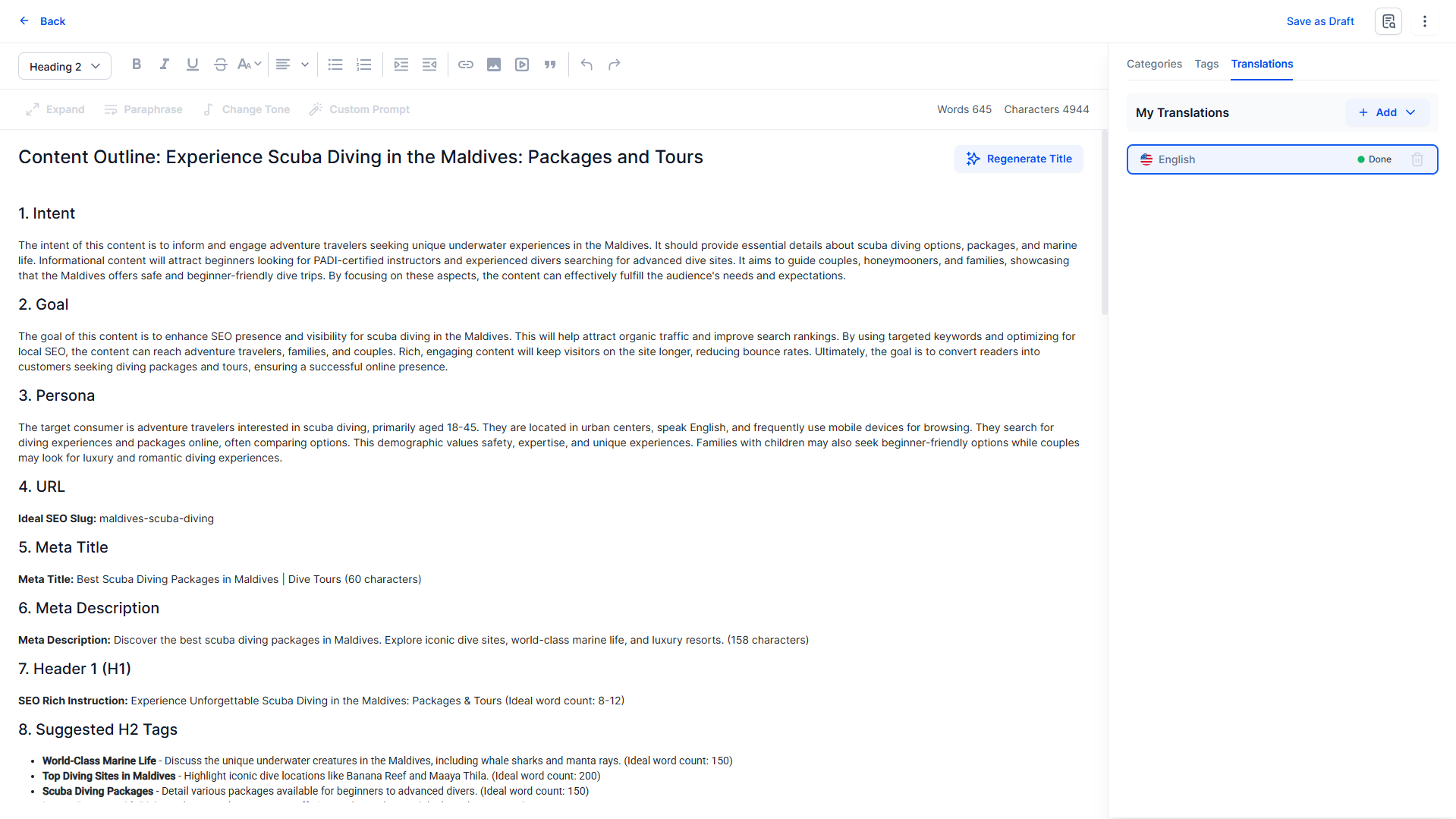
You can now use this Outline in the content brief for an article or even create a campaign around it at lightning speed.
Was this article helpful?
That’s Great!
Thank you for your feedback
Sorry! We couldn't be helpful
Thank you for your feedback
Feedback sent
We appreciate your effort and will try to fix the article