Content Studio uses AI to automatically insert relevant internal links directly into article bodies. With just one click, users can enrich their content with context-aware hyperlinks that improve SEO, enhance user navigation, and support site authority, all without manual effort.
Step 1: When you are done creating you content and the SEO Checklist to the right will help you improve your SEO score.
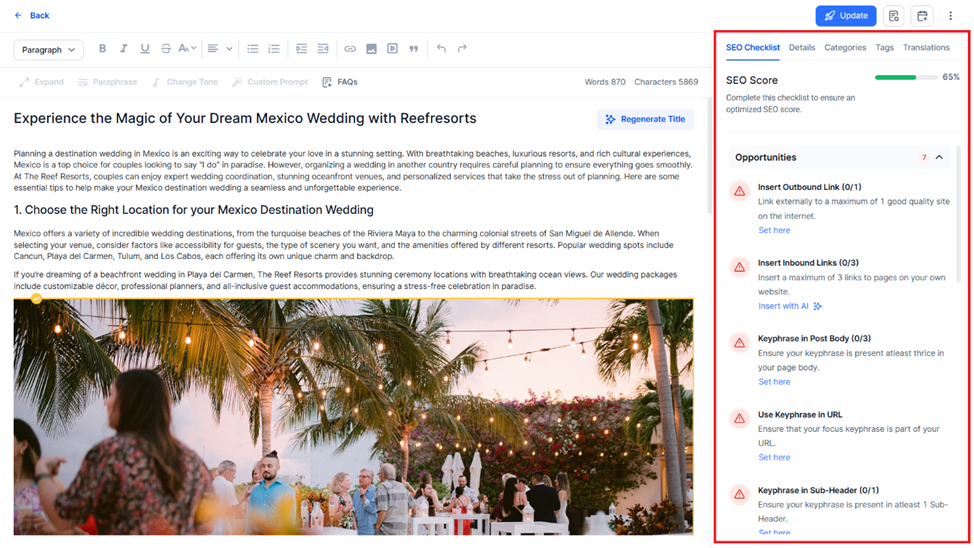
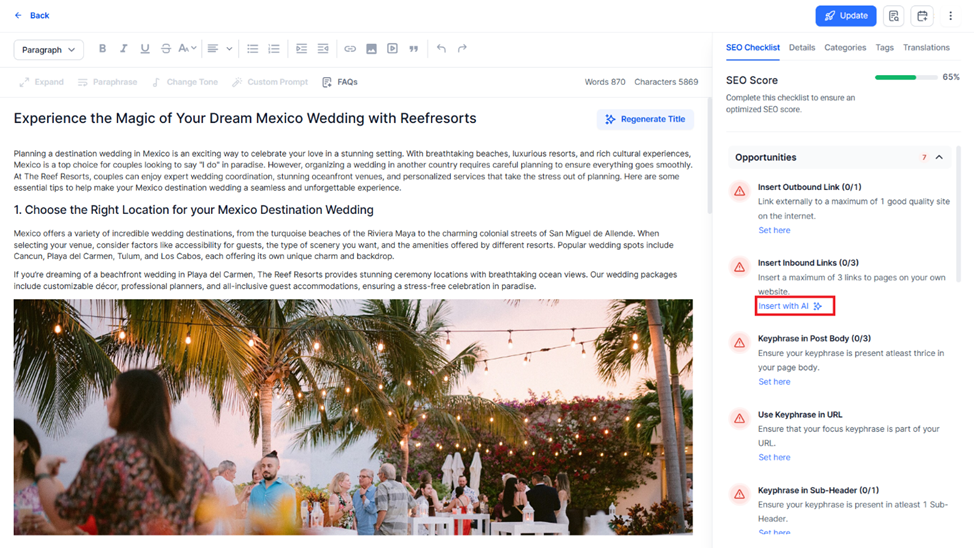
Step 2: The ‘Insert Inbound Links’ helps you improve your SEO score by inserting internal links to your content. You can click on the ‘Insert with AI’ option to generate and link relevant portions of your content.
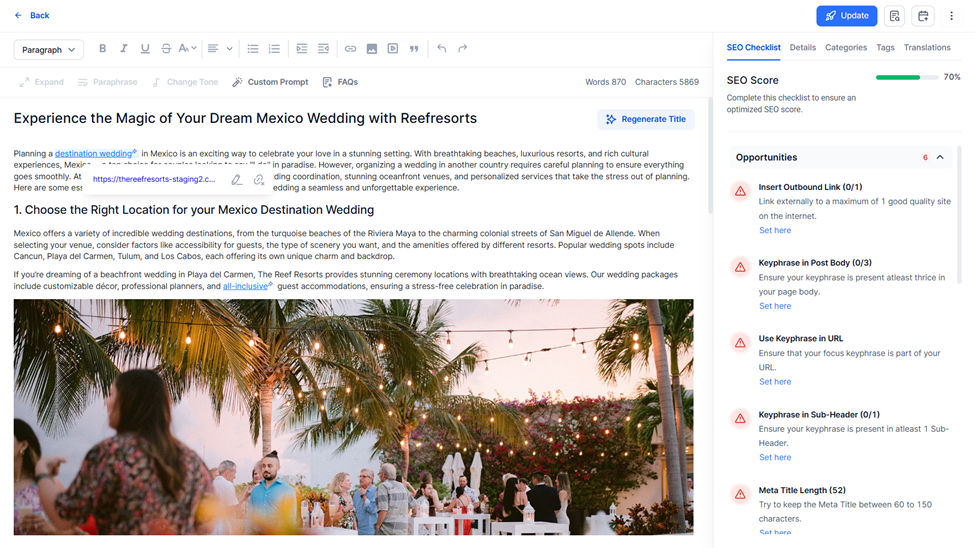
Step 3: Content Studio’s editor will add links to your content. Review these links by clicking on the hyperlinked content.
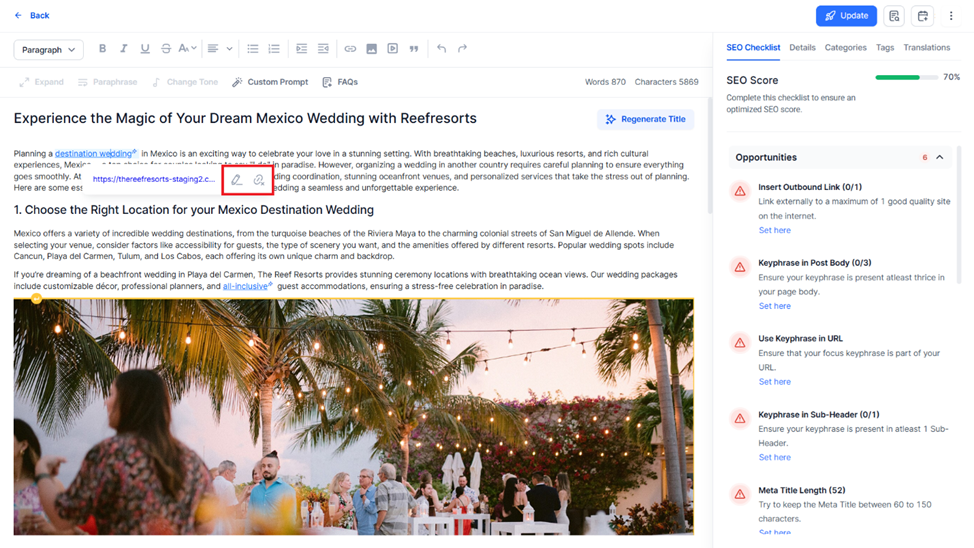
Step 4: You can choose to edit the link or remove it.
Was this article helpful?
That’s Great!
Thank you for your feedback
Sorry! We couldn't be helpful
Thank you for your feedback
Feedback sent
We appreciate your effort and will try to fix the article