With the Content Refresh feature, you can now create a variety of content by providing a URL or a text document that inspires you. Just paste the link or upload the document, and in just a few clicks you can have anything from a blog to a newsletter and event social media posts.
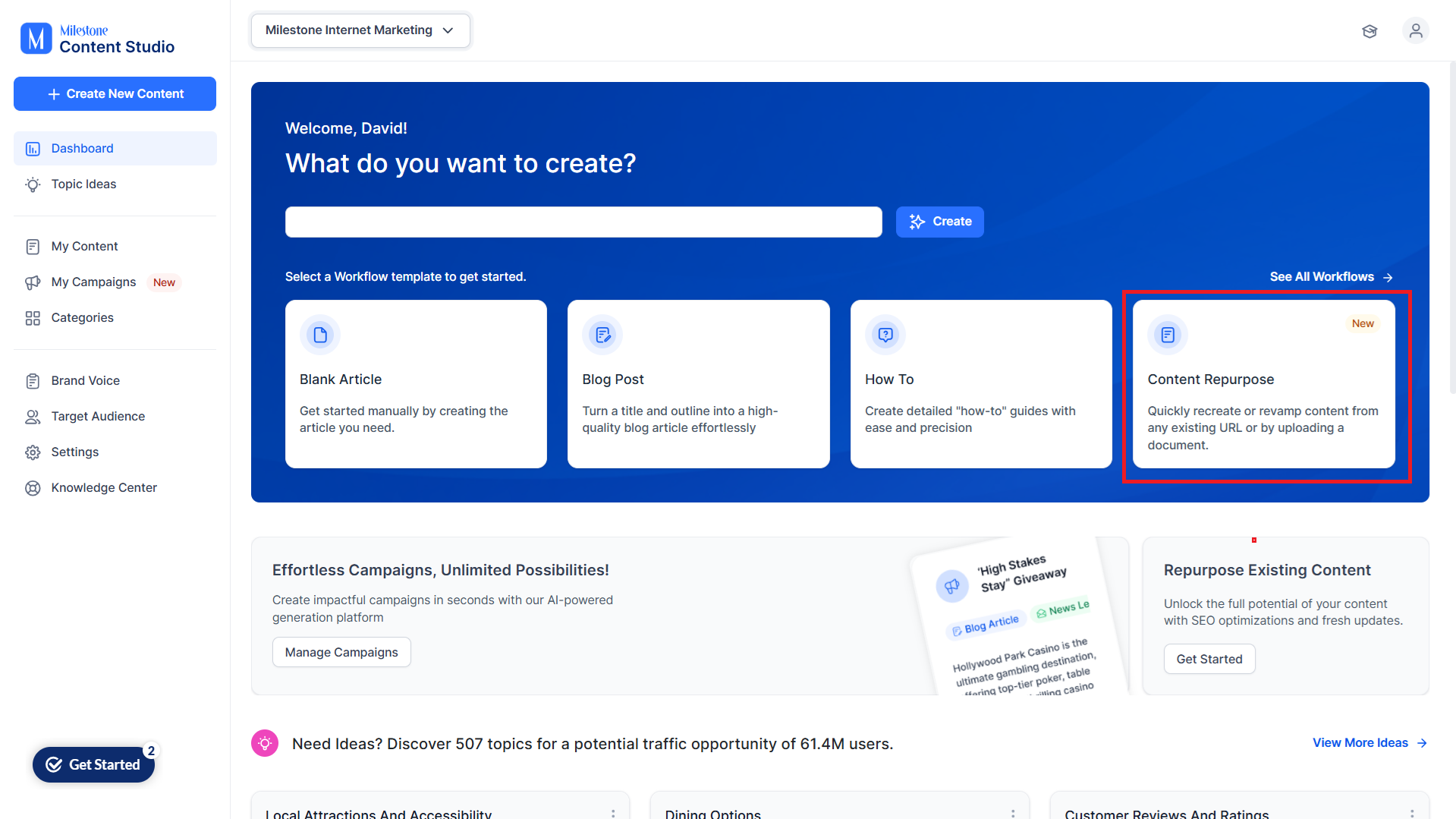
Step 1: Select the ‘Content Repurpose’ template in Content Studio.
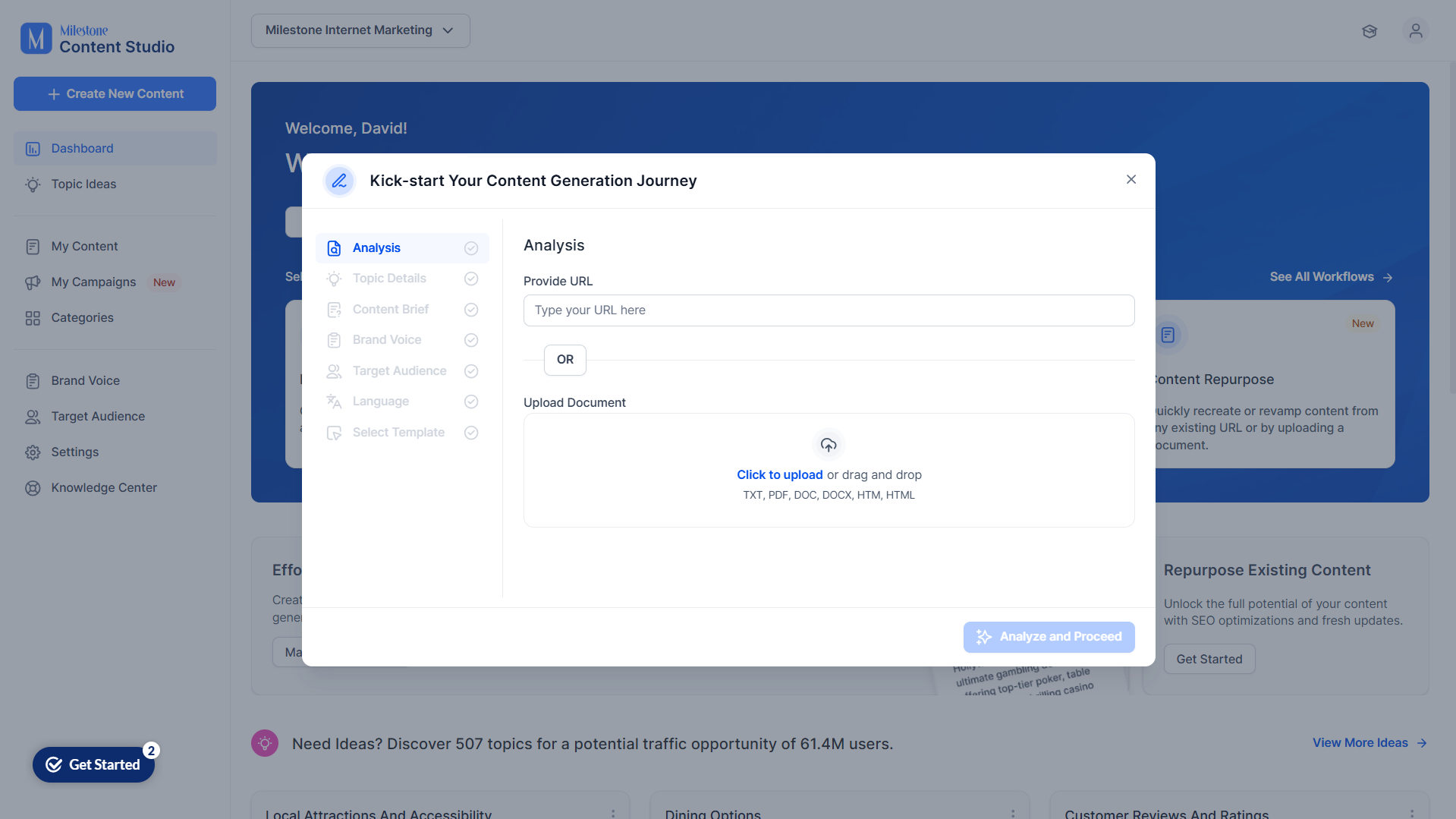
Step 2: For content analysis, provide a URL or upload a document in the supported formats.
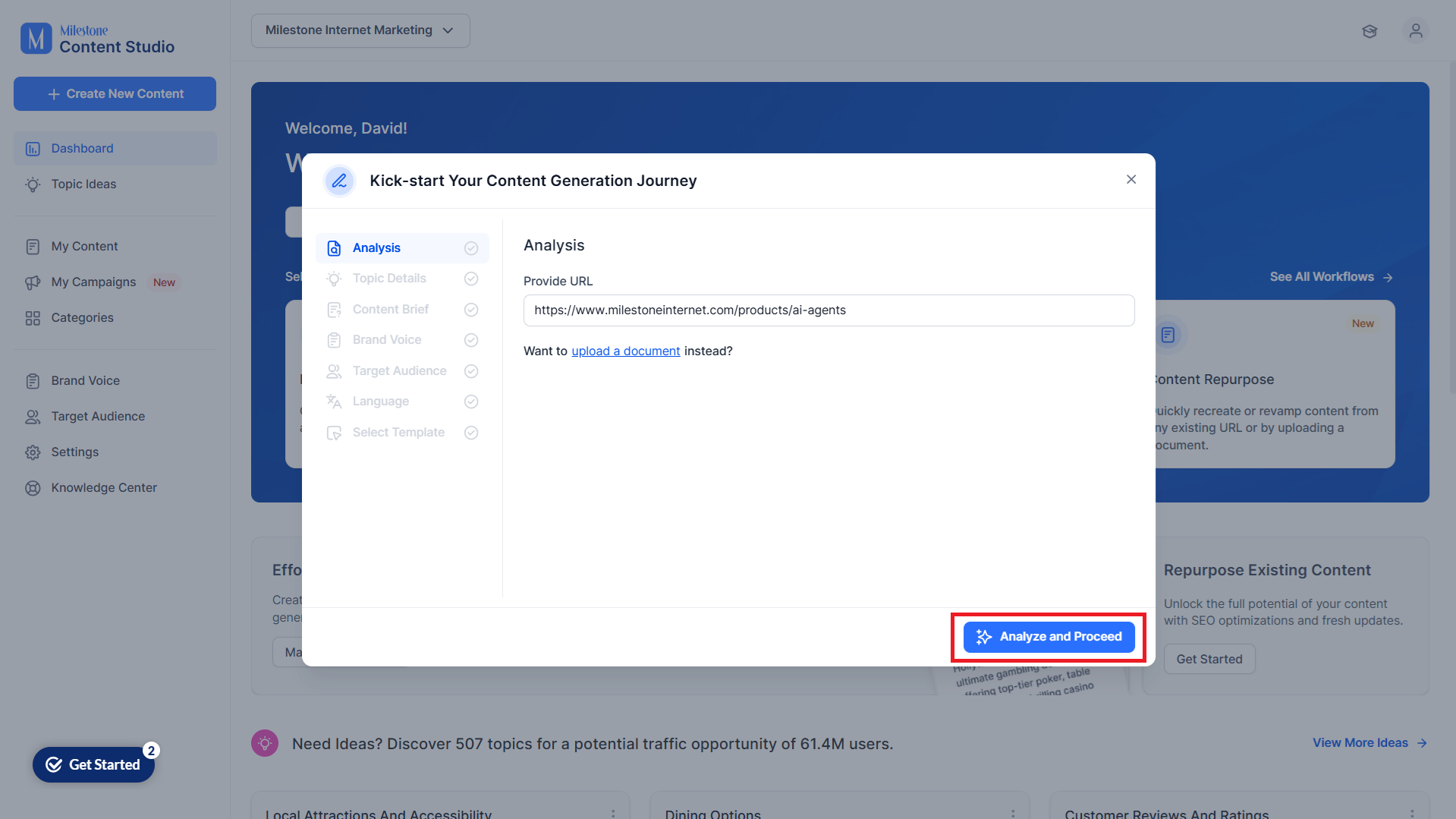
Step 3: Click on ‘Analyze and Proceed’.
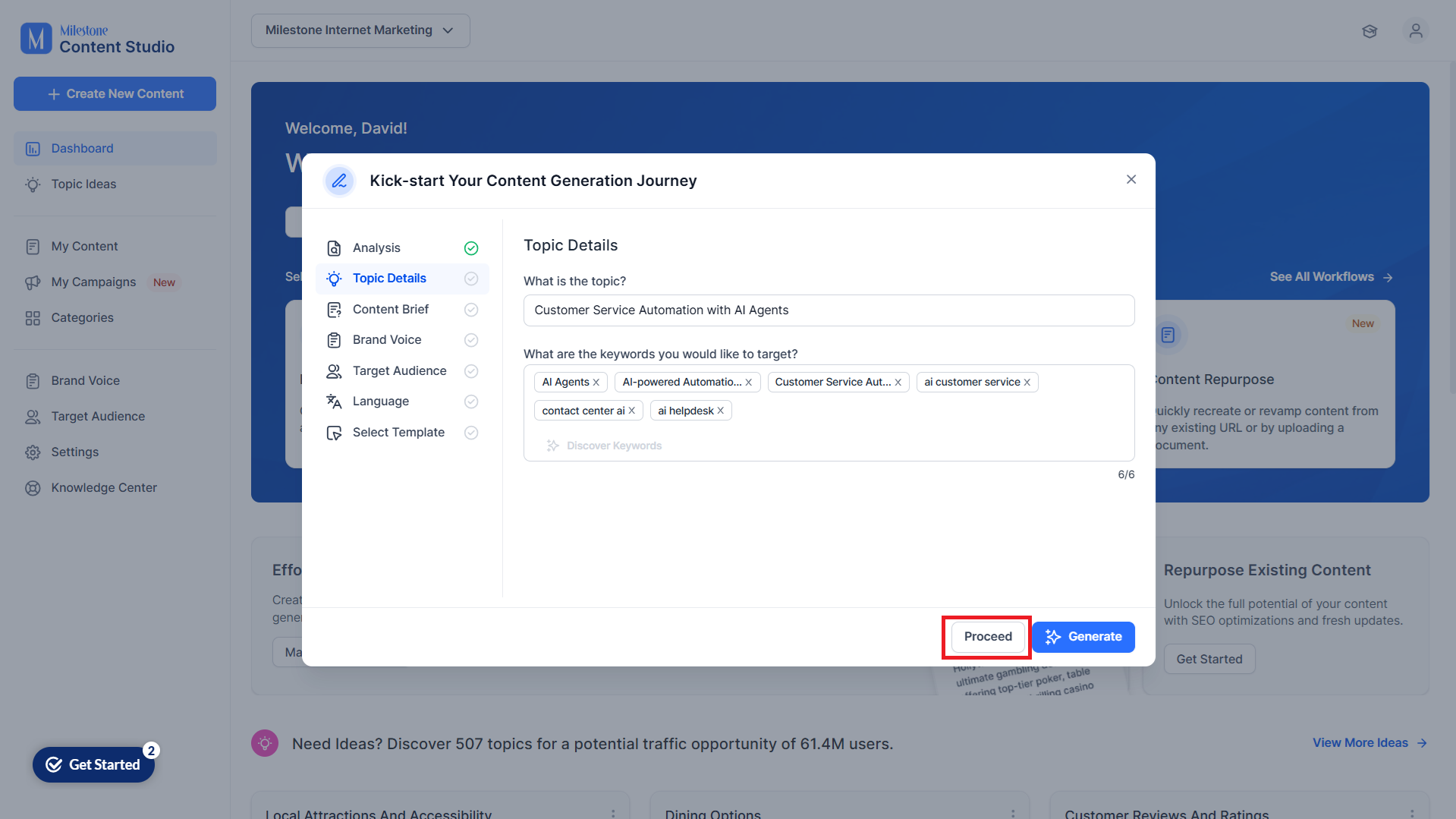
Step 4: Once Content Studio has analyzed the content, it will provide you with a suggested topic and keywords for the repurposed content. You can edit these and add more keywords as well. Use the ‘Discover Keywords’ option to find useful keywords for the repurposed content.
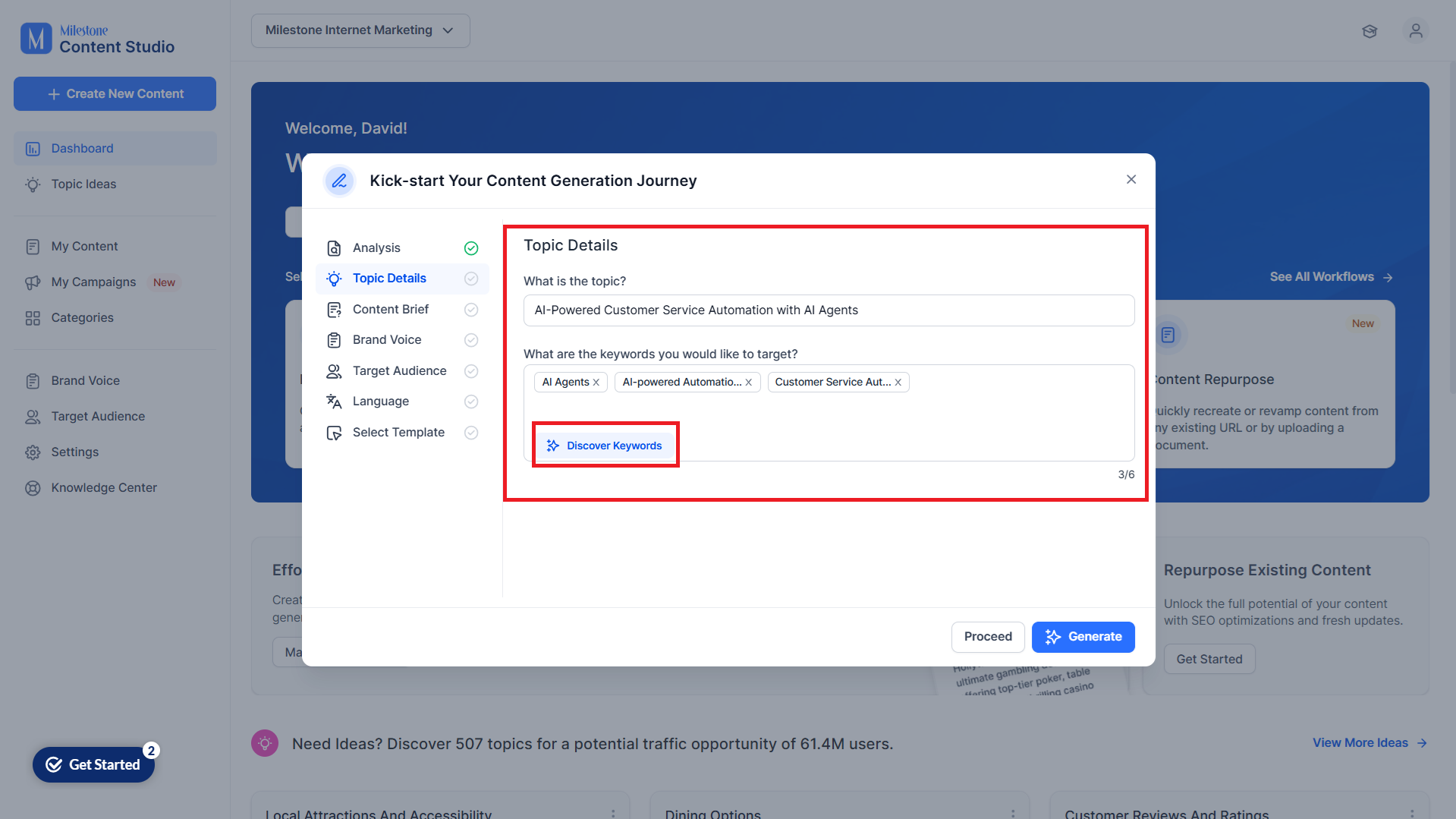
Step 5: Once you have made your changes, click on ‘Proceed’.
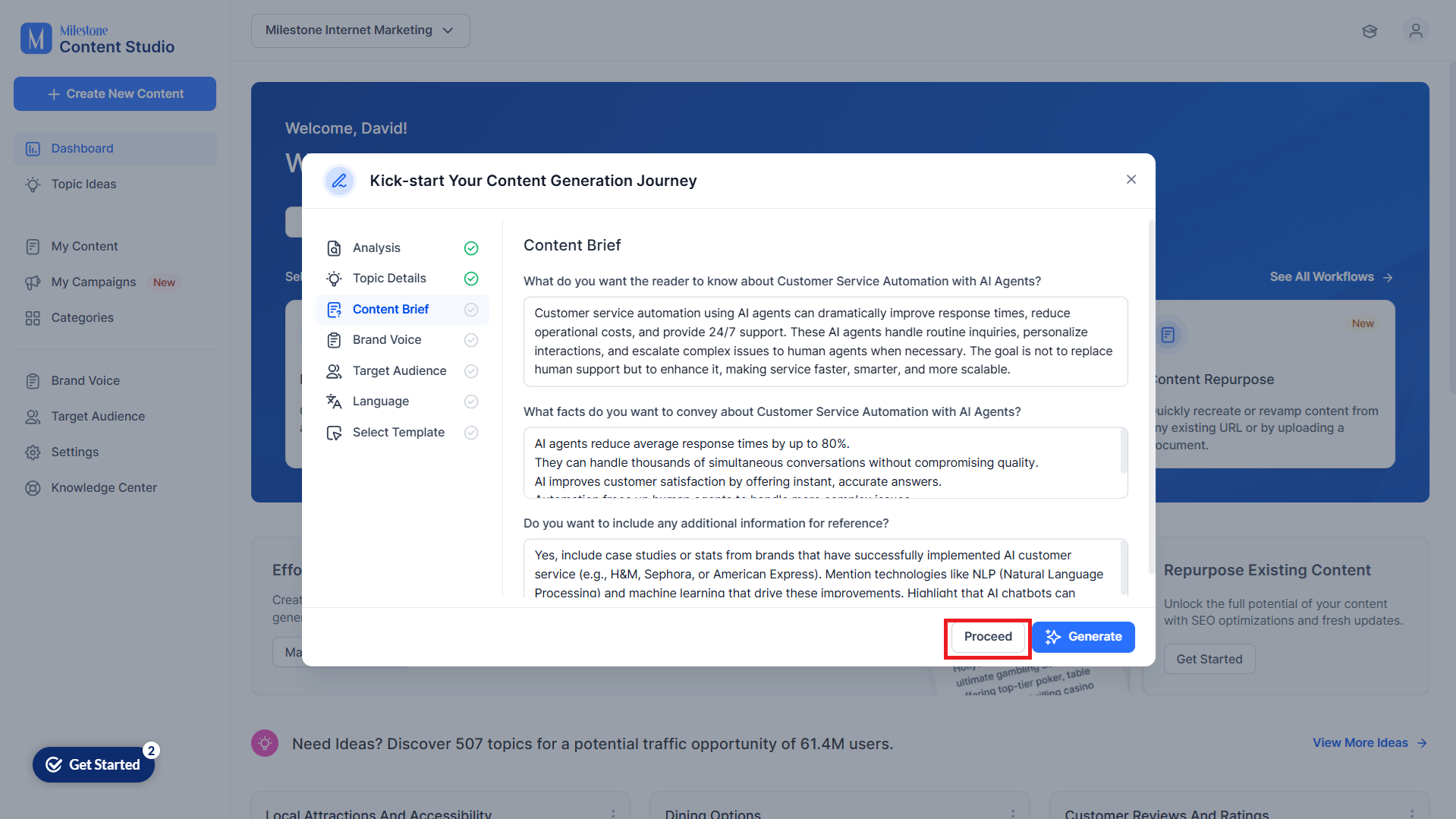
Step 6: Answer the questions in the Content Brief section and click on ‘Proceed’. These questions are dynamically generated and are relevant to the topic.
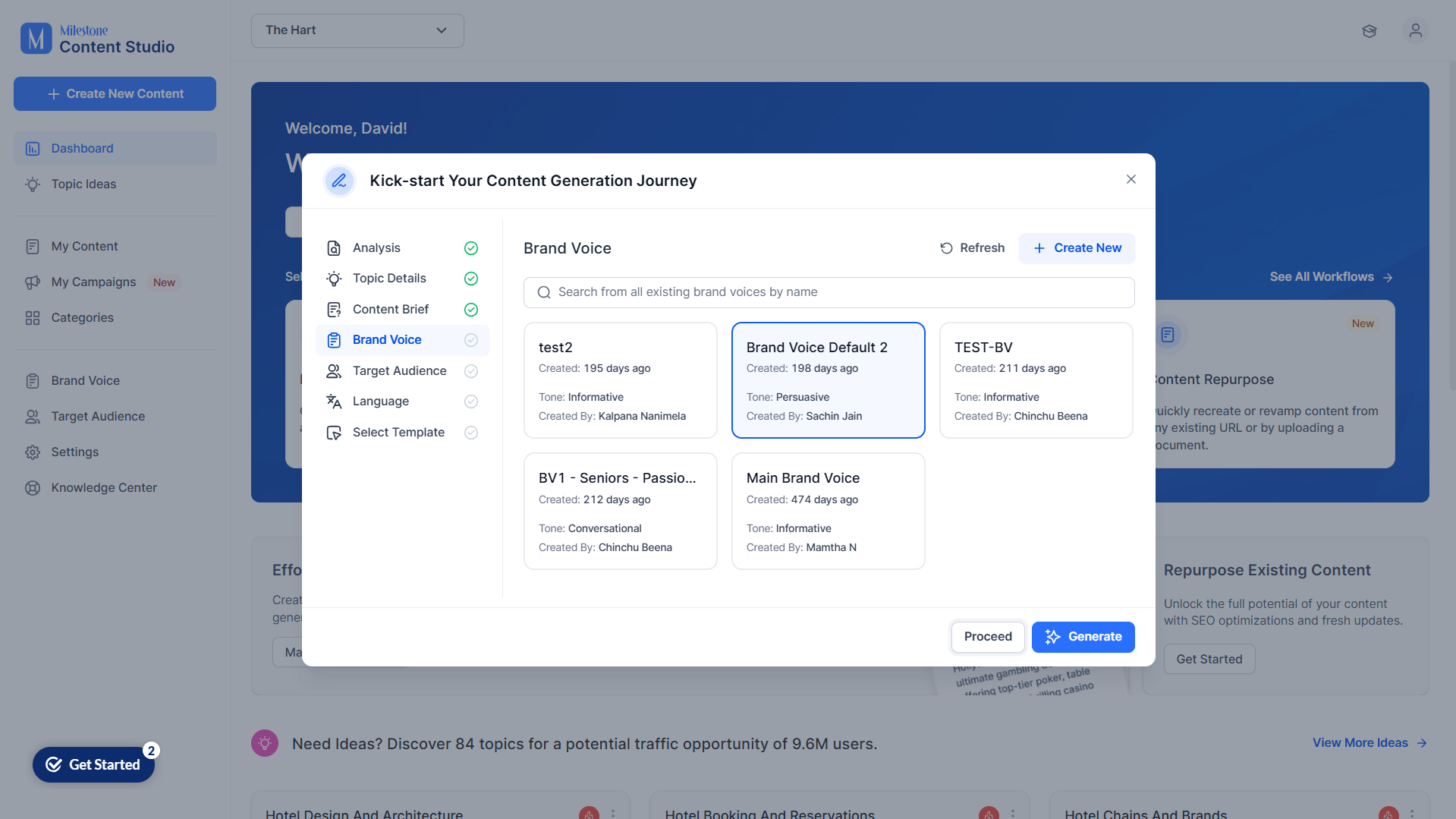
Step 7: Select a Brand Voice for the content.
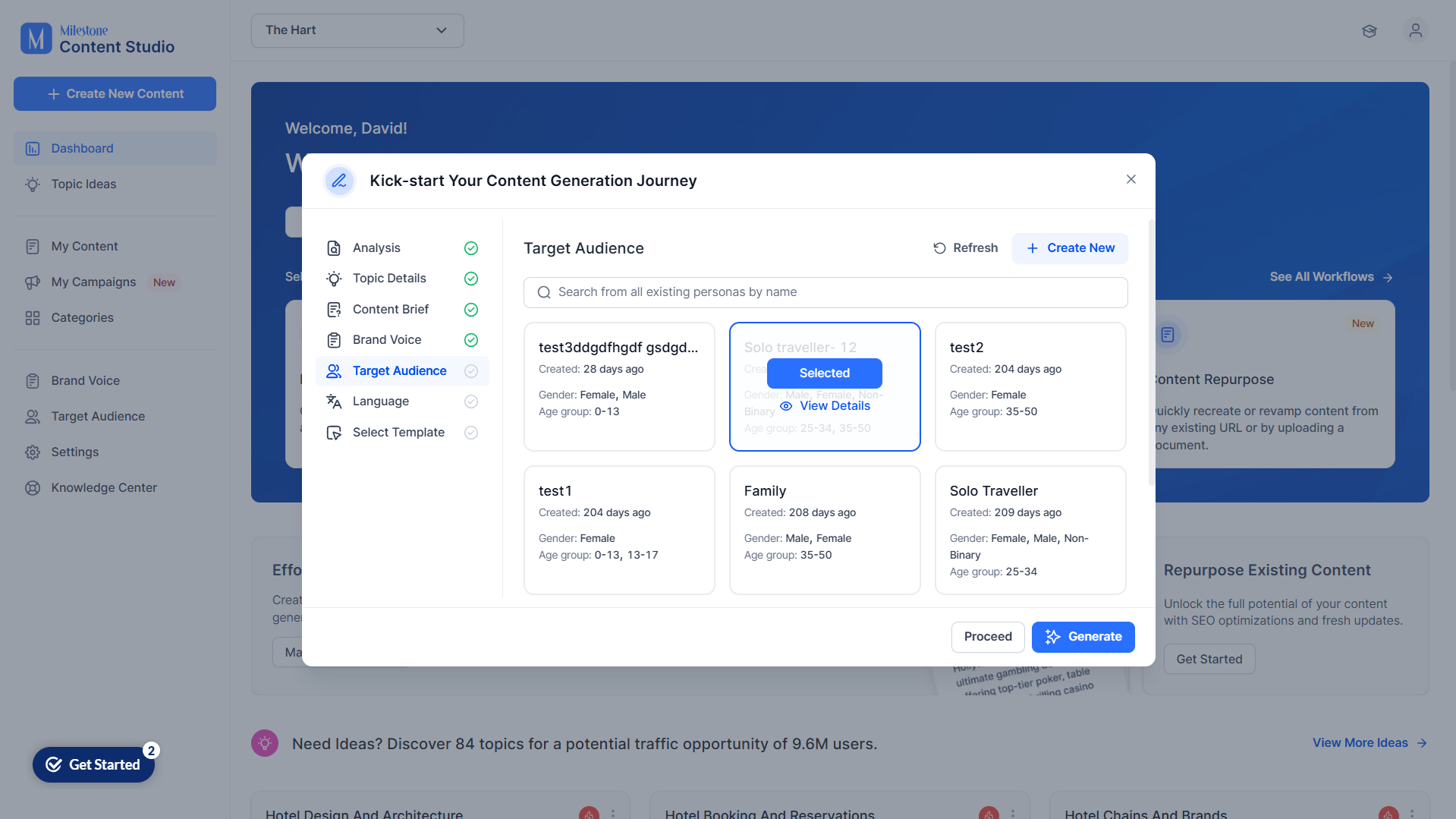
Step 8: Select the Target Audience.
Step 9: Select the primary language for the content.
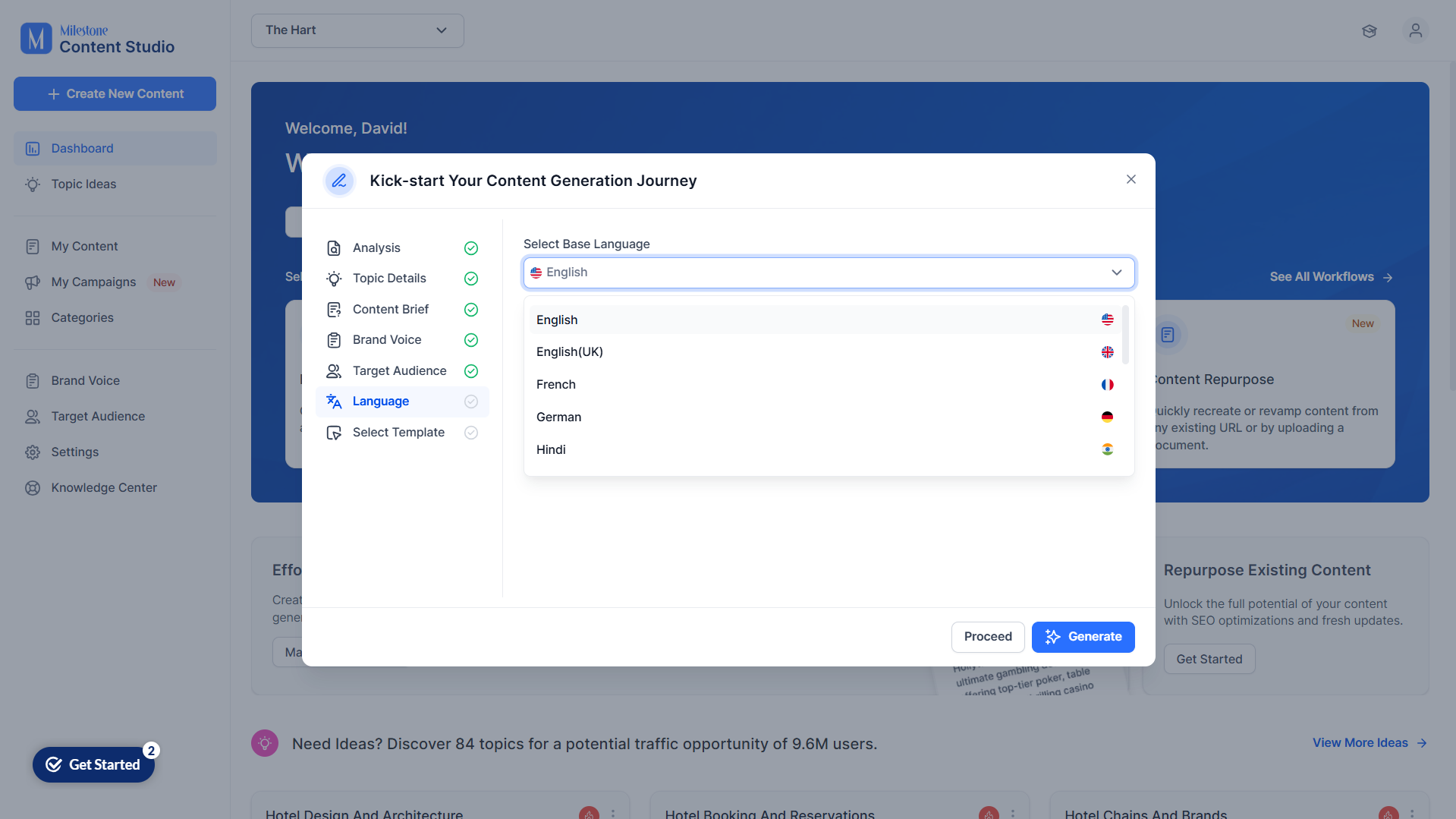
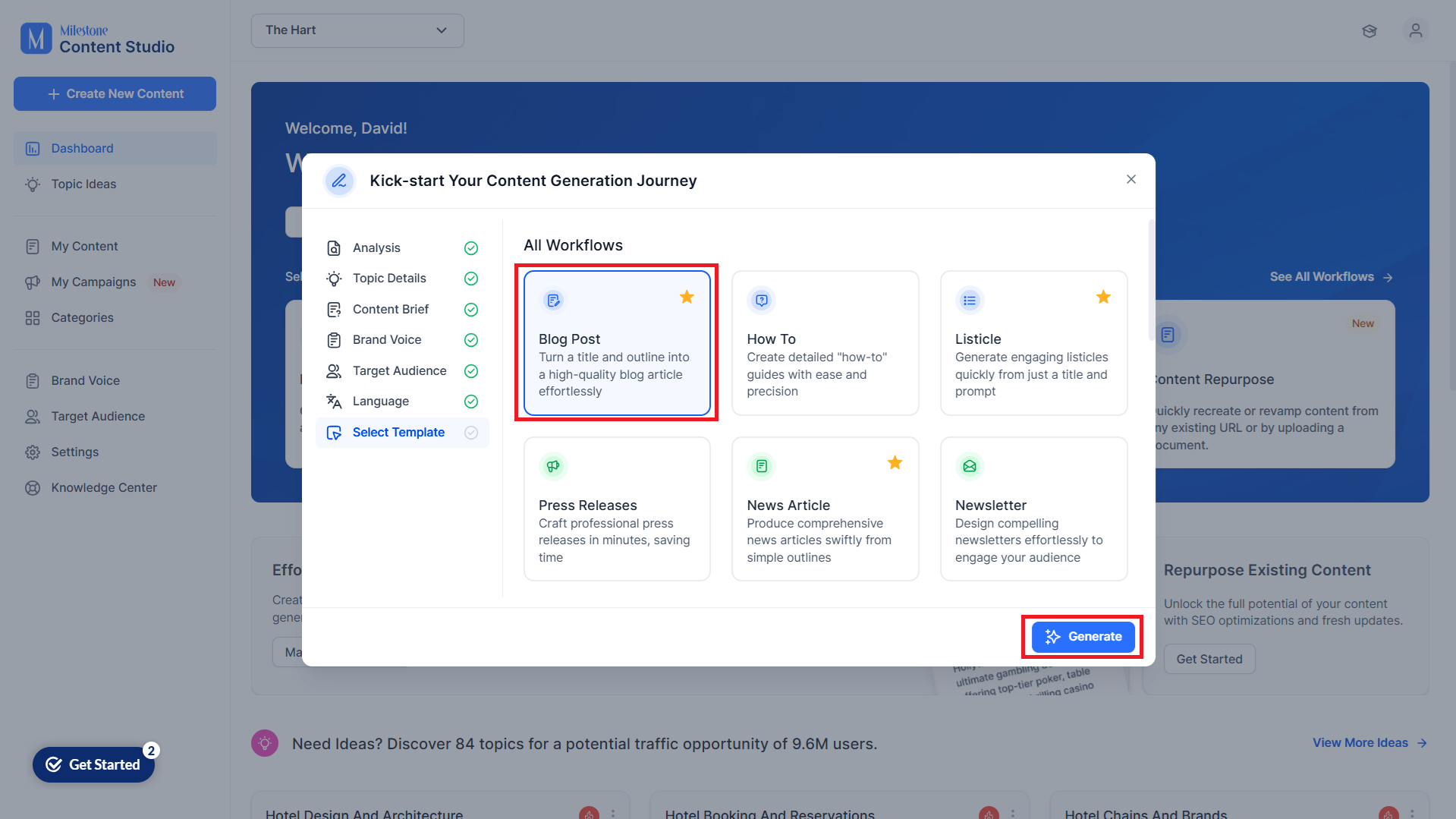
Step 10: Select the template for the type content you want to generate and click on ‘Generate’.
Was this article helpful?
That’s Great!
Thank you for your feedback
Sorry! We couldn't be helpful
Thank you for your feedback
Feedback sent
We appreciate your effort and will try to fix the article