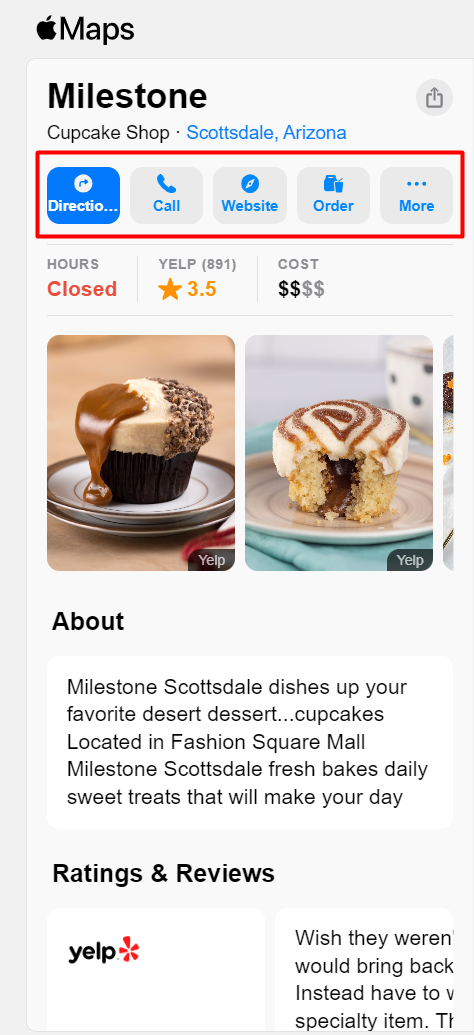
Milestone Local supports Action Links for Apple Business Connect.
Path: Milestone Local > Locations > Profile Summary > Add Action Links
Step 1: Navigate to ‘Locations’ in Milestone Local.
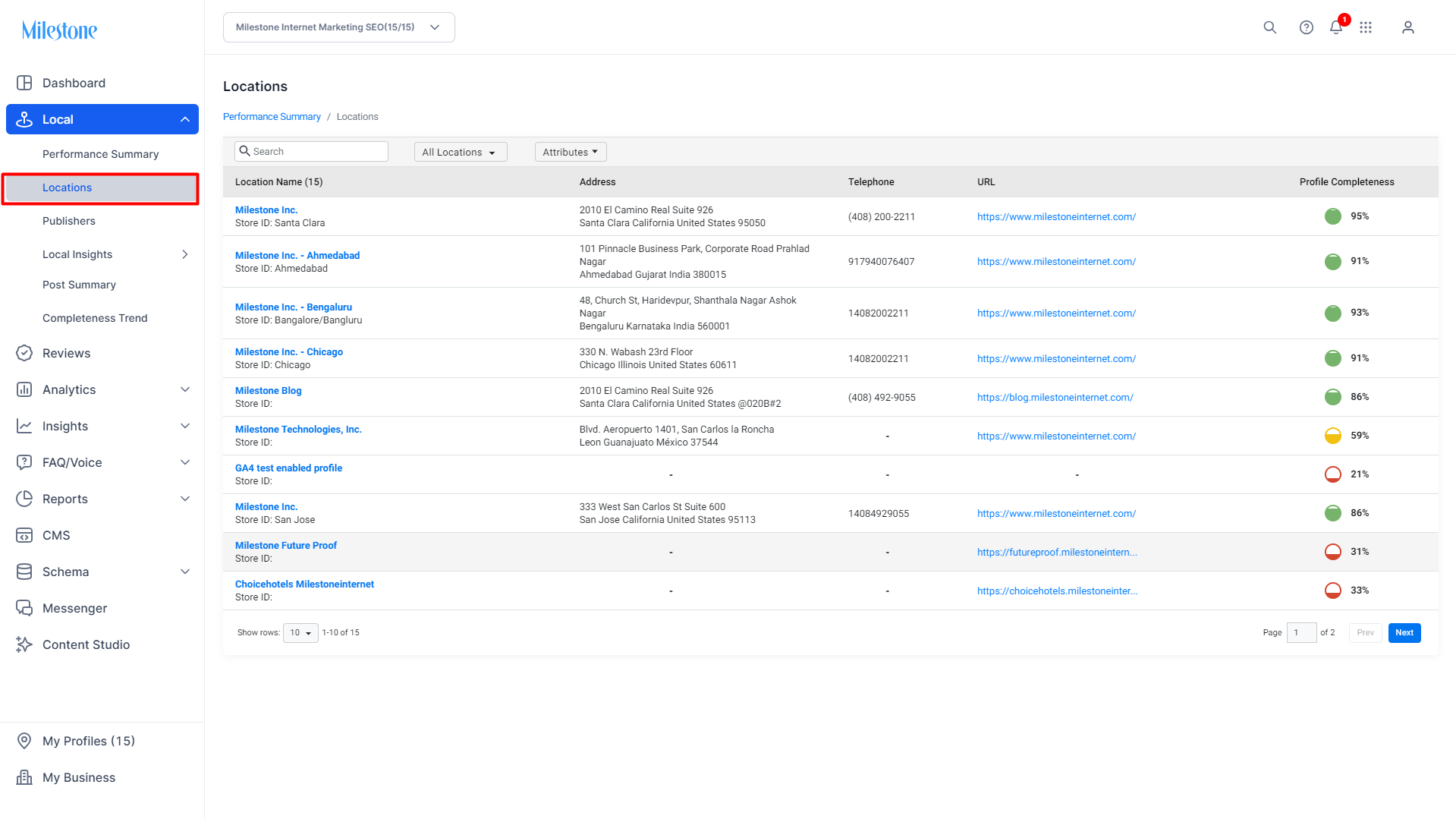
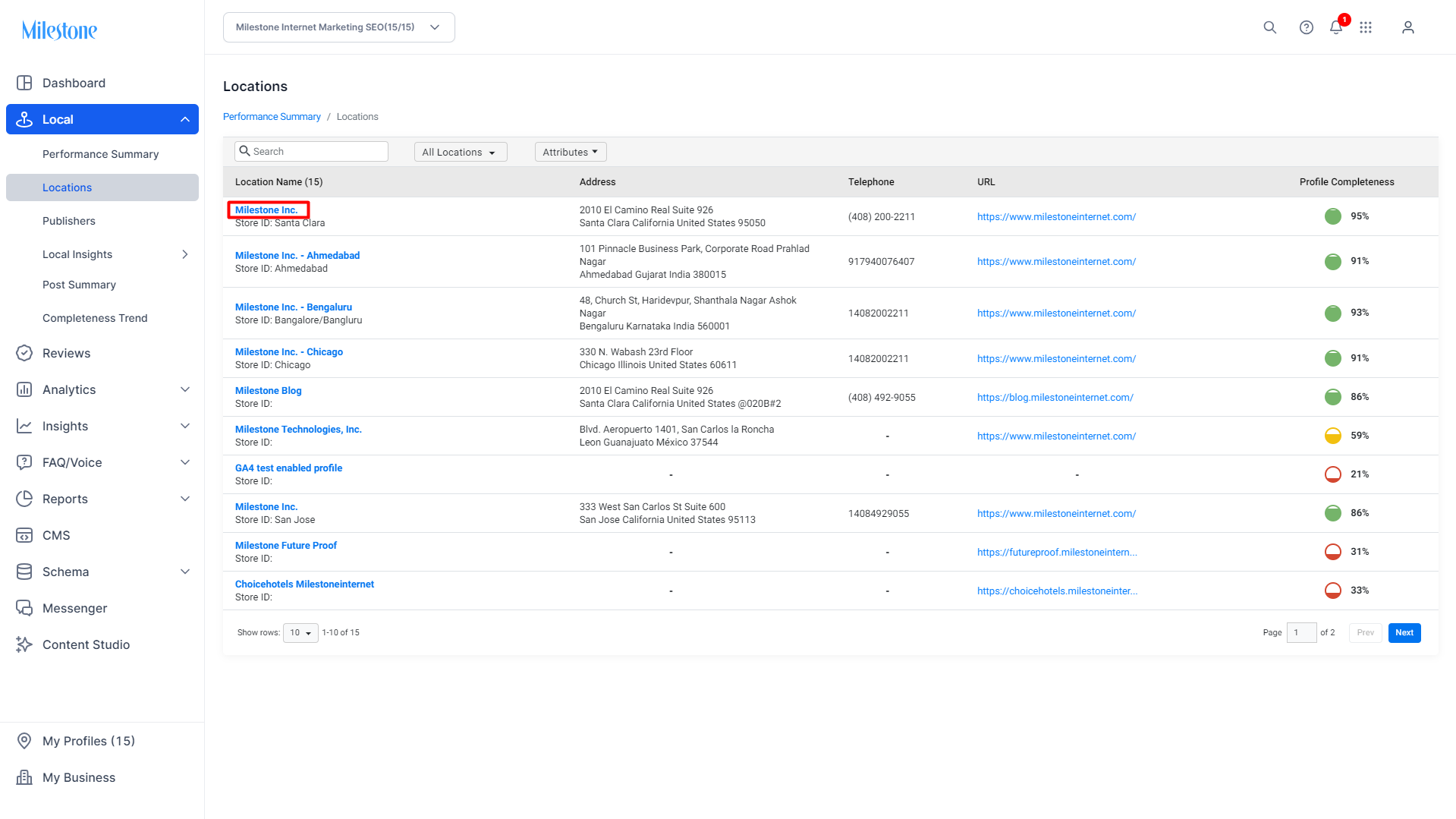
Step 2: Click on the location for which you would like to add ‘Action Links’ to enter the ‘Profile Summary’ section.
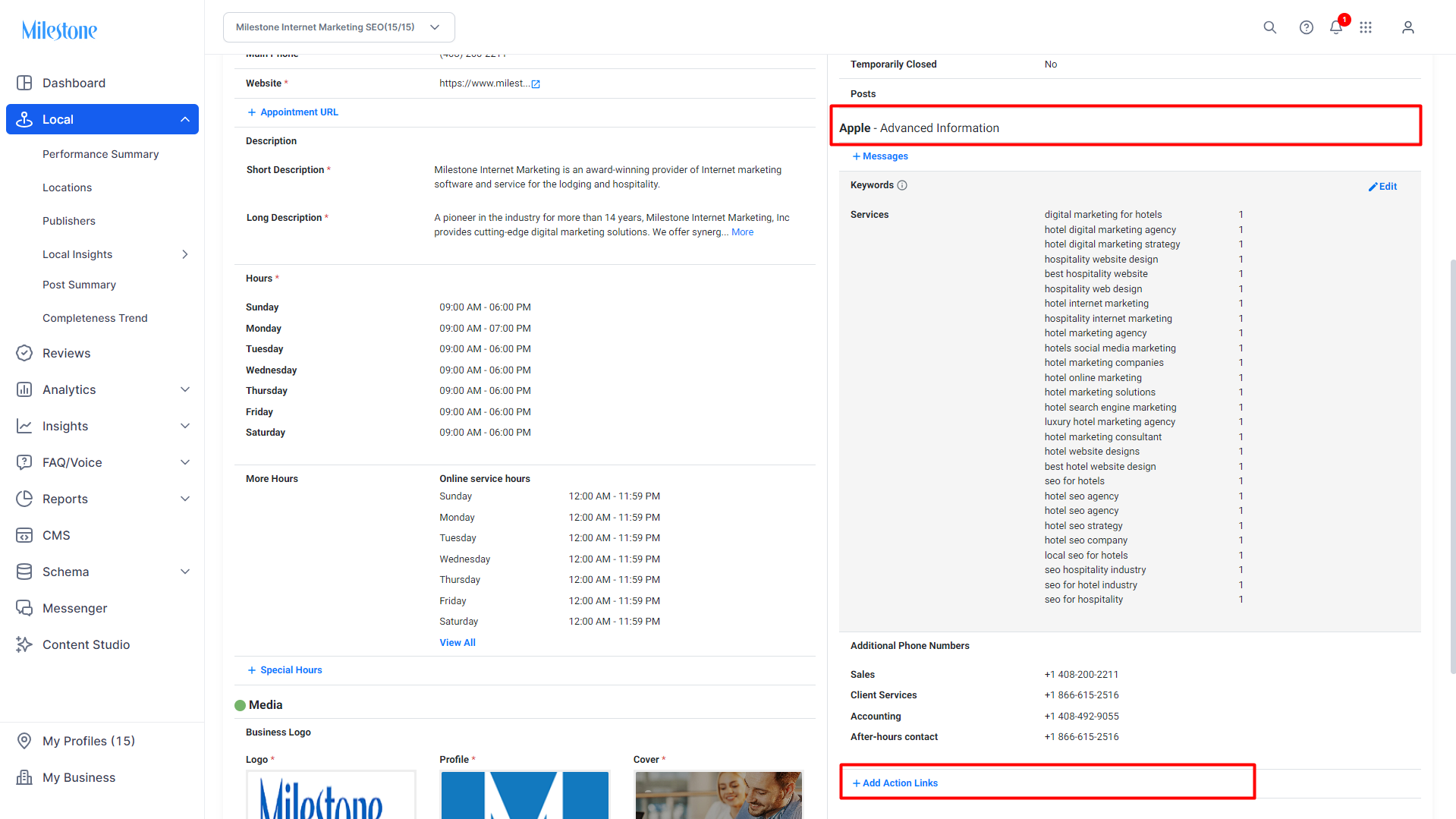
Step 3: In the 'Profile Summary' section click on ‘Action Links’ under ‘Apple - Advanced Information’.
Step 4: Select an Action Link from the dropdown menu, add a URL this Action Link should redirect the user to, and if you have an App Store URL for this action you can add that here as well.
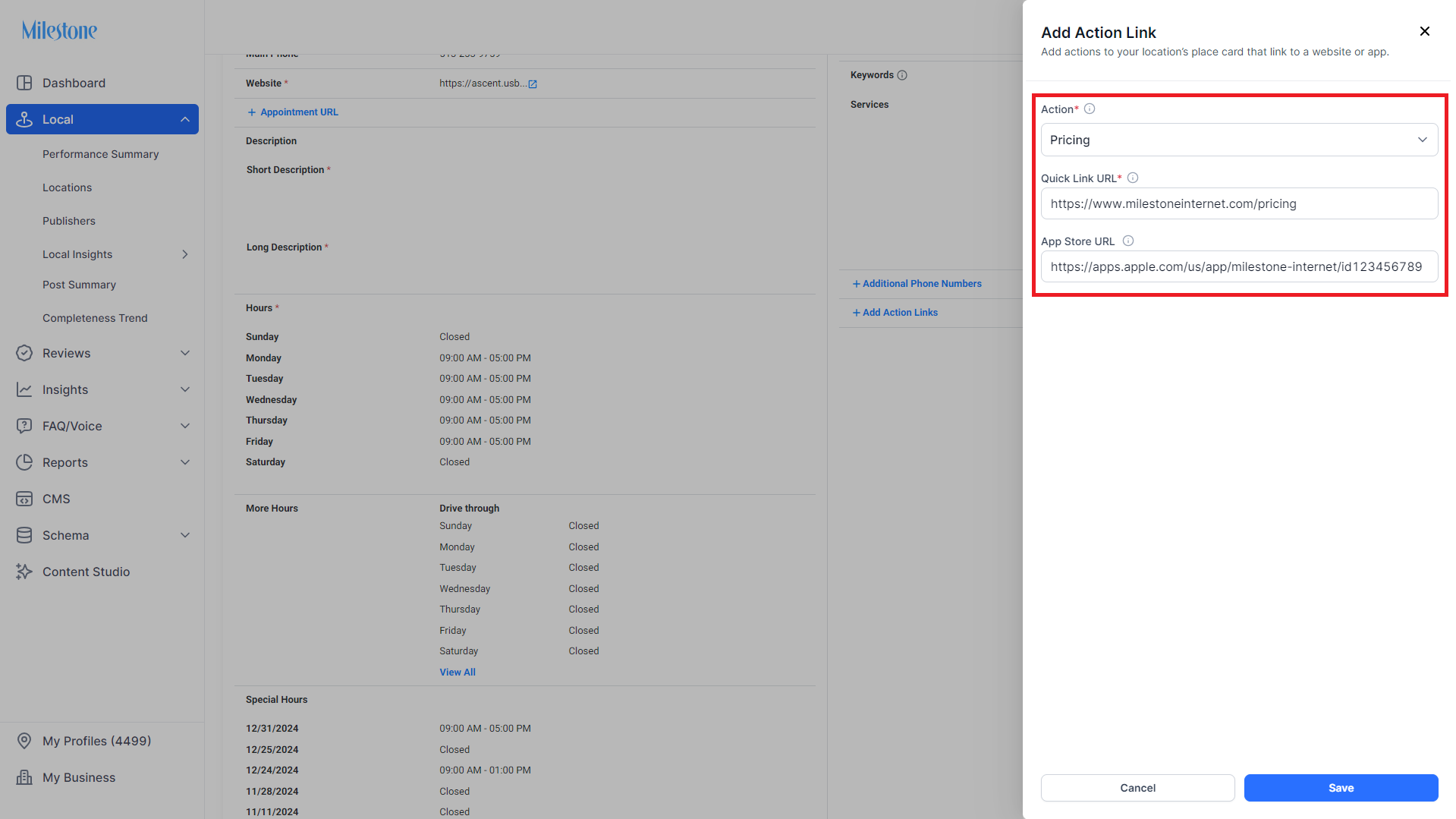
Step 5: Click on ‘Save’ to deploy the Action Links on Apple Business Connect products.
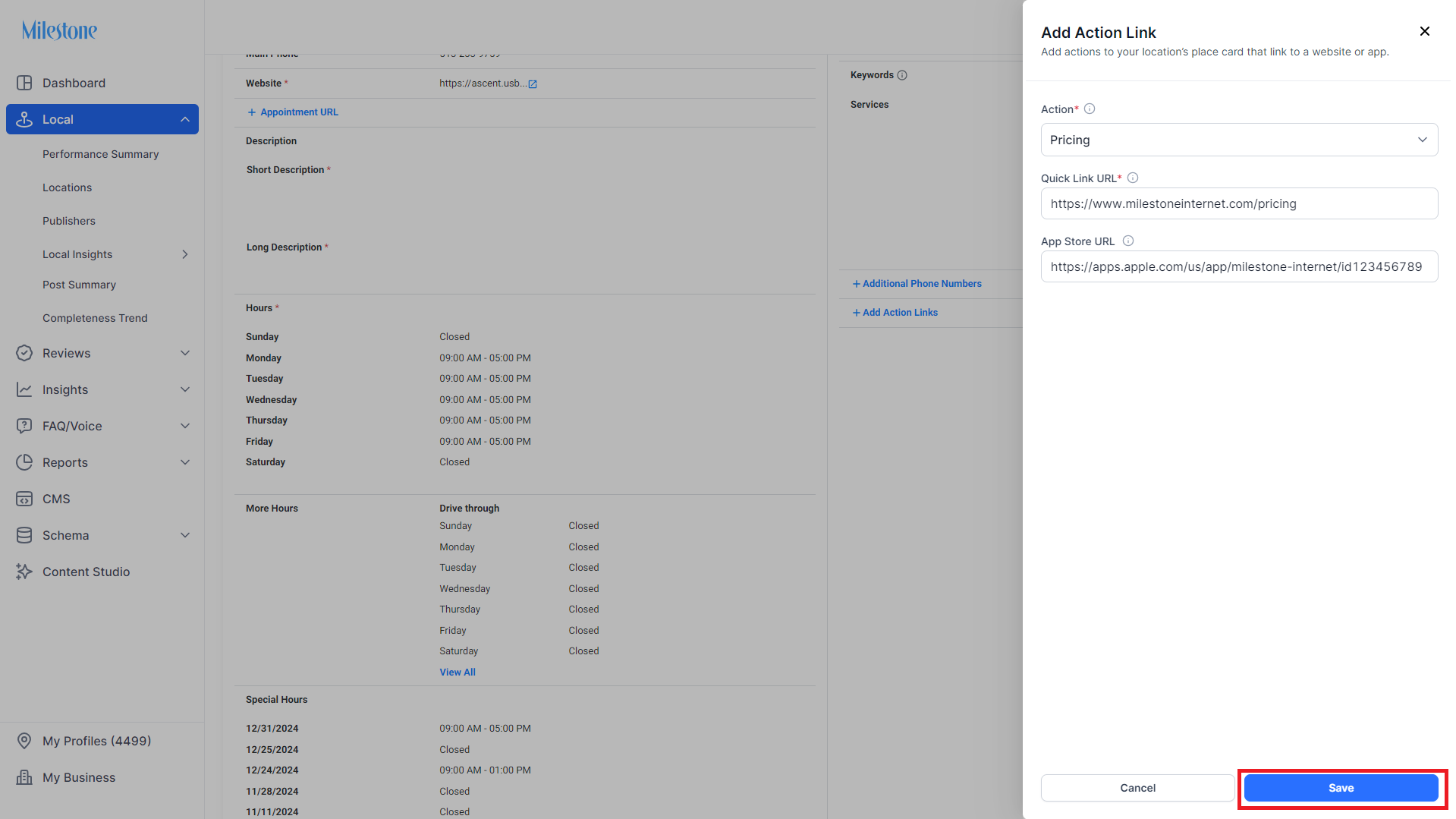
Example:
Was this article helpful?
That’s Great!
Thank you for your feedback
Sorry! We couldn't be helpful
Thank you for your feedback
Feedback sent
We appreciate your effort and will try to fix the article