You can export the Content Performance section in Milestone Insights for offline viewing and distribution.
Path: Milestone Insights > Content & Relevancy > Keywords & SERPs > Rank Tracking
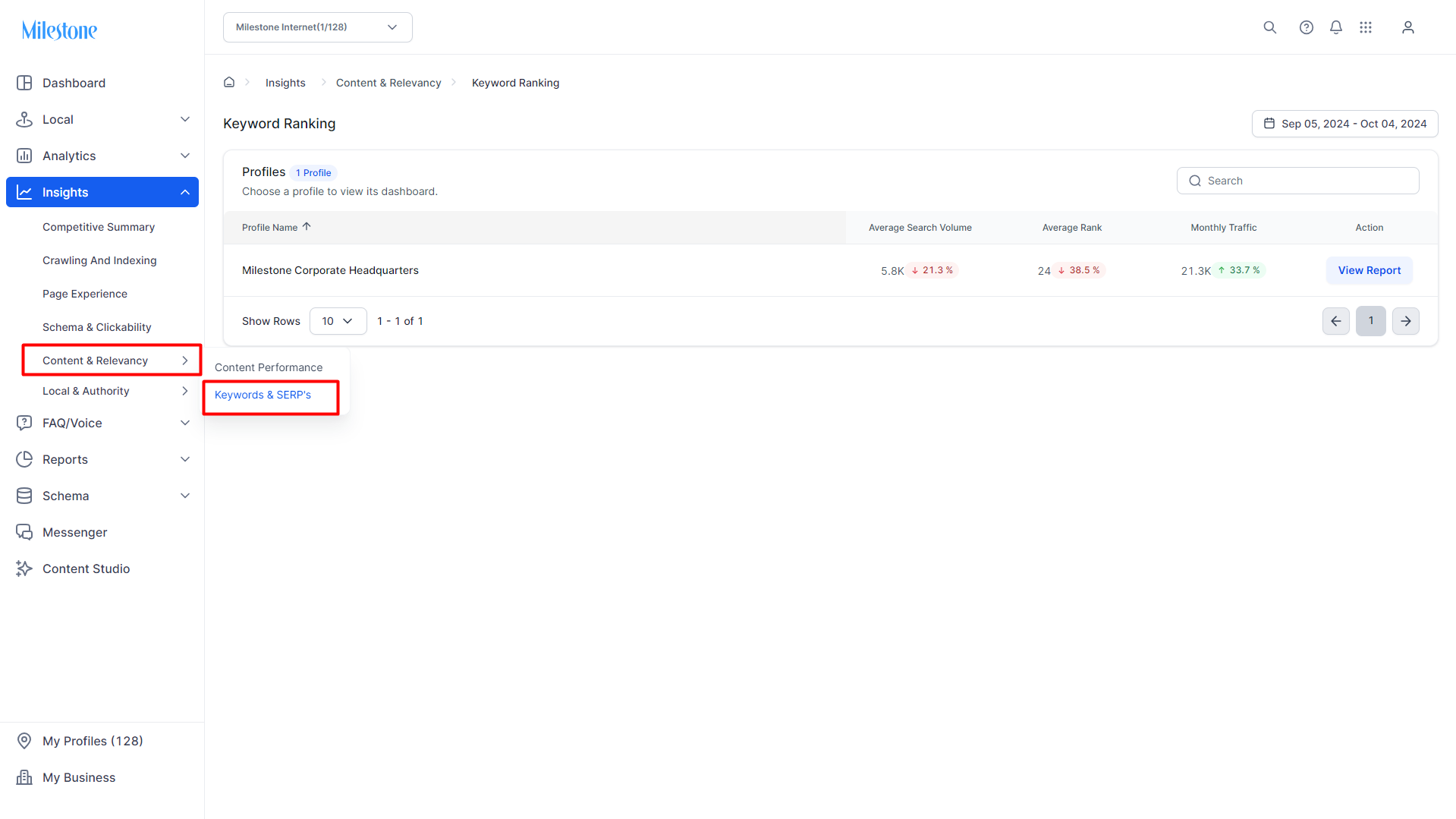
Step 1: Navigate to Keywords & SERPs in the ‘Content & Relevancy’ section.
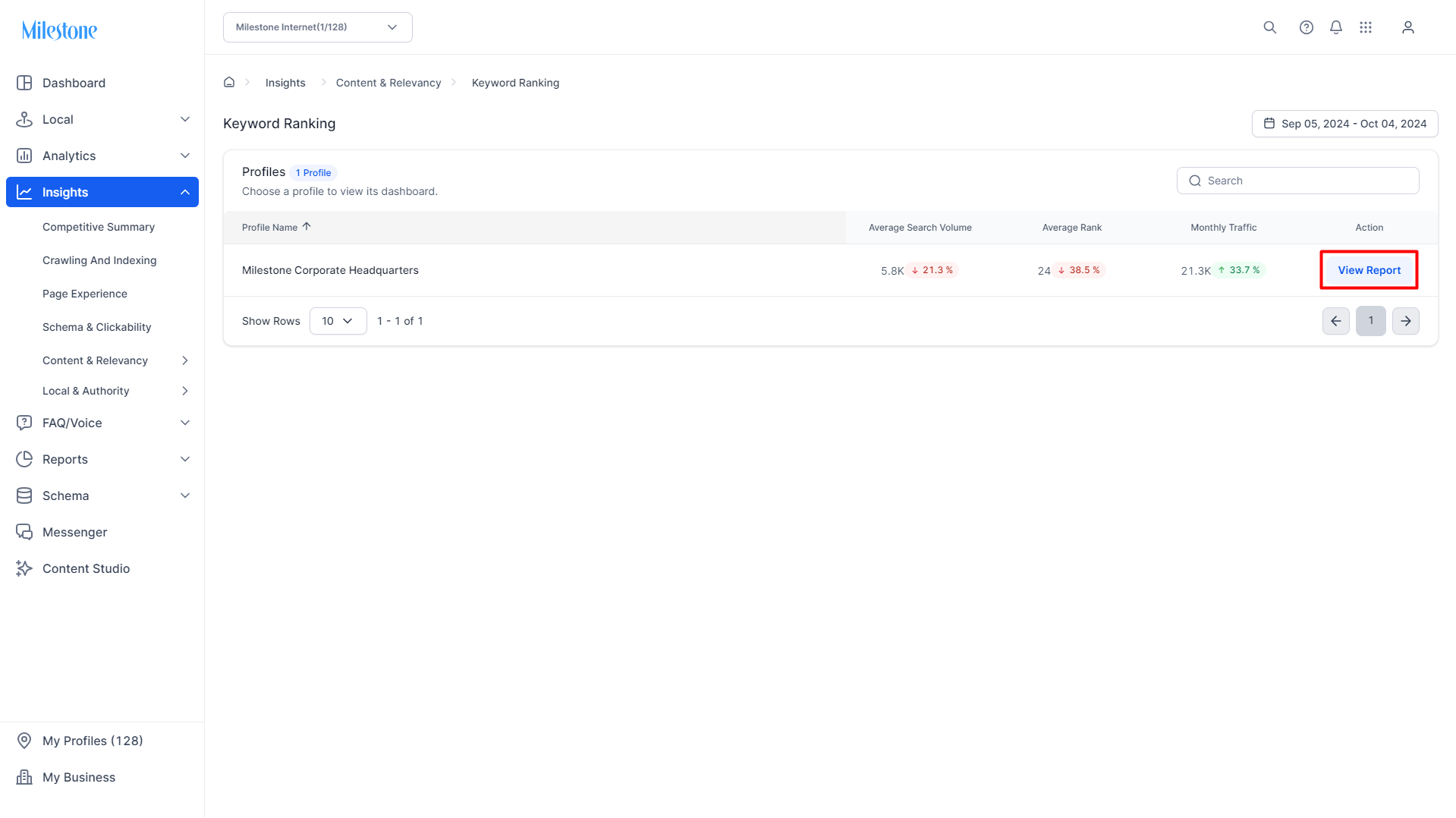
Step 2: Click on ‘View Report’ corresponding to the profile you wish to view the report for in the ‘Keyword Ranking’ section.
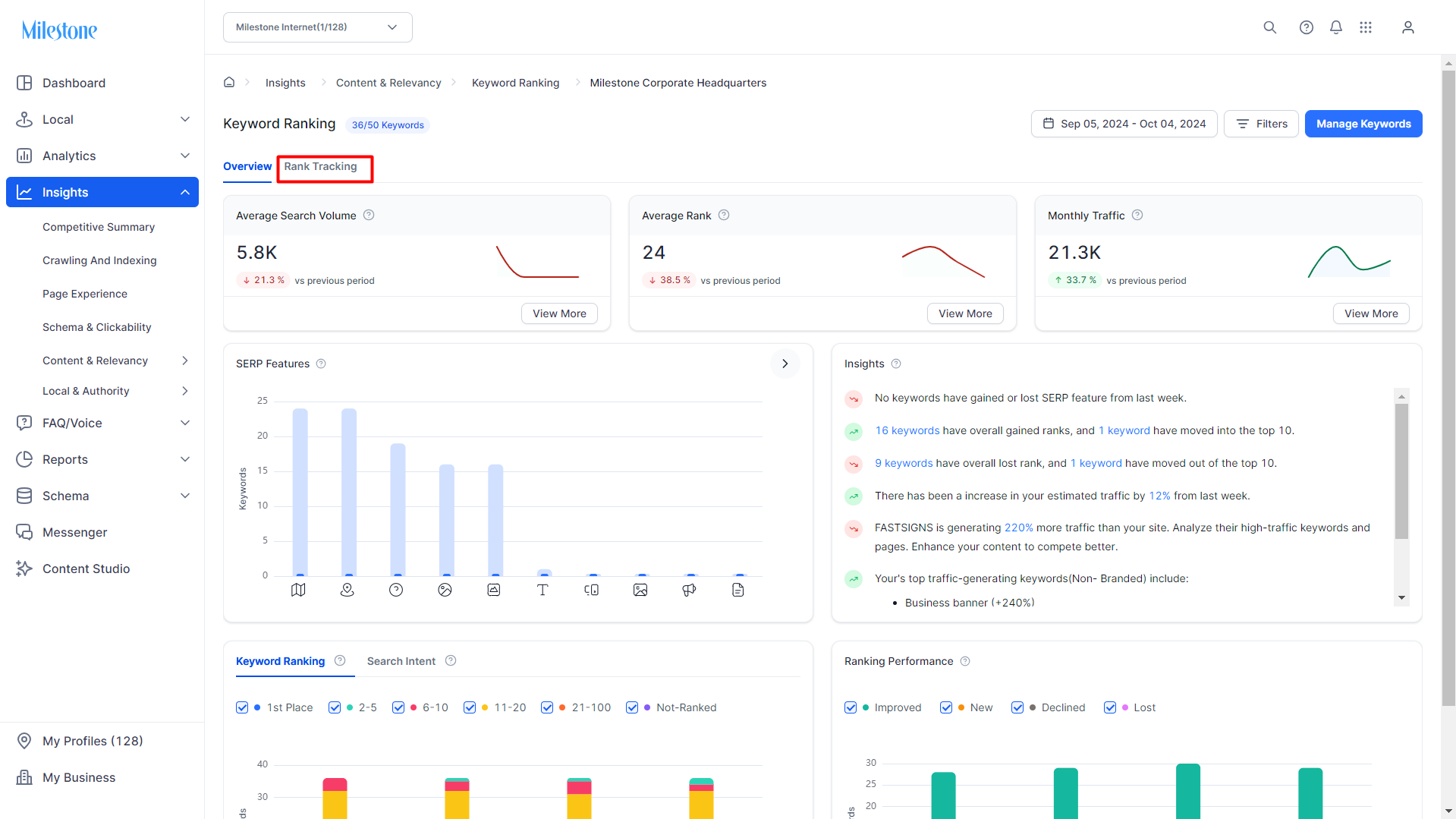
Step 3: Click on ‘Rank Tracking’ in the Keyword Ranking Report section.
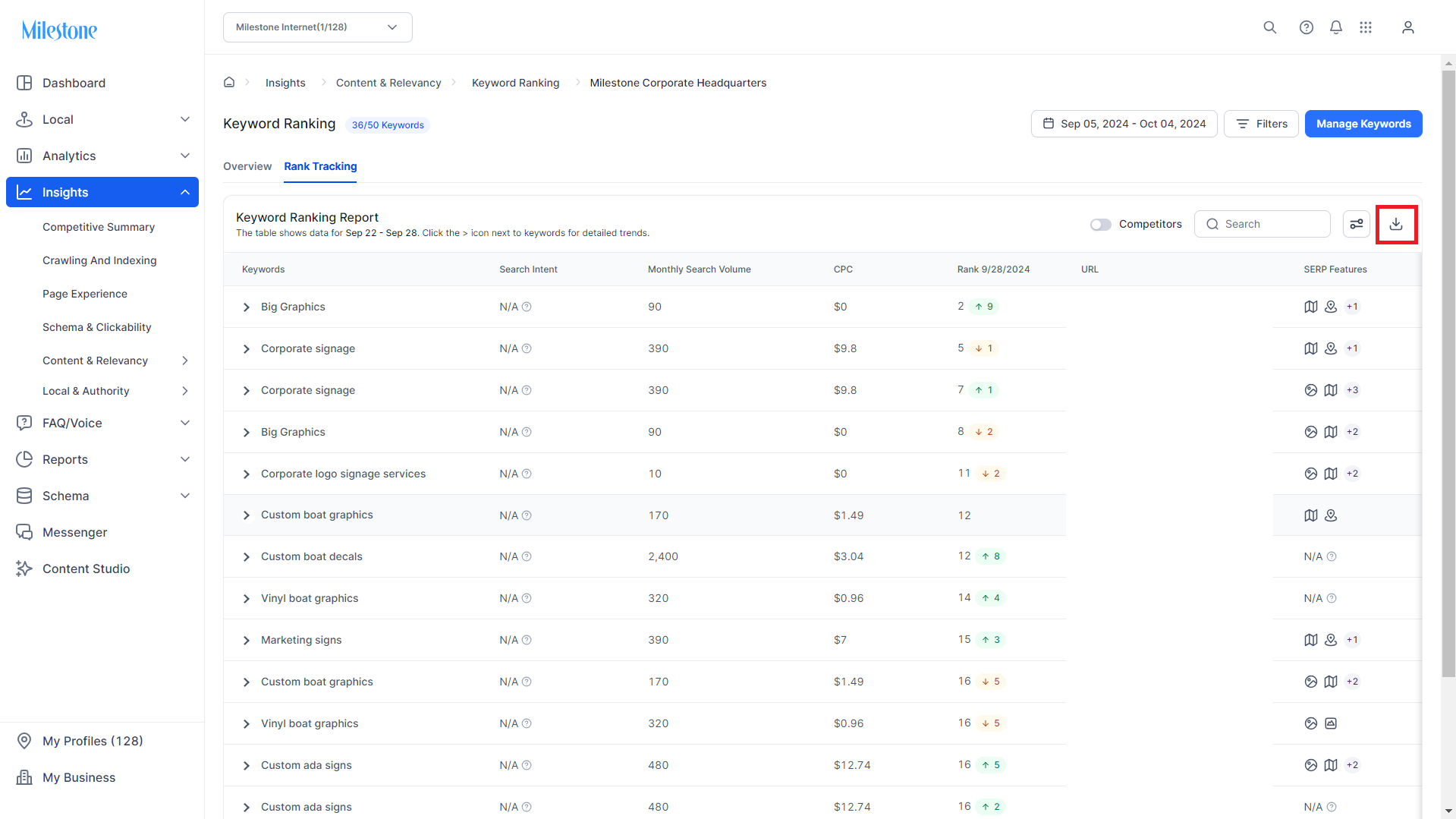
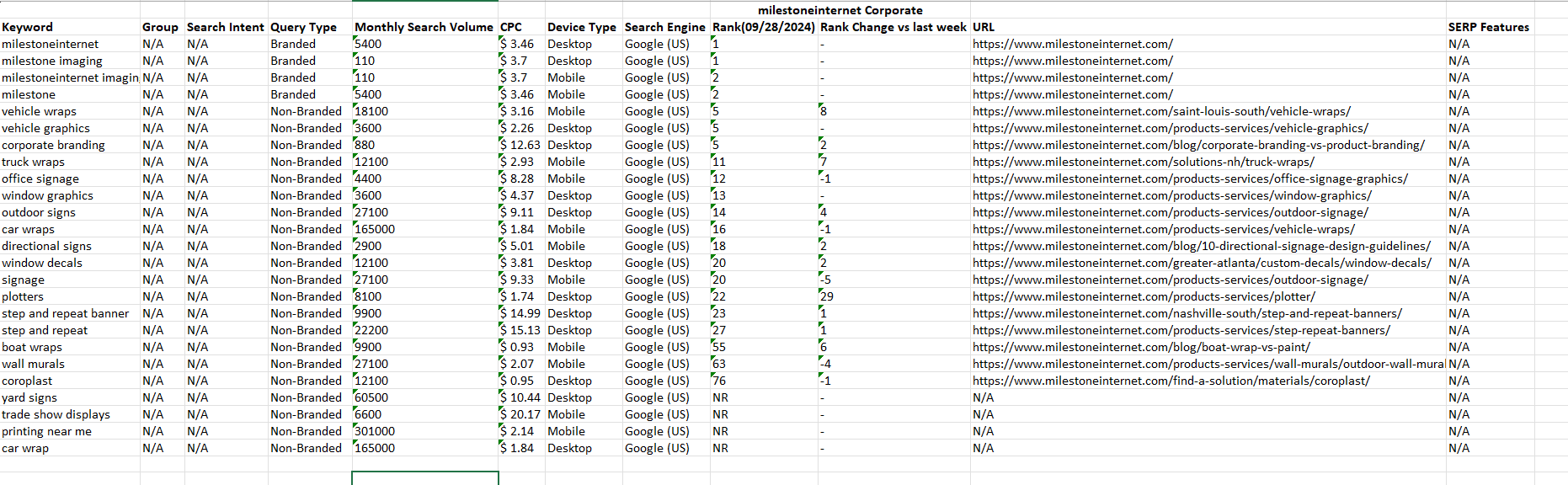
Step 4: Click on the ‘Export’ icon at the top right of this section, next to the search field.
Step 5: A spreadsheet with the keyword ranking data will be downloaded to your device.
Was this article helpful?
That’s Great!
Thank you for your feedback
Sorry! We couldn't be helpful
Thank you for your feedback
Feedback sent
We appreciate your effort and will try to fix the article