Overview
In structured data management, it's essential to maintain an accurate and up-to-date list of URLs associated with schema markup. Over time, certain URLs may become obsolete, redundant, or require reorganization. Removing such URLs from your schema management tool ensures that your structured data remains relevant and efficient, preventing potential SEO issues and streamlining your content strategy.
Step-by-Step Process
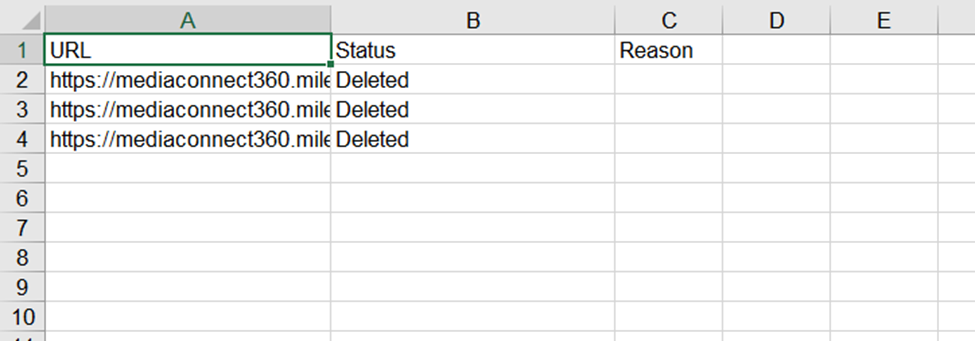
Schema Manager has a downloadable Deleted URL Log, which displays the status and, if the URL was not deleted, the reason why.
Deleting URLs
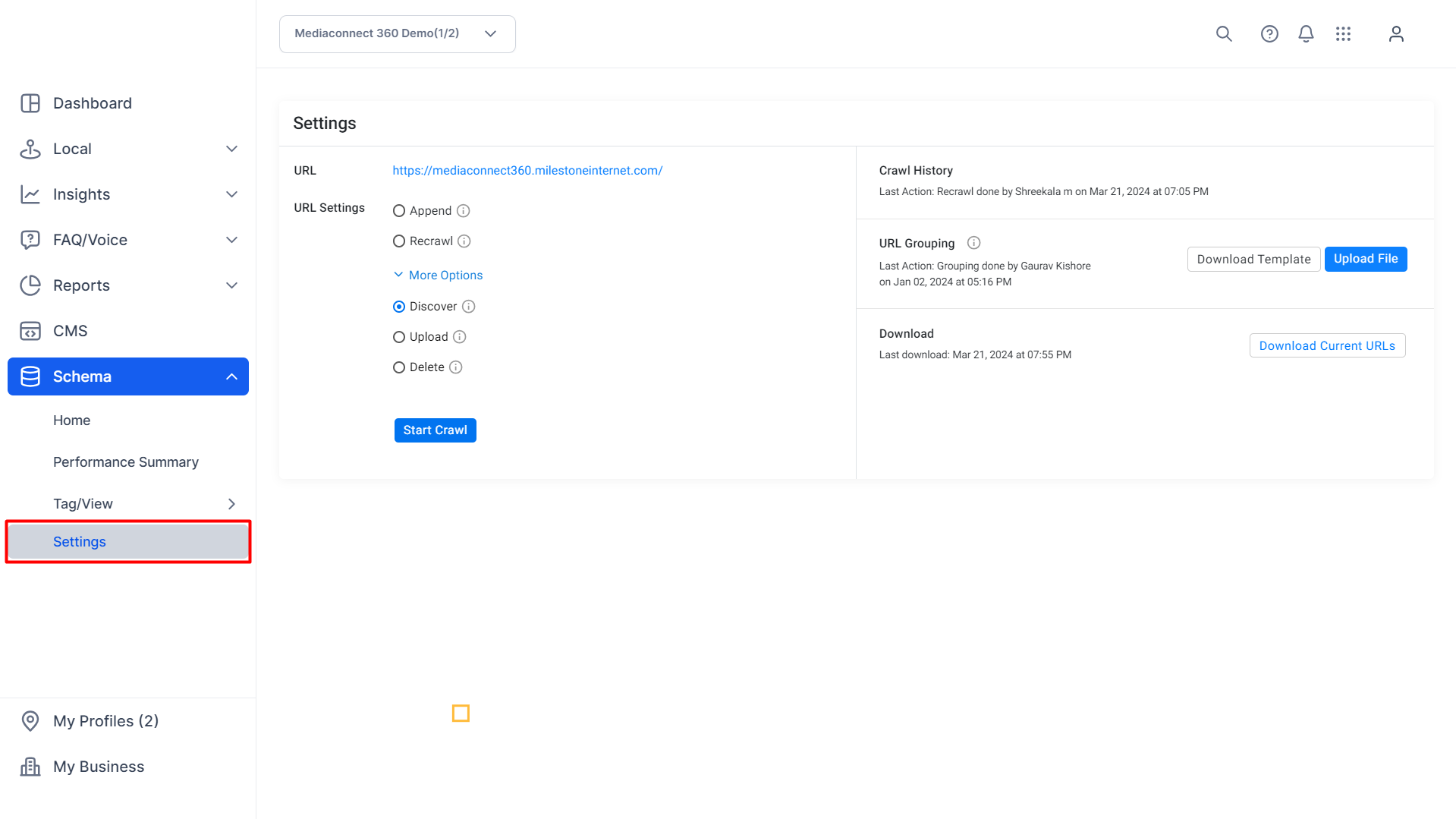
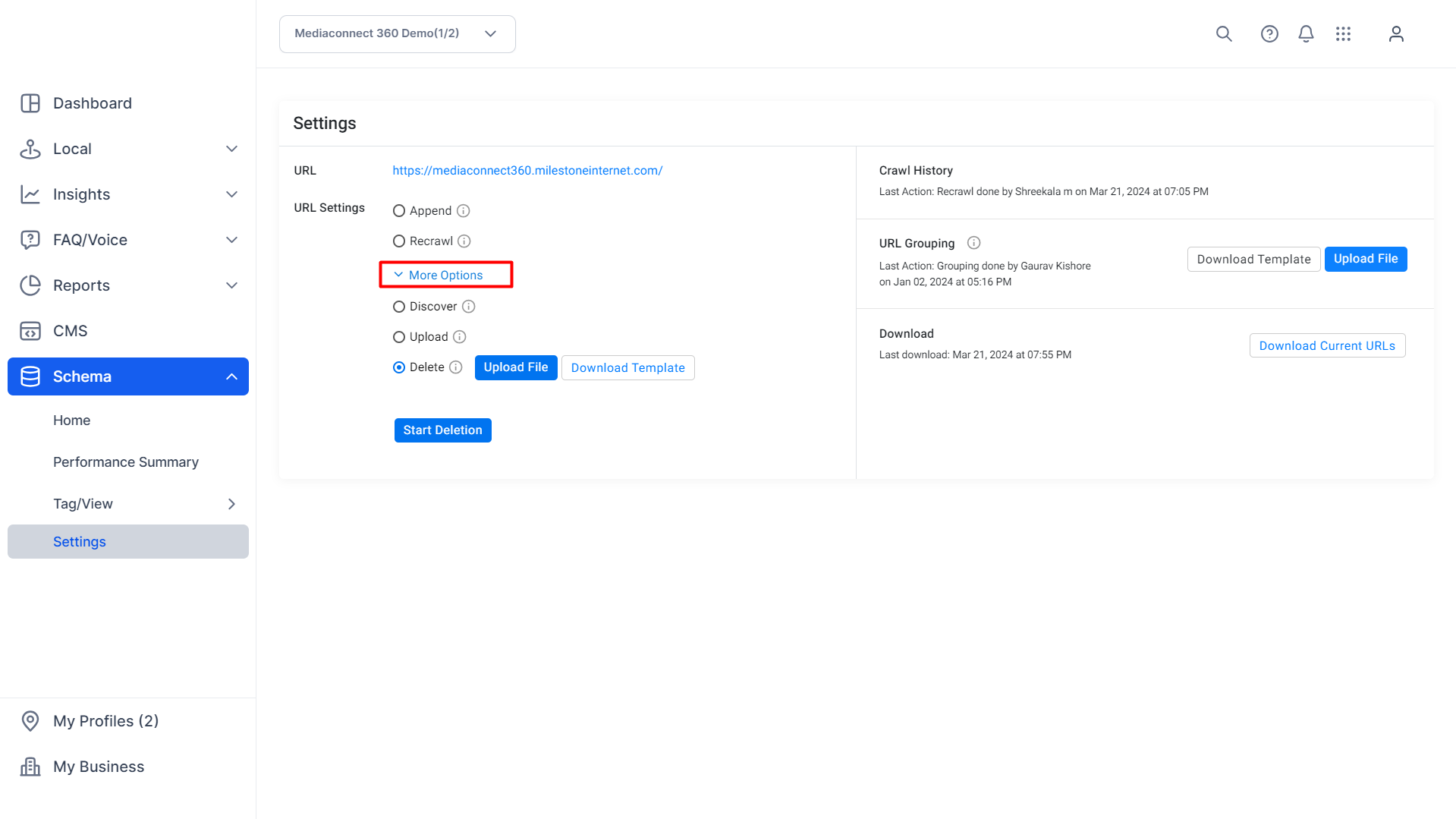
Path: Schema Manager > Settings > More Options > Delete
Step 1: Click on ‘Settings’ in the left navigation panel of Schema Manager.
Step 2: Click on ‘More Options’ in the ‘Settings’ section.
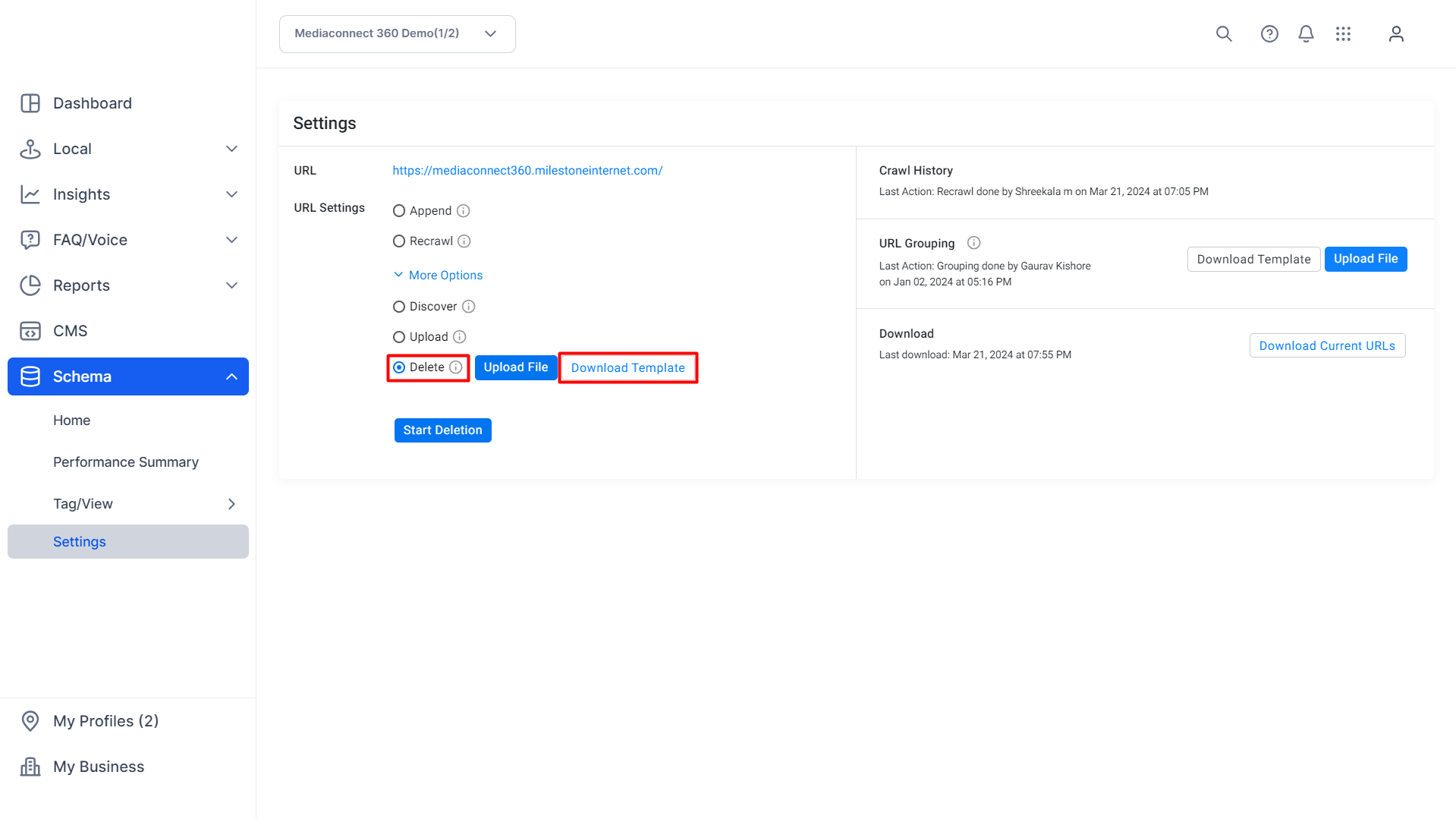
Step 3: Select ‘Delete’ and click on ‘Download Template’.
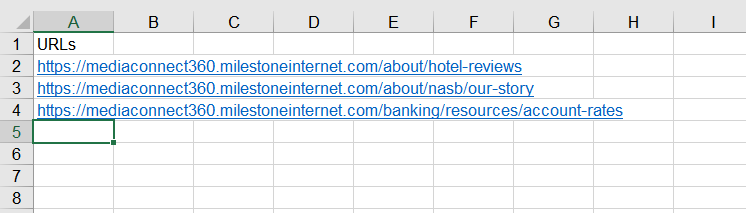
Step 4: Add the URLs you wish to delete to the template and save it.
Step 5: Upload the saved template with the URLs using the ‘Upload File’ button.
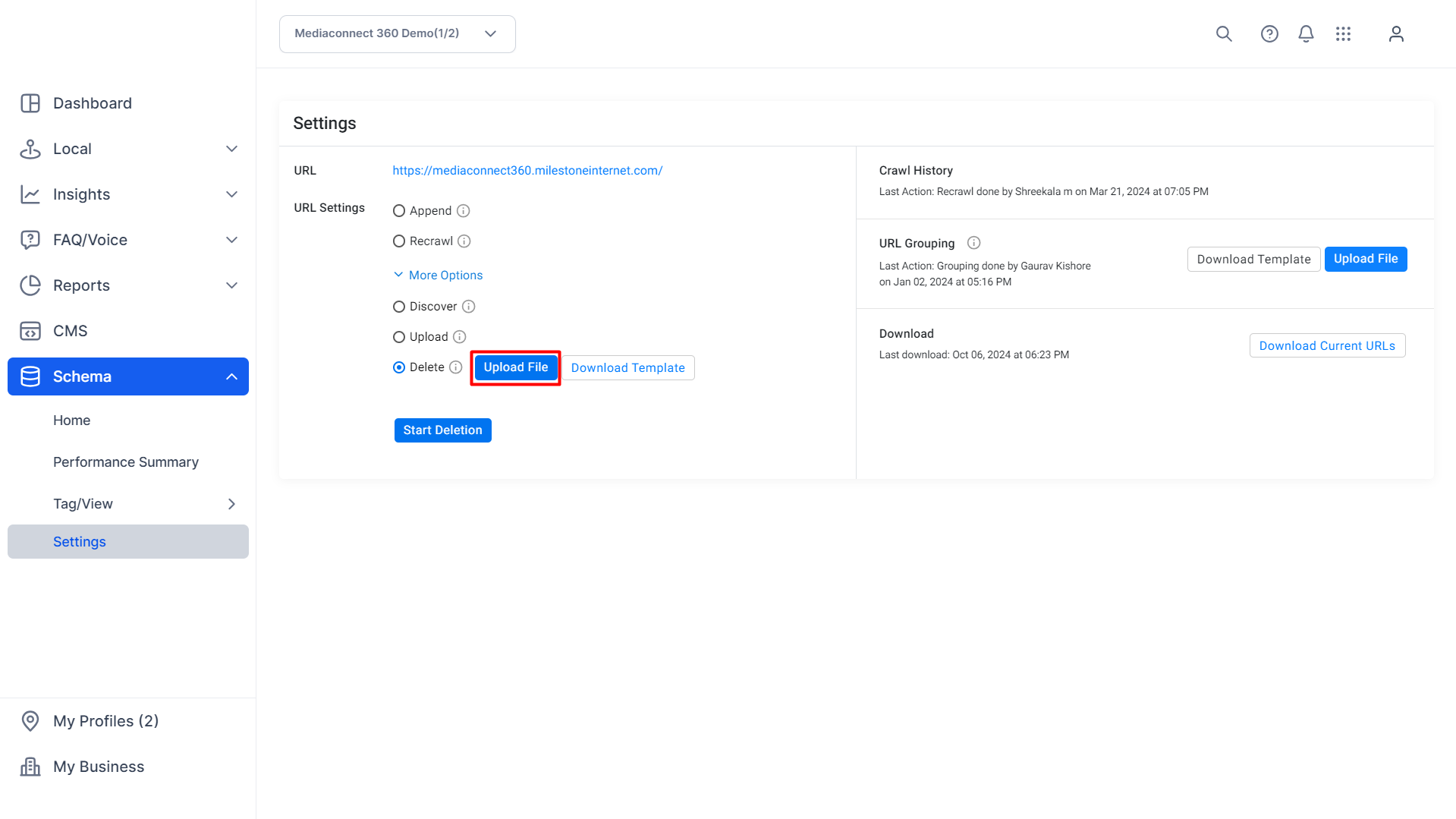
Step 6: Click on ‘Start Deletion’ to begin the process.
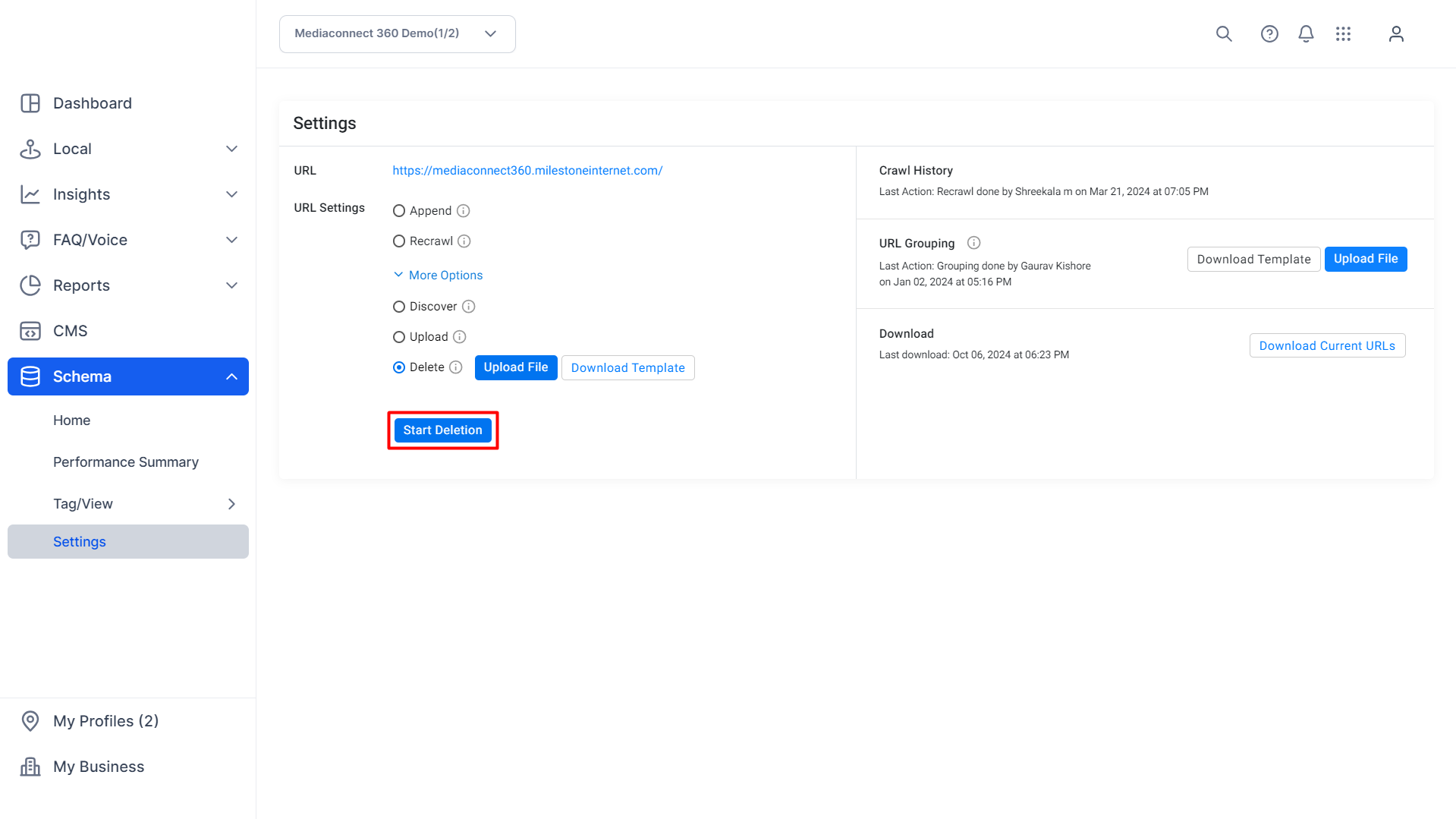
Step 7: Since this action will permanently delete the uploaded URLs from Schema Manager you will be prompted to prevent accidental deletion. Click ‘Yes’ to delete the URLs.
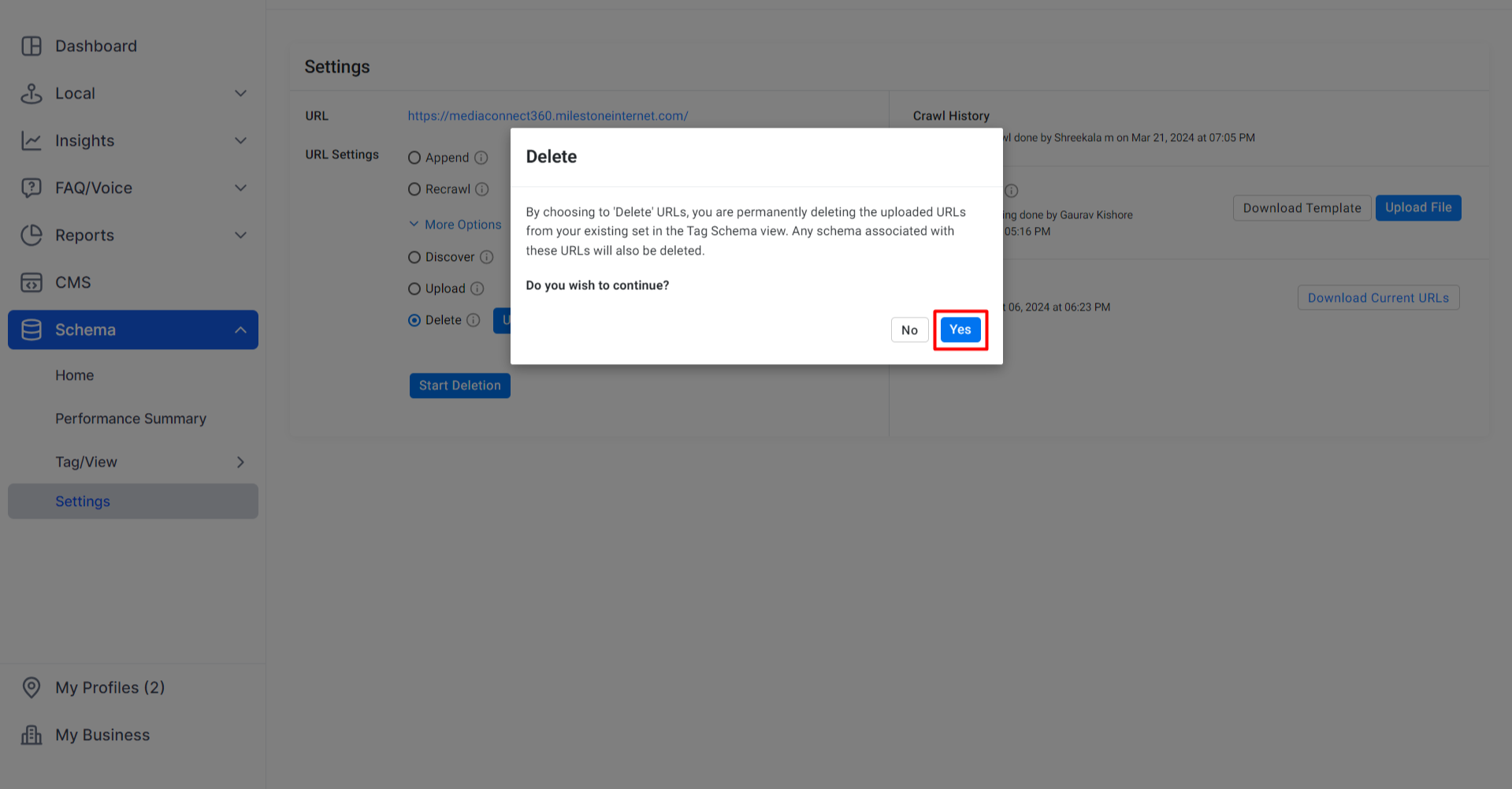
Step 8: A prompt to the top right displays if the action was successful.
Step 9: The ‘Crawl History’ section displays the last action carried out. In this case, a ‘Delete’ action.
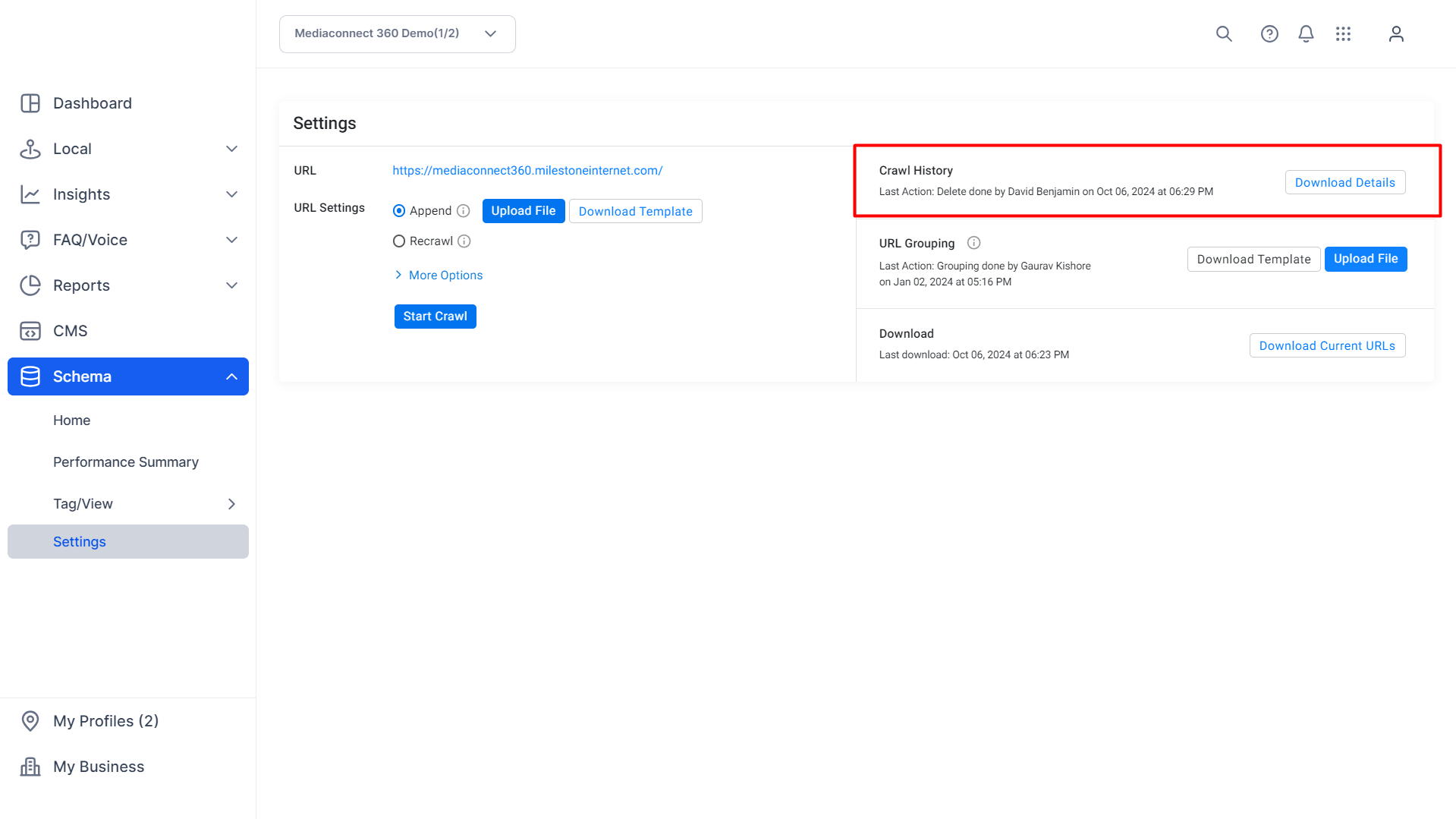
Step 10: Download the log of URLs deleted in this session by clicking on ‘Download Details’.
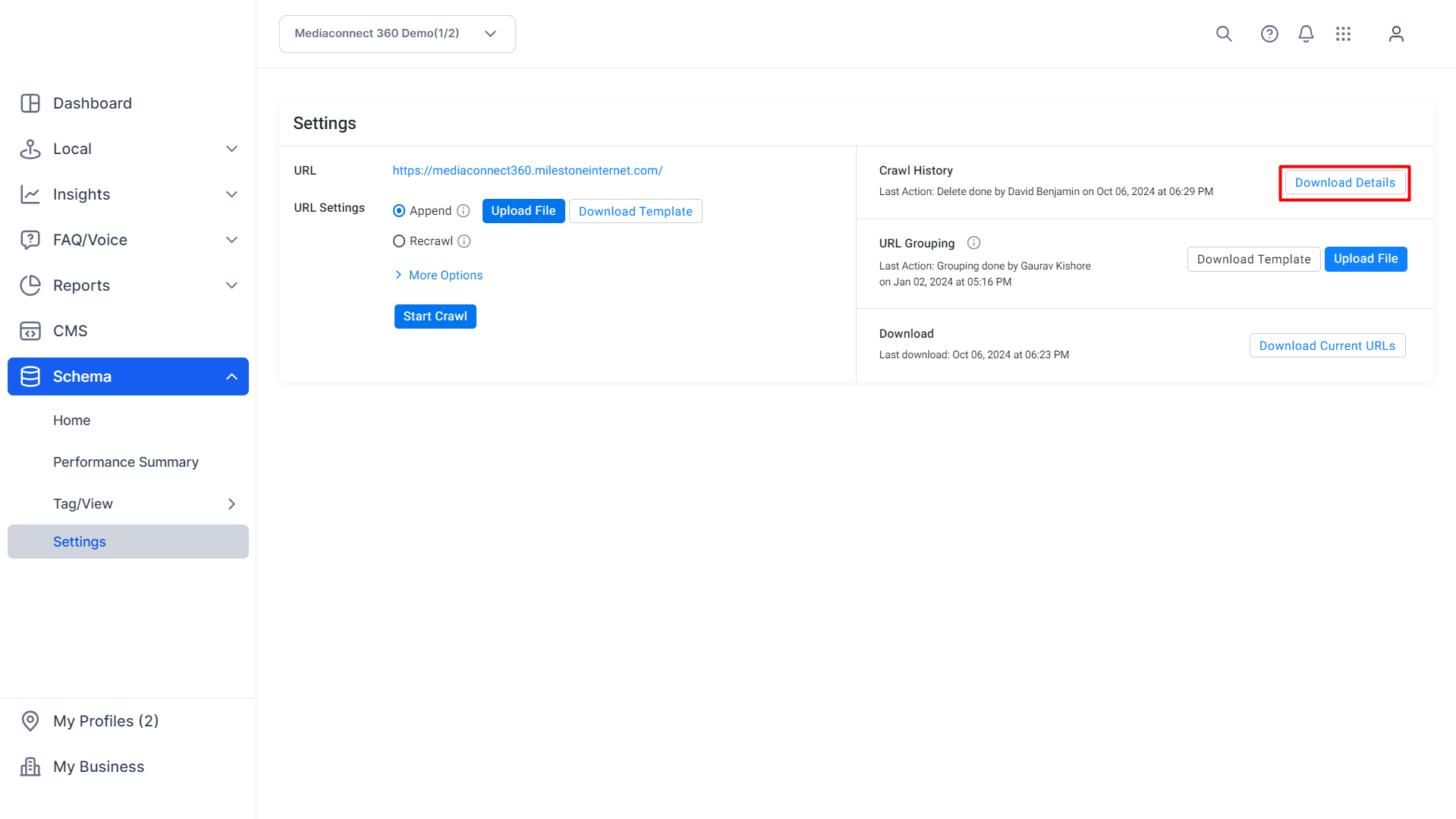
Deleted URL Log
Tips for Success
Regular Audits: Periodically review your list of URLs to identify and remove any that are outdated or no longer relevant.
Maintain Documentation: Keep records of changes made to URL groupings and schema applications for future reference and accountability.
Coordinate with Teams: Ensure that content, SEO, and development teams are aligned when making changes to URL structures or schema implementations.
Test After Changes: After removing URLs or ungrouping them, validate that your structured data remains accurate and that there are no unintended consequences.
Was this article helpful?
That’s Great!
Thank you for your feedback
Sorry! We couldn't be helpful
Thank you for your feedback
Feedback sent
We appreciate your effort and will try to fix the article