The Facebook Ads Analytics section within Paid Media Performance provides a complete overview of how your paid campaigns on Facebook are performing. This feature allows you to track key metrics, evaluate return on ad spend, and identify opportunities for optimizing campaigns to drive better results.
Overview Widget
At the top of the Facebook Ads Analytics dashboard, you’ll find a visual summary of your campaign performance across the selected date range.
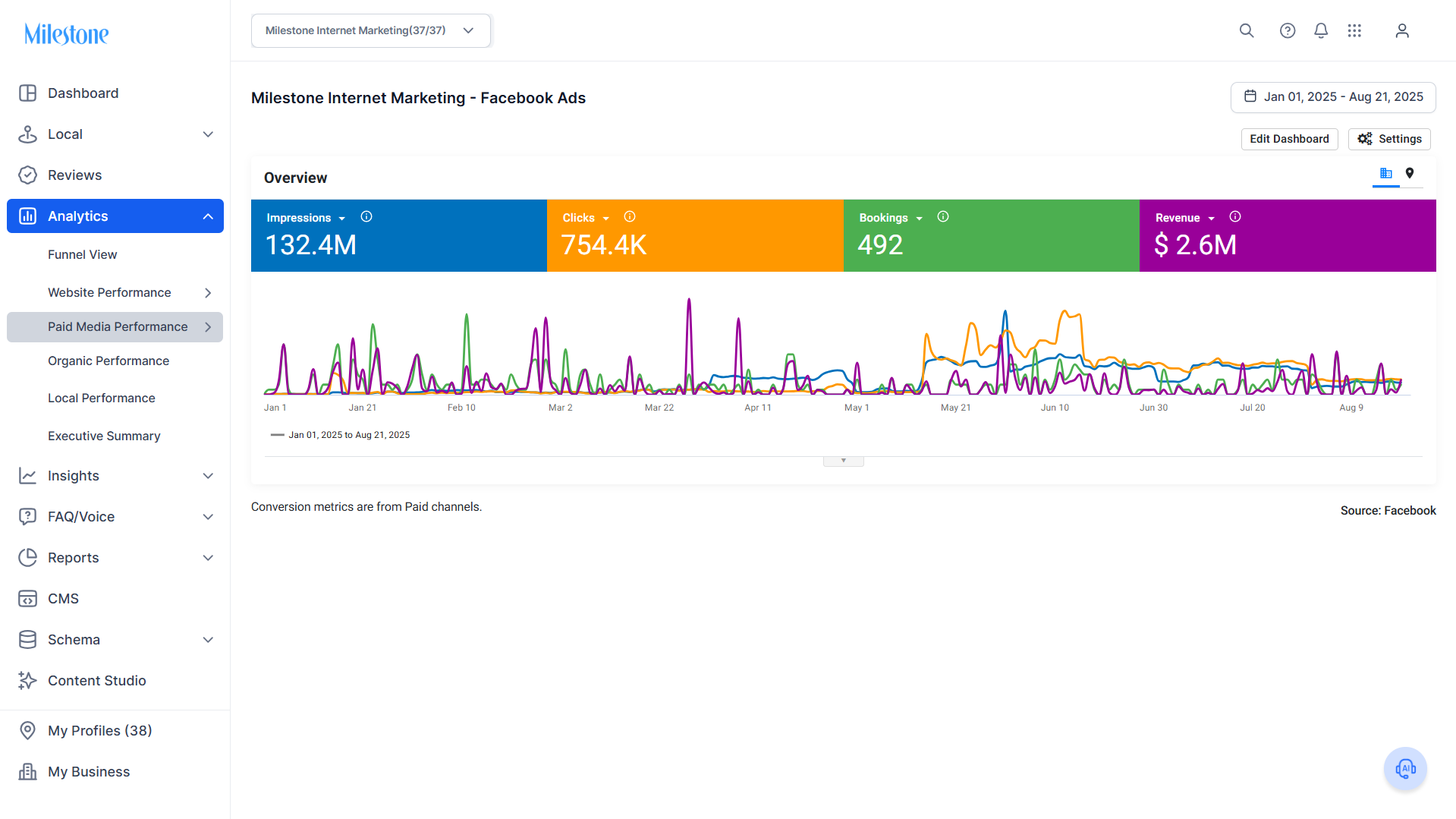
What You Can See
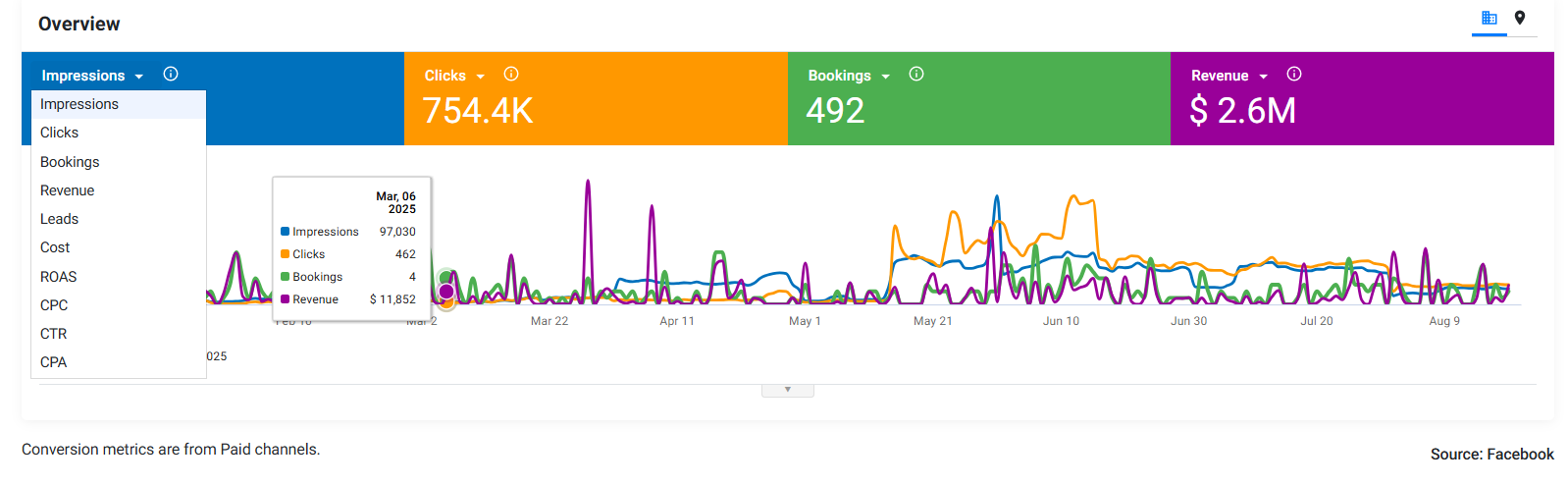
These are the metrics you can view in the Overview widget for Facebook Ads.
- Impressions: The total number of times your ads were displayed. Helps measure reach and brand visibility.
- Clicks: The total number of clicks on your ads. Useful for understanding engagement levels.
- Bookings: The number of confirmed bookings generated through your campaigns. This ties campaign efforts directly to business outcomes.
- Revenue: The total revenue attributed to your Facebook Ads campaigns.
- Leads: Number of leads captured from your campaigns.
- Cost: Total advertising spend.
- ROAS (Return on Ad Spend): Revenue generated compared to ad spend. Key profitability measure.
- CPC (Cost per Click): The average cost of each ad click.
- CTR (Click-Through Rate): Percentage of impressions that resulted in clicks. Shows how effective your ad creatives are.
- CPA (Cost per Acquisition): Cost of acquiring one booking or conversion.
Was this article helpful?
That’s Great!
Thank you for your feedback
Sorry! We couldn't be helpful
Thank you for your feedback
Feedback sent
We appreciate your effort and will try to fix the article