Update messages, multiple categories of phone numbers, and keywords for Apple across multiple business locations using the Bulk Upload/Download feature.
Settings > Bulk Upload/Download
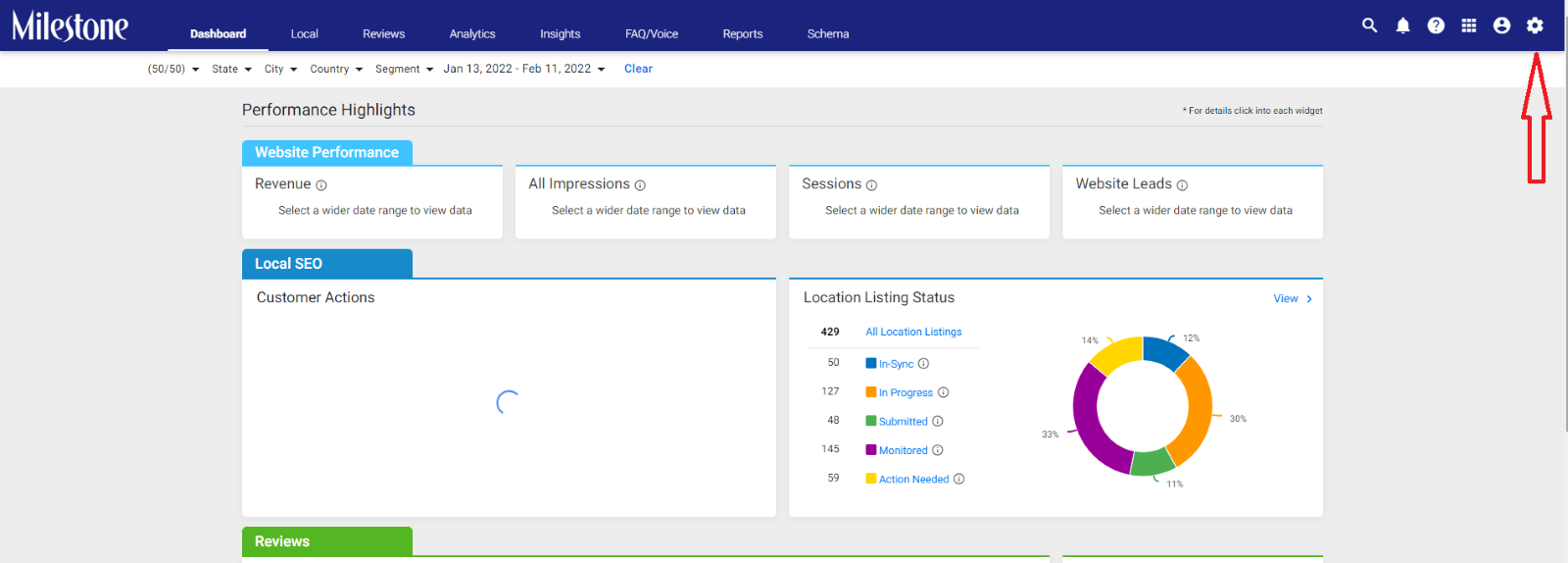
Step 1: From the MPC dashboard click on the ‘Settings’ icon to the top right of the screen.
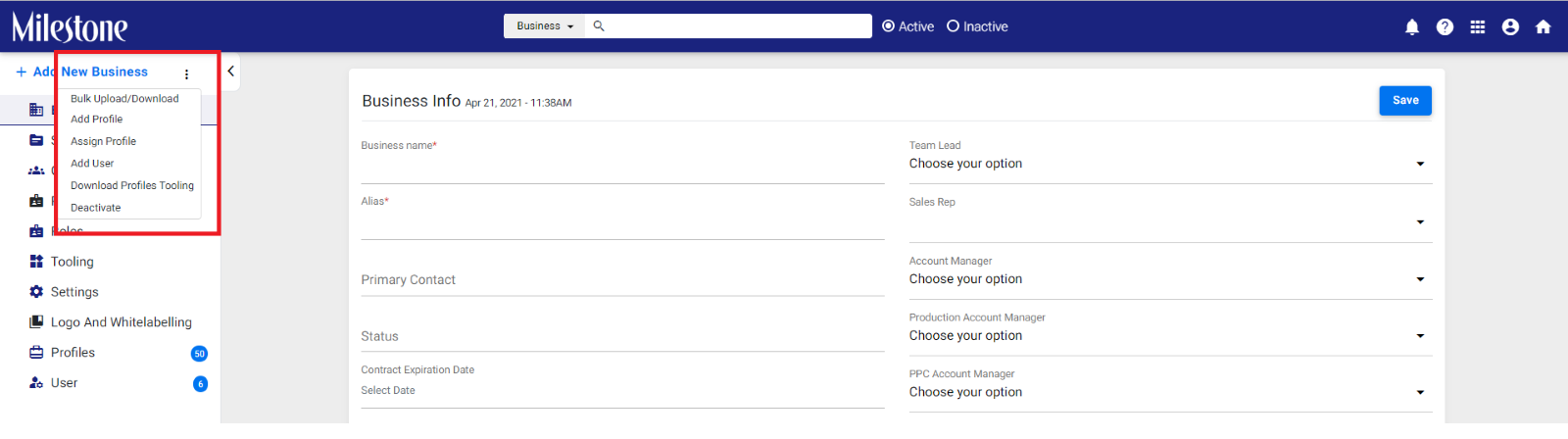
Step 2: Click on the three-dot menu to the top left of the screen
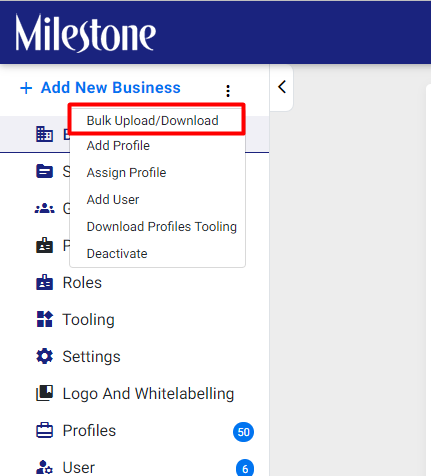
Step 3: Click on the bulk upload/download option
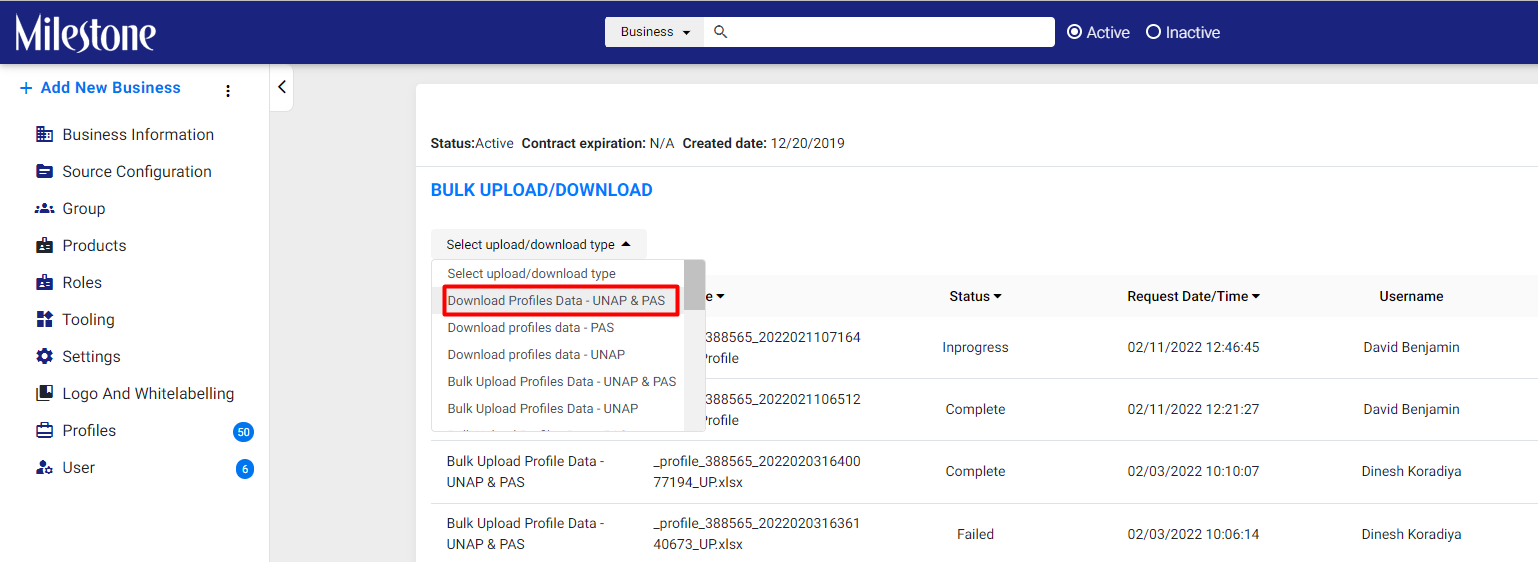
Step 4: Download the Profile Data – UNAP and PAS
Step 5: The Last three tabs in the downloaded spreadsheet for UNAP and PAS details allow you to update Apple Messages, Apple Keywords, and Additional Phone Numbers for multiple locations
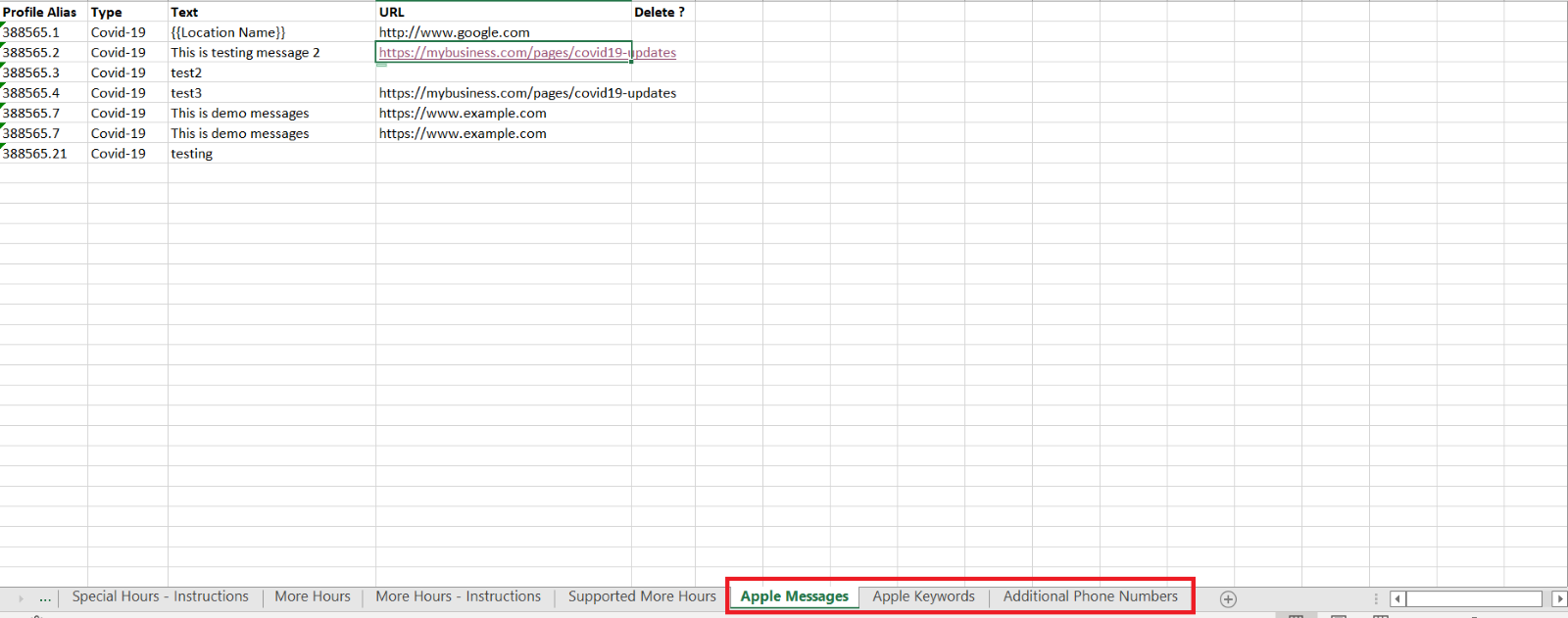
Apple Messages
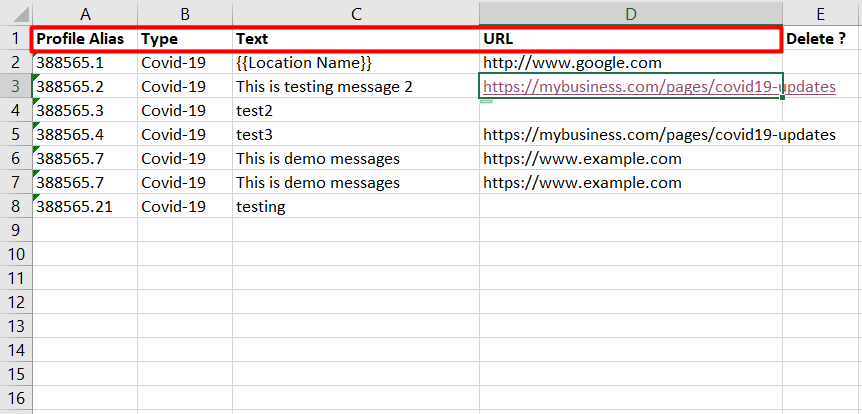
Update the Profile Alias for the business profiles to be updated, the type of message or category, the text in the message, the destination URL
Was this article helpful?
That’s Great!
Thank you for your feedback
Sorry! We couldn't be helpful
Thank you for your feedback
Feedback sent
We appreciate your effort and will try to fix the article