Este artículo no está disponible en Spanish. Consúltalo en English.
How do I ensure the latest schemas deployed are visible to search engines?
Purge the Content Delivery Network’s (CDN) Cache when schemas are updated/published to ensure that the crawlers view the latest updated schema when they crawl a webpage.
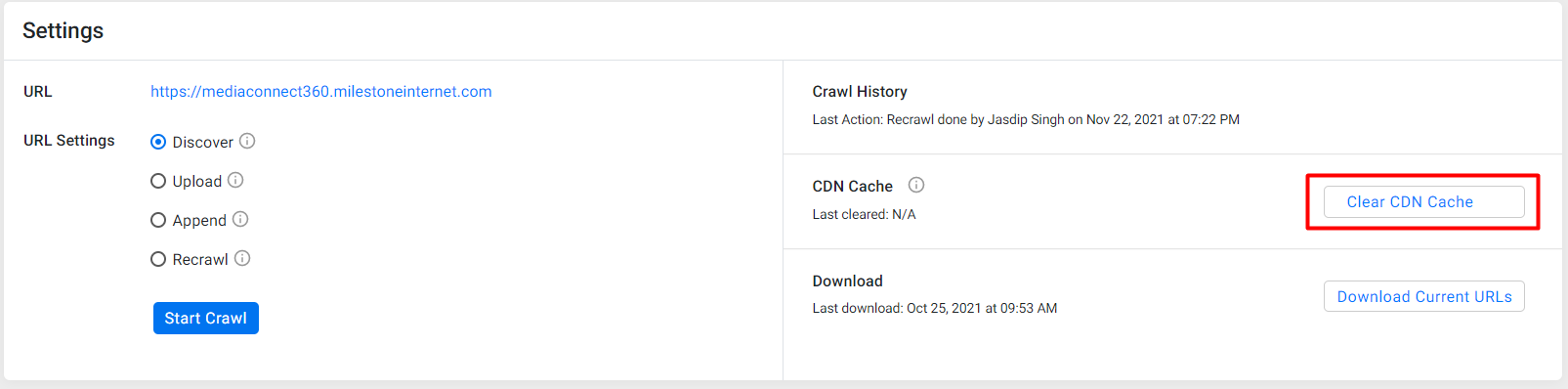
On the right side of the Settings screen in Schema Manager, you will find the new 'Clear CDN Cache' button. You can click on ‘Clear CDN Cache’ to clear the cache when you’ve added a new schema to the page.
Was this article helpful?
That’s Great!
Thank you for your feedback
Sorry! We couldn't be helpful
Thank you for your feedback
Feedback sent
We appreciate your effort and will try to fix the article