You can set the layout (template) at the component level, which applies to all records, or set it at the record level; this overrides the layout (template) set at the component level.
Setting Template Pages at Component Level
Setting the template page at the component level applies the template page to all the records within the component. Here’s how it works
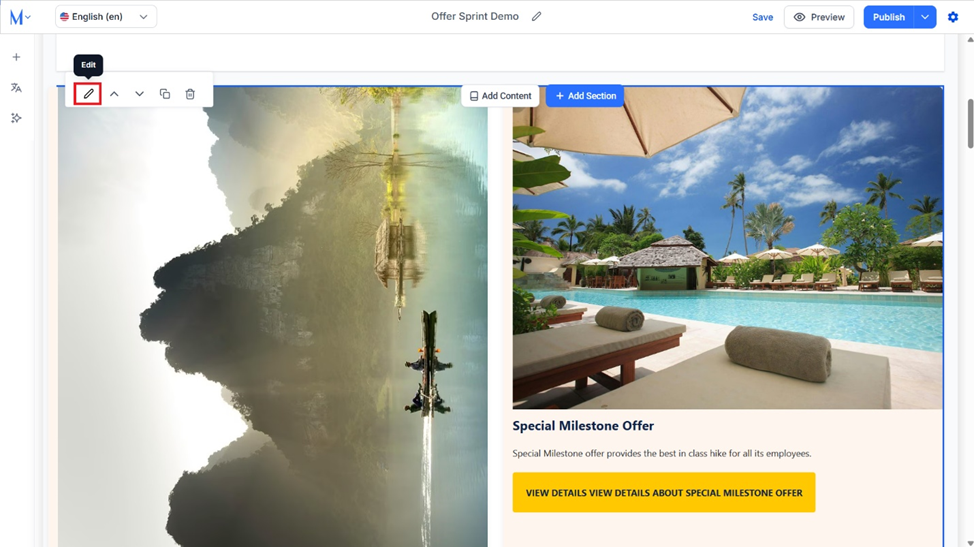
Step 1: Click on the ‘Edit’ icon corresponding to the page section you want to apply to the template page.
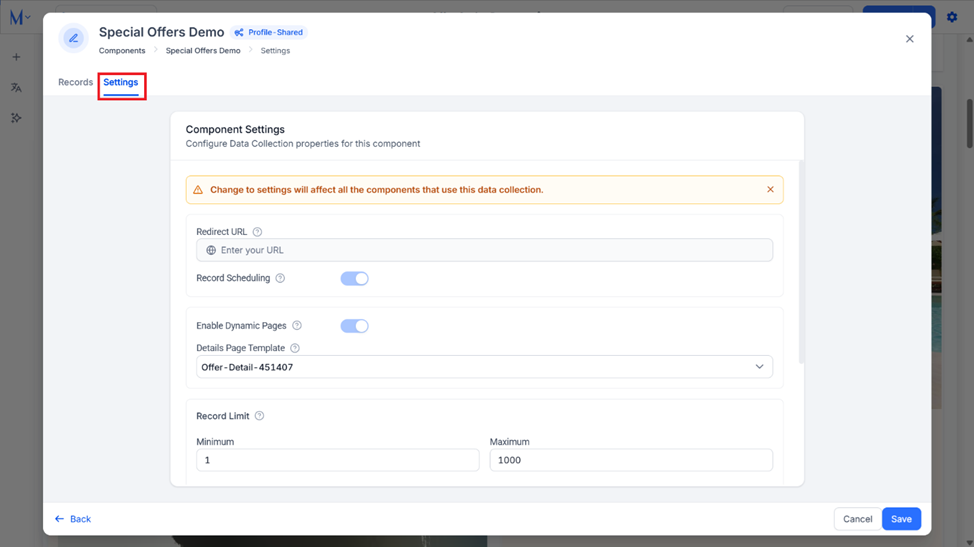
Step 2: Click on ‘Settings’ for the page section.
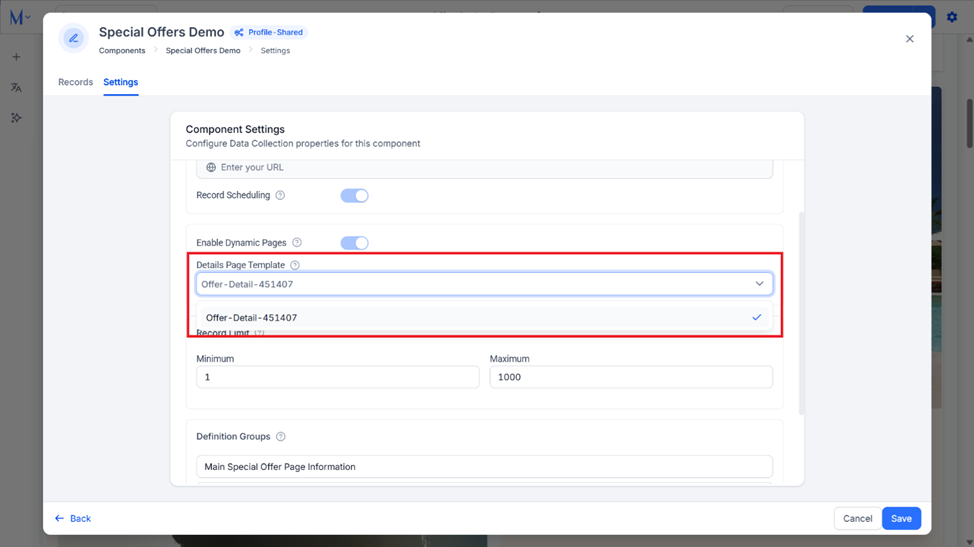
Step 3: Use the drop-down menu in the ‘Detail Page Template’ section to select the page template you want to apply to the records in this page section.
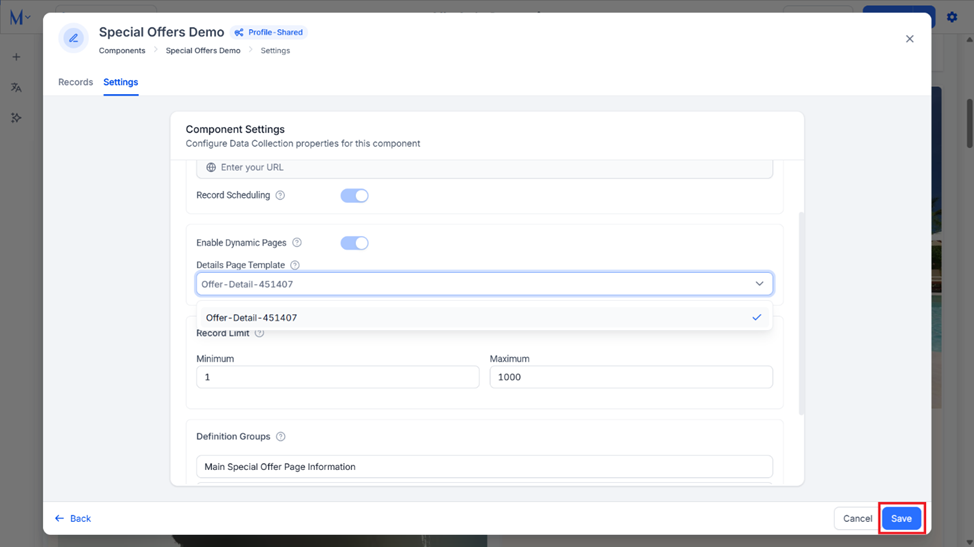
Step 4: Click on ‘Save’ to save the settings. The details page for each record in this section will use this template to display the details.
Setting Template Pages at Record Level
Step 1: Click on the ‘Edit’ icon corresponding to the page section you want to apply to template page to.
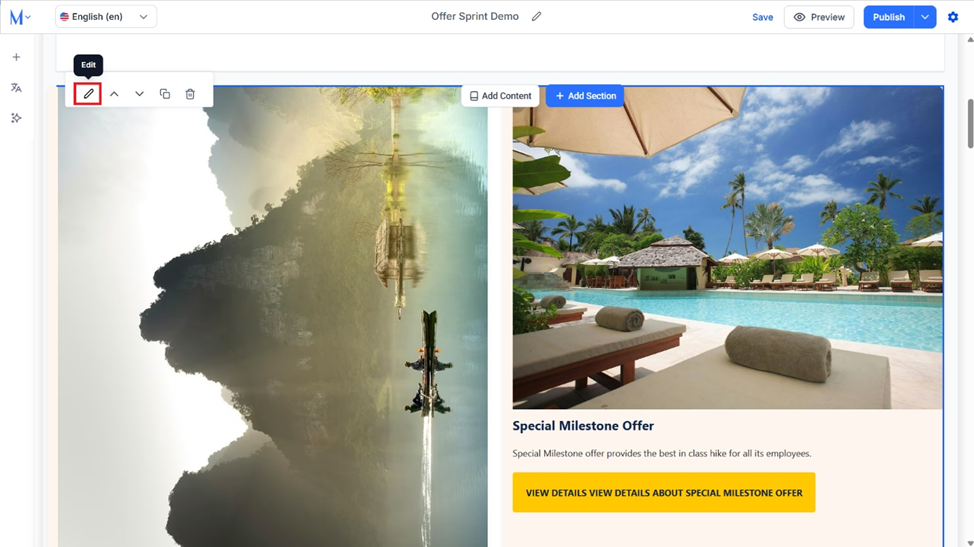
Step 2: Click on ‘Edit’ corresponding to the record you want to apply the page template to.
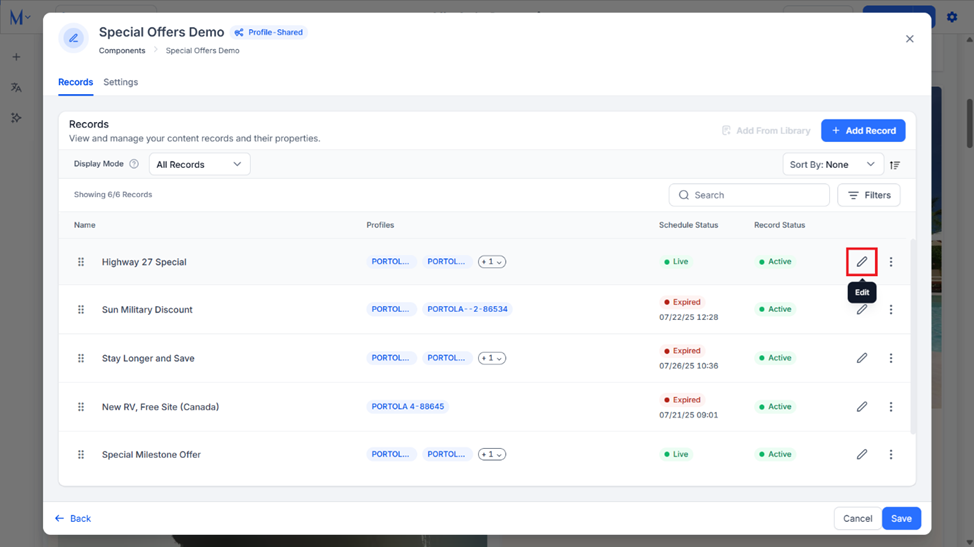
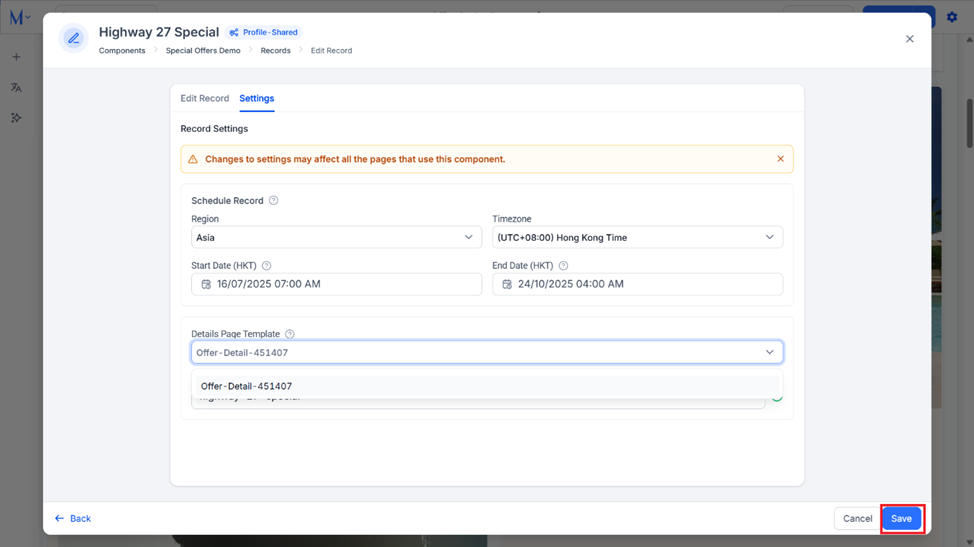
Step 3: Click on the ‘Settings’ tab for the record level settings.
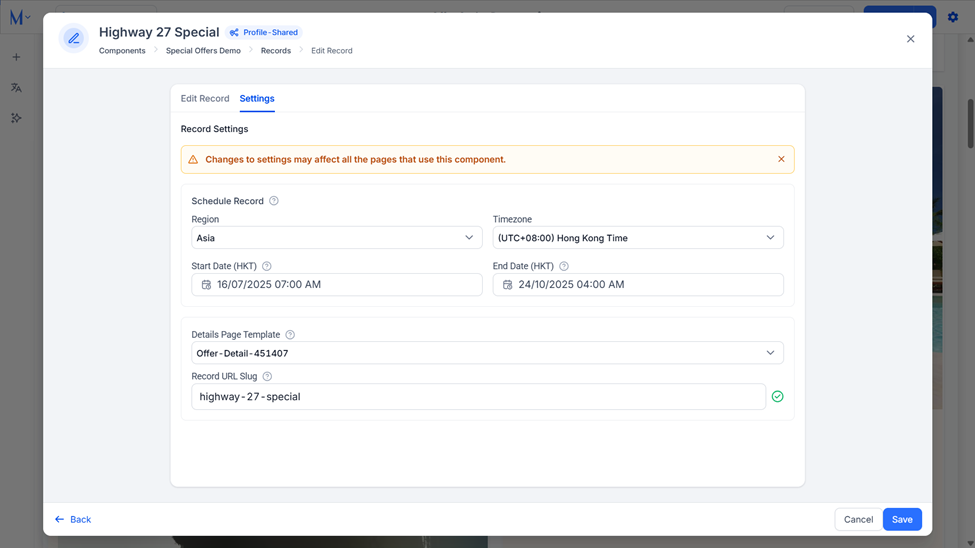
Step 4: Use the drop-down menu under the ‘Details Page Template’ section to select the template page to be used for this record.
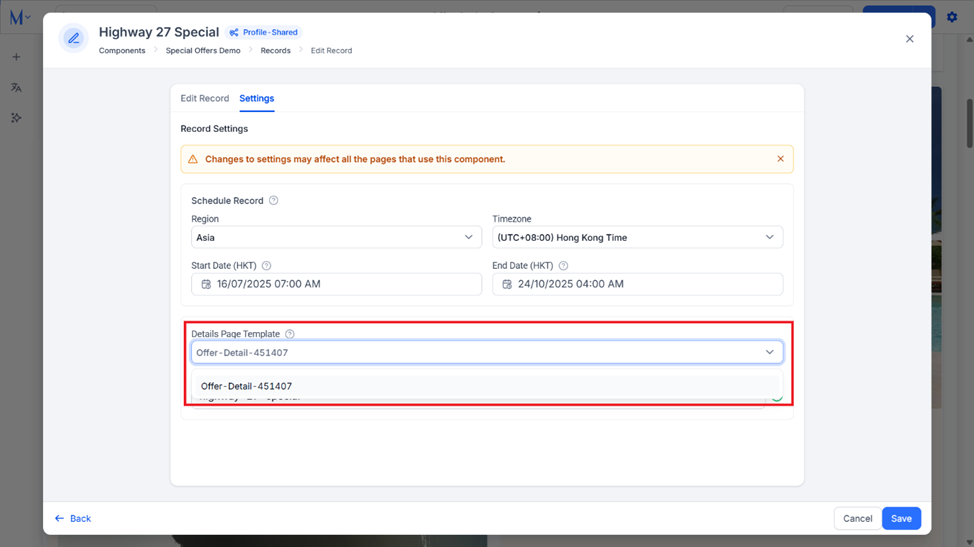
Step 5: Click on ‘Save’. This record will now use the selected template but will not affect any of the other records in this page section.
Was this article helpful?
That’s Great!
Thank you for your feedback
Sorry! We couldn't be helpful
Thank you for your feedback
Feedback sent
We appreciate your effort and will try to fix the article