Milestone Platform makes it easy to enable and configure IndexNow notifications automatically. Once you've generated the API key, you can follow these steps to activate IndexNow on Schema Manager.
Step 1: Enable IndexNow
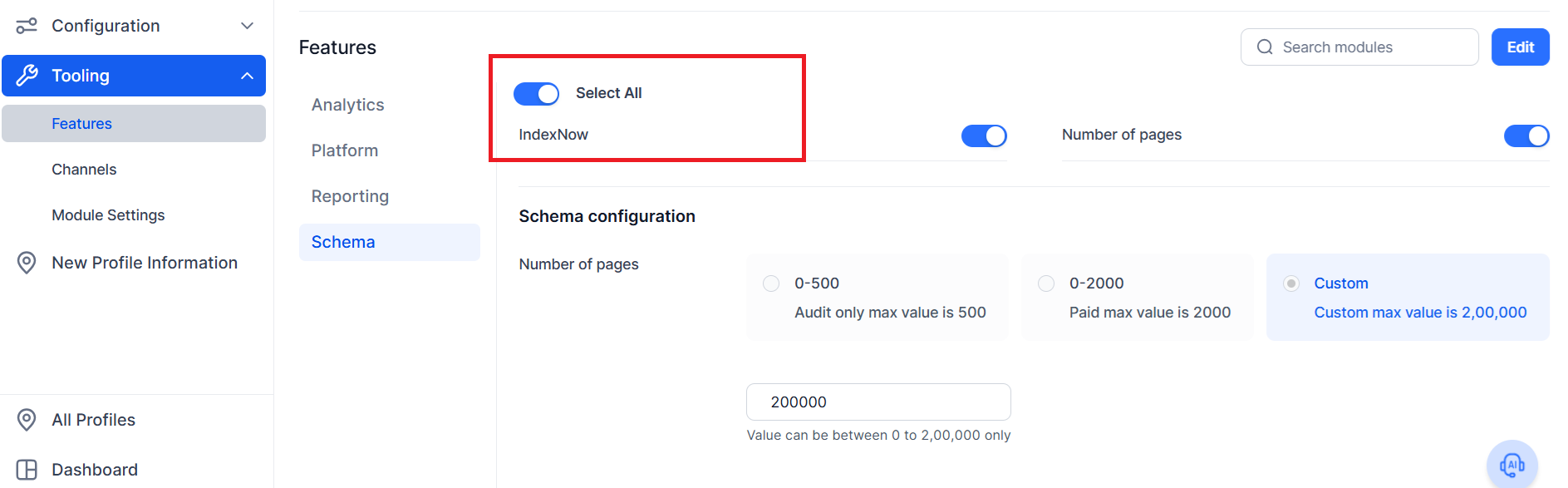
Go to Tooling in your Milestone dashboard. Profile > Tooling > Features
Toggle Enable IndexNow to turn on the feature
Step 2: Add Your API Key
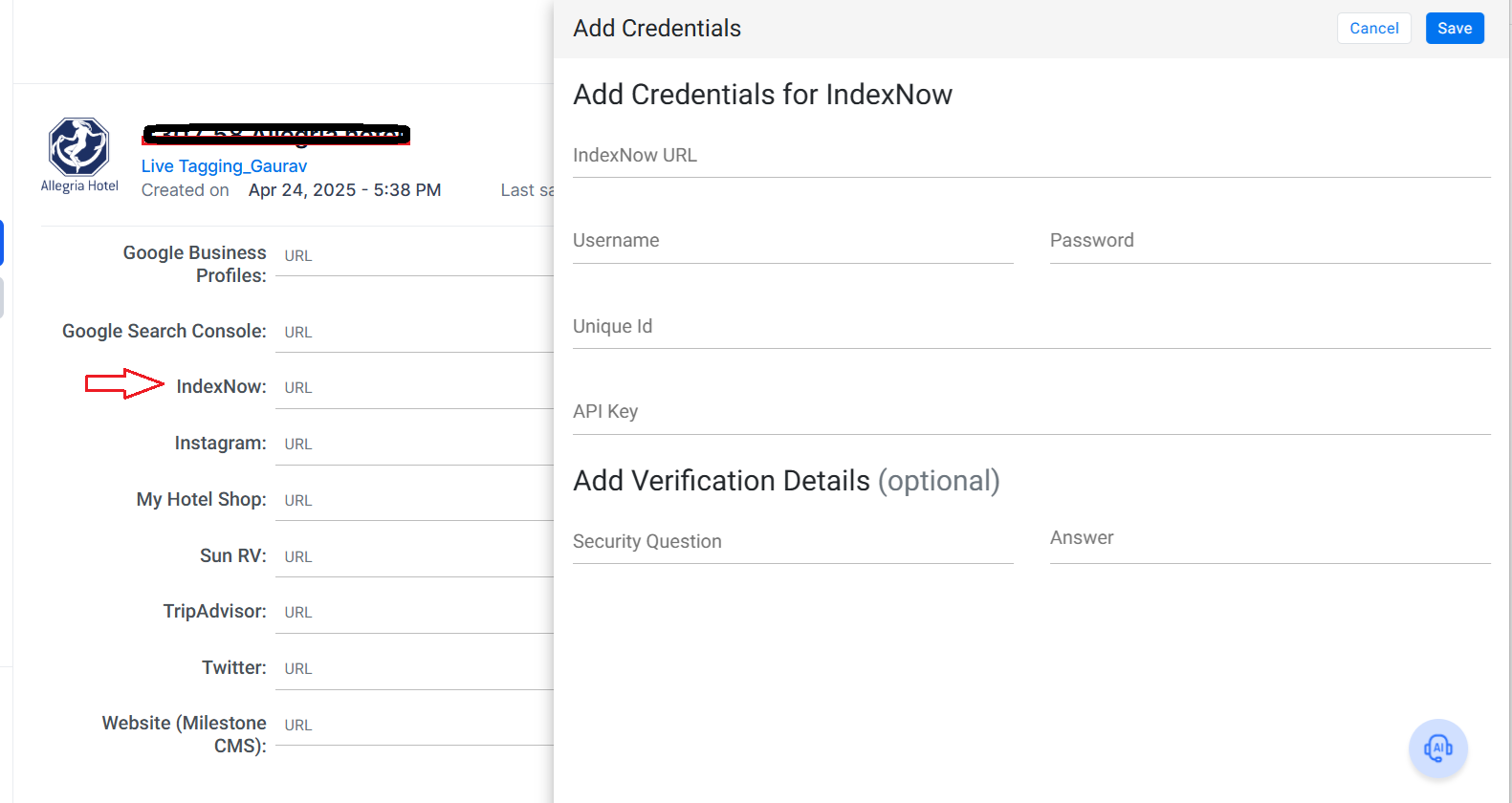
Navigate to Source Configuration
Click Add API Key and paste your IndexNow key
Save changes
Once set up, Schema Manager will auto-submit updated structured data URLs to IndexNow-compatible search engines.
Was this article helpful?
That’s Great!
Thank you for your feedback
Sorry! We couldn't be helpful
Thank you for your feedback
Feedback sent
We appreciate your effort and will try to fix the article