Overview
Schema Manager is a tool designed to simplify the implementation and management of structured data (schema markup) across client websites. For agencies handling multiple client accounts or sites, it offers a centralized platform to deploy, monitor, and optimize schema markup, enhancing search engine visibility and driving better SEO results.
Background & Flow
Implementing schema markup can be complex, especially when managing numerous client websites. Schema Manager streamlines this process through a structured workflow:
Step by Step Guide
Step 1: Navigate to the 'Settings' section.
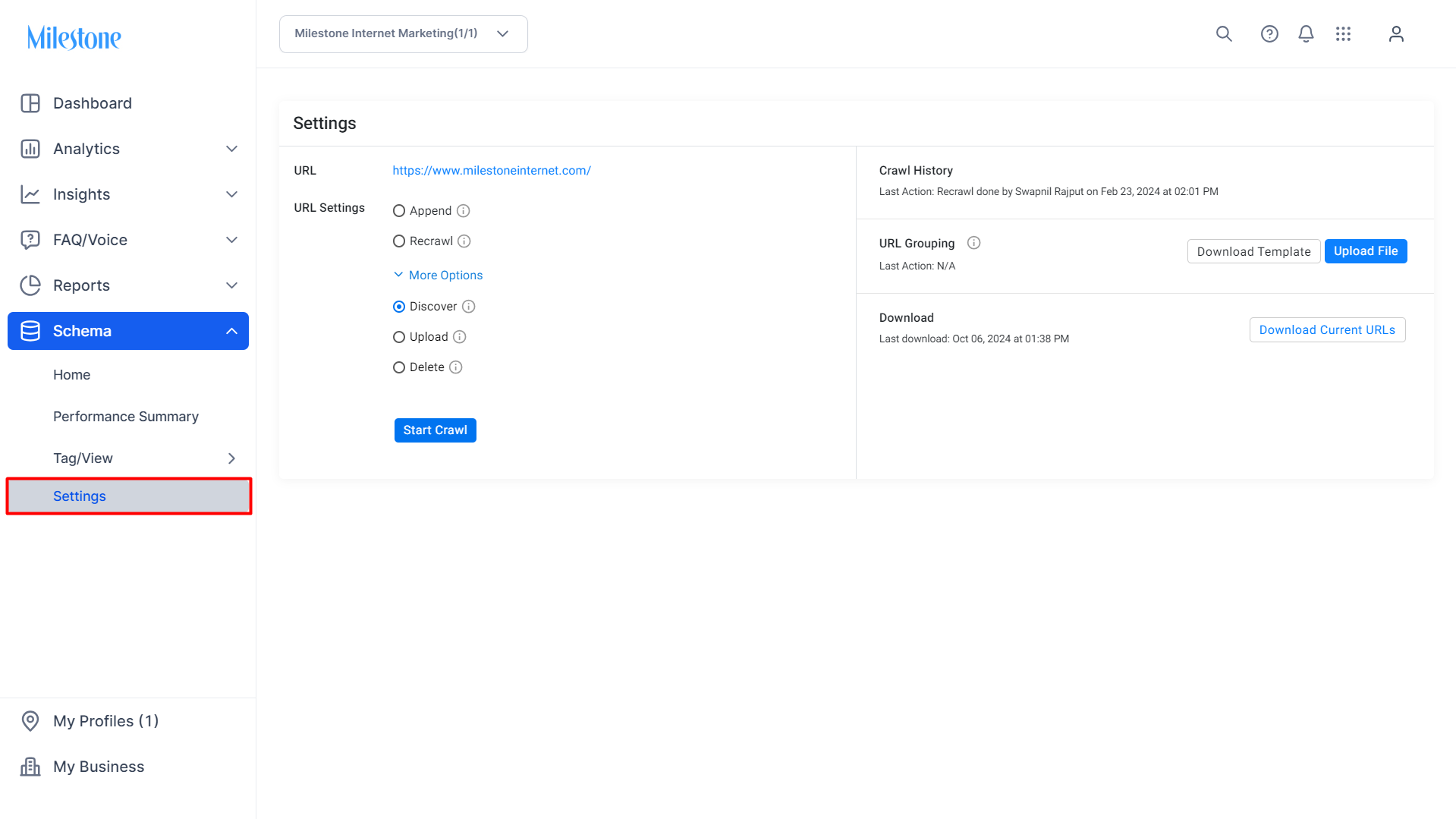
Step 2: To fetch the URLs, click on the 'Discover' and click on ‘Start Crawl’.
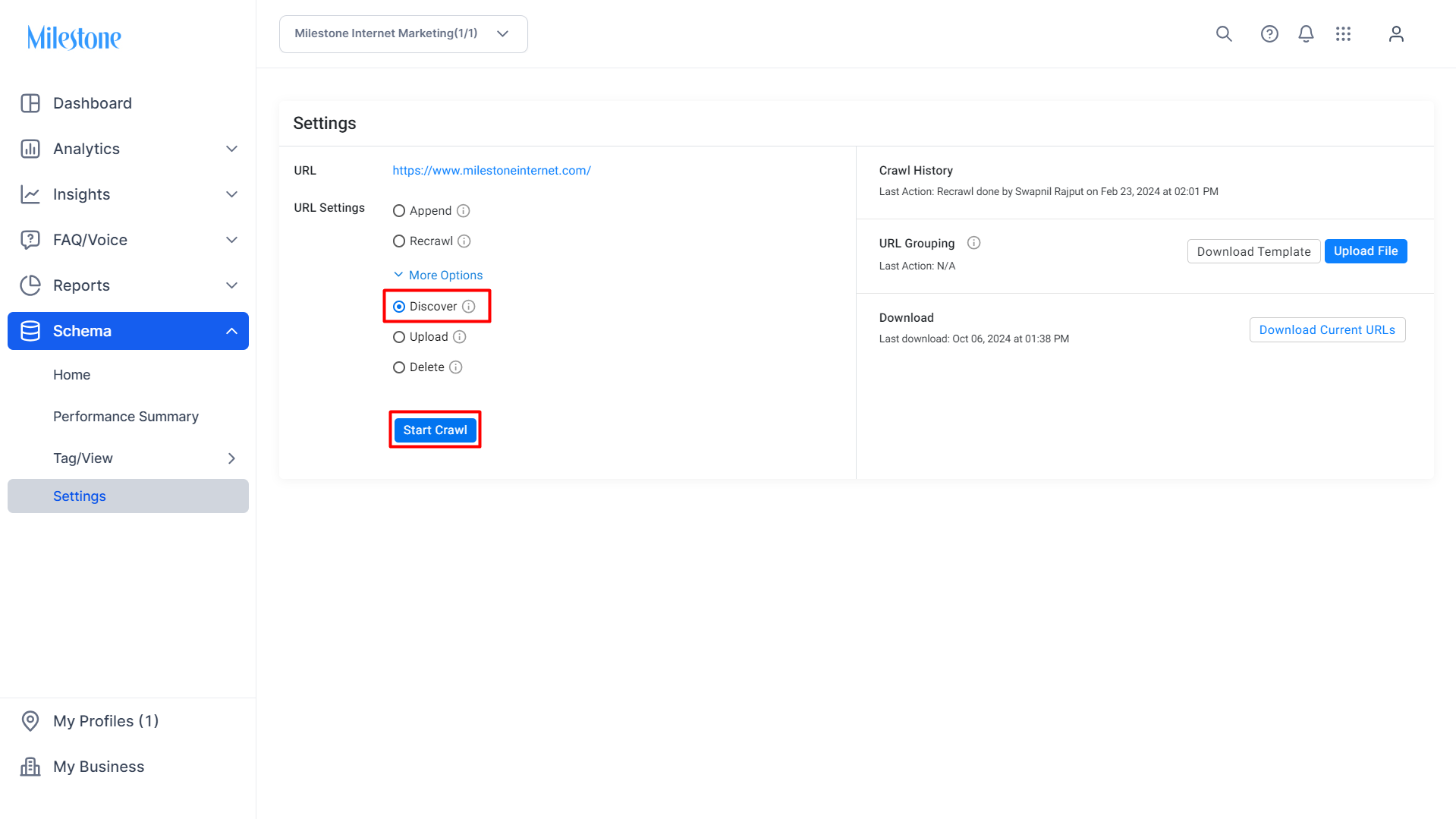
Step 3: If you want to upload specific URLs, use the ‘Upload’ option.
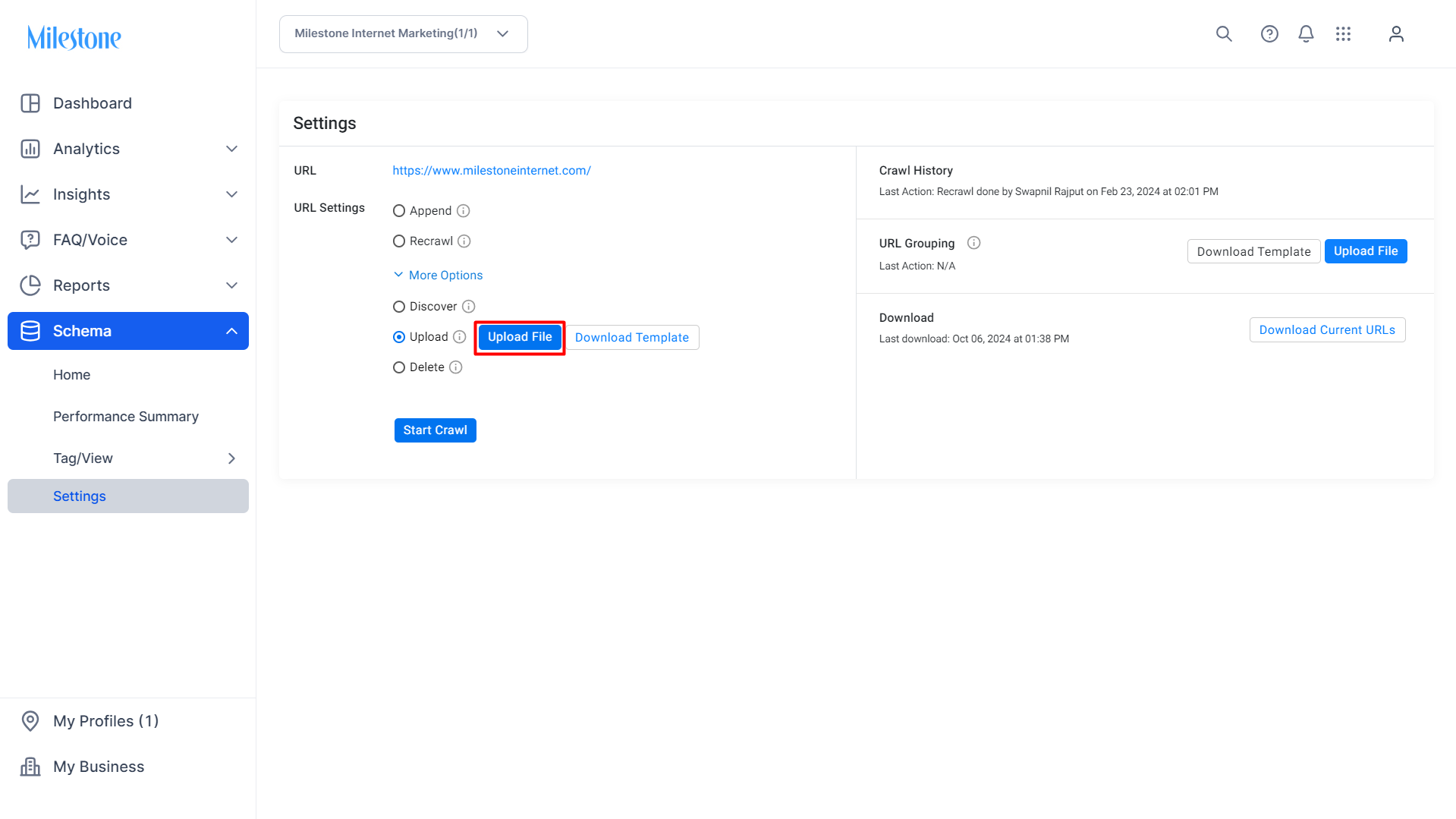
Step 4: Download a template for uploading URLs using the 'Download Template' button.
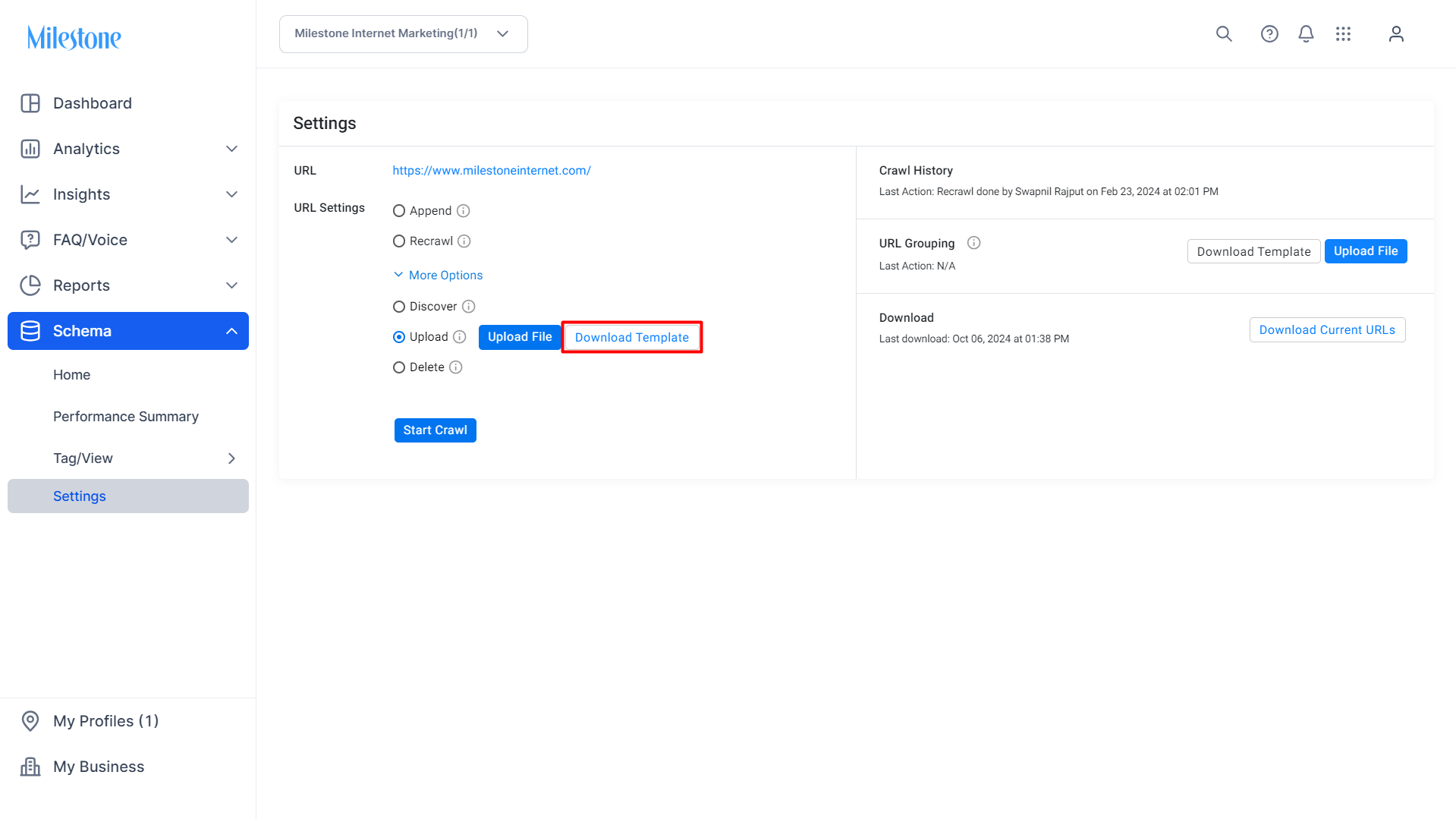
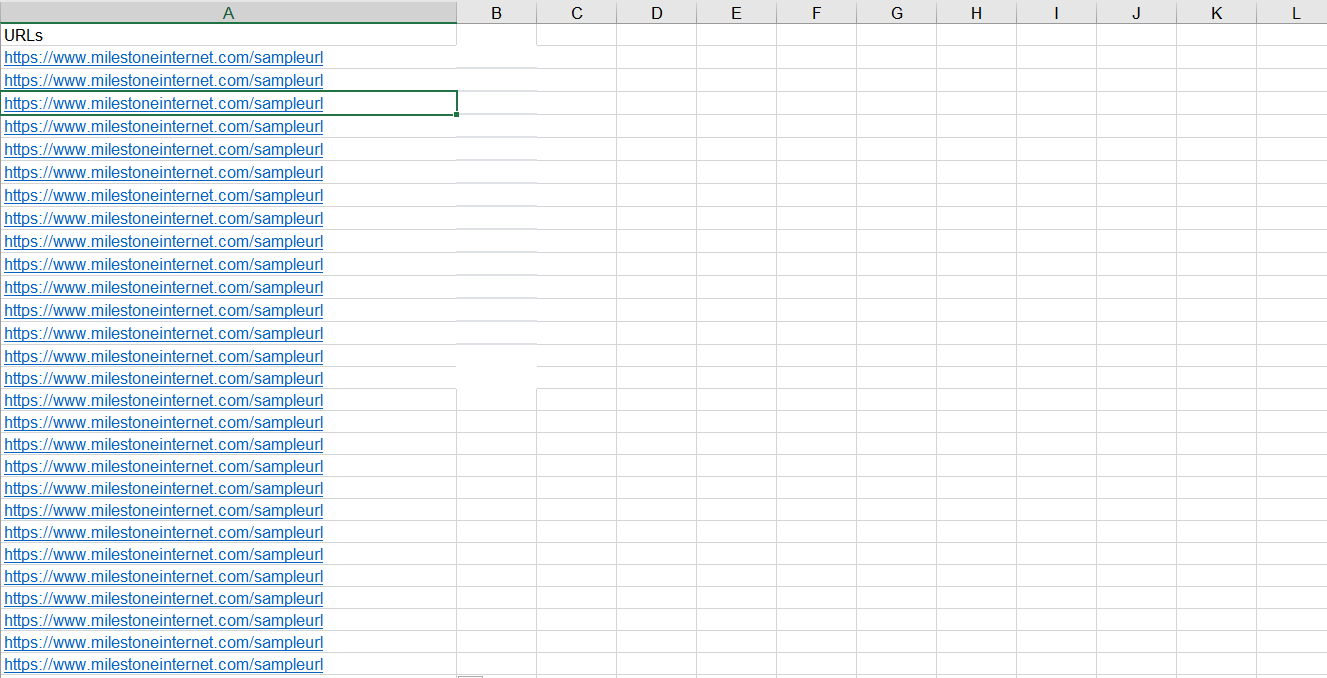
Step 5: Add the URLs to the spreadsheet and save the file.
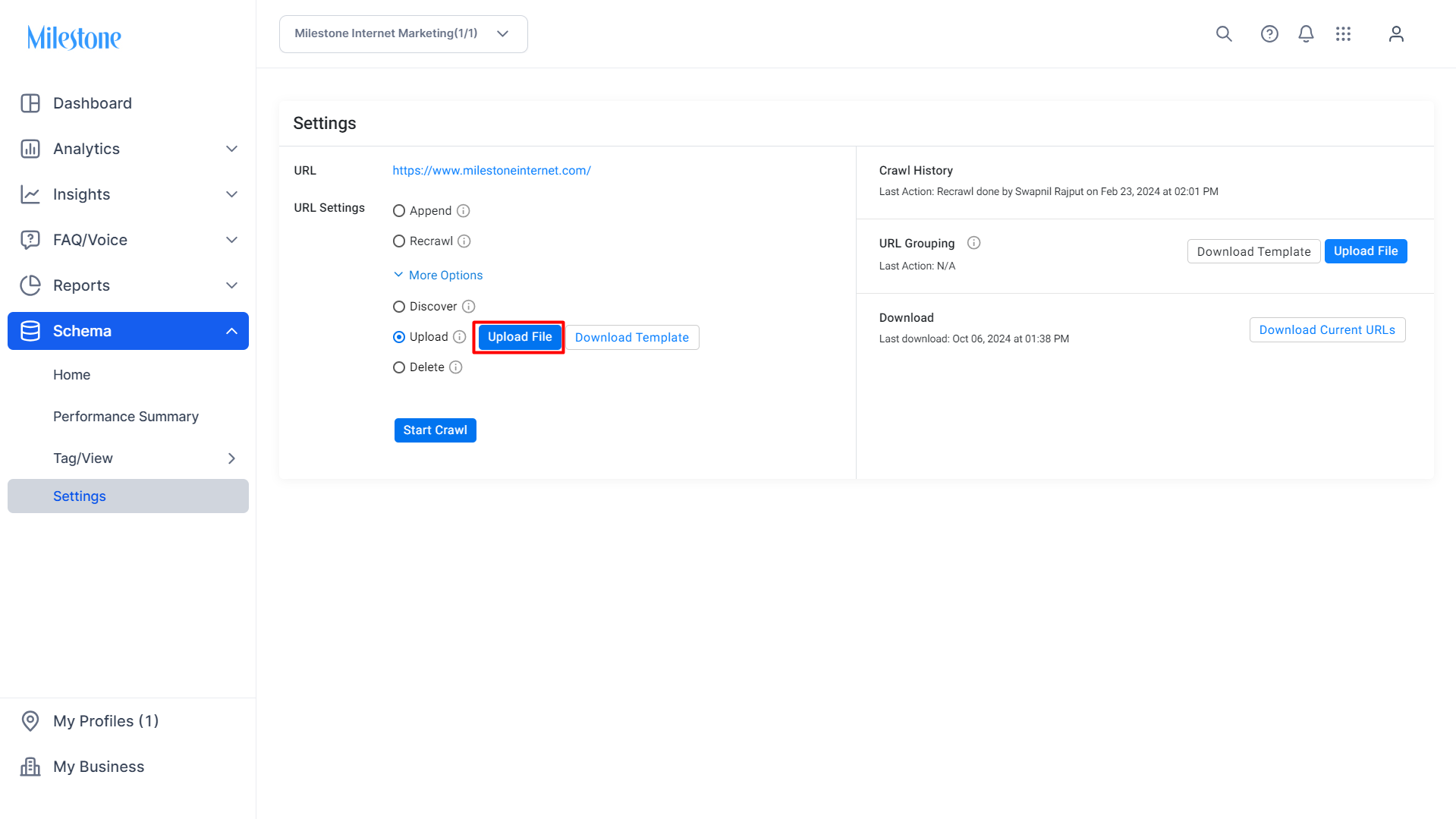
Step 6: Click on ‘Upload File’.
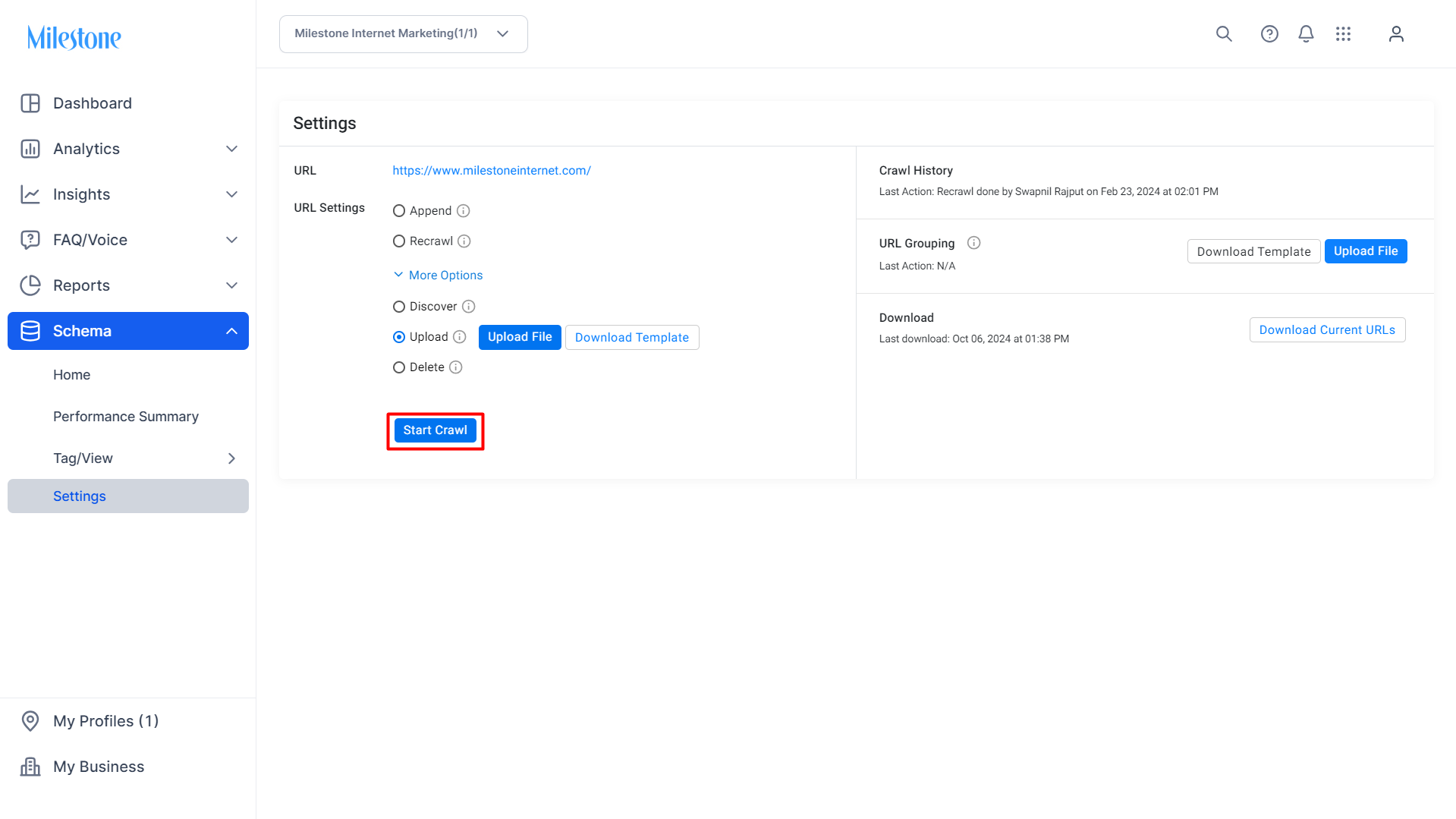
Step 7: Upload the saved file to the Schema Manager. Click on 'Start Crawl' to initiate an analysis of the URLs.
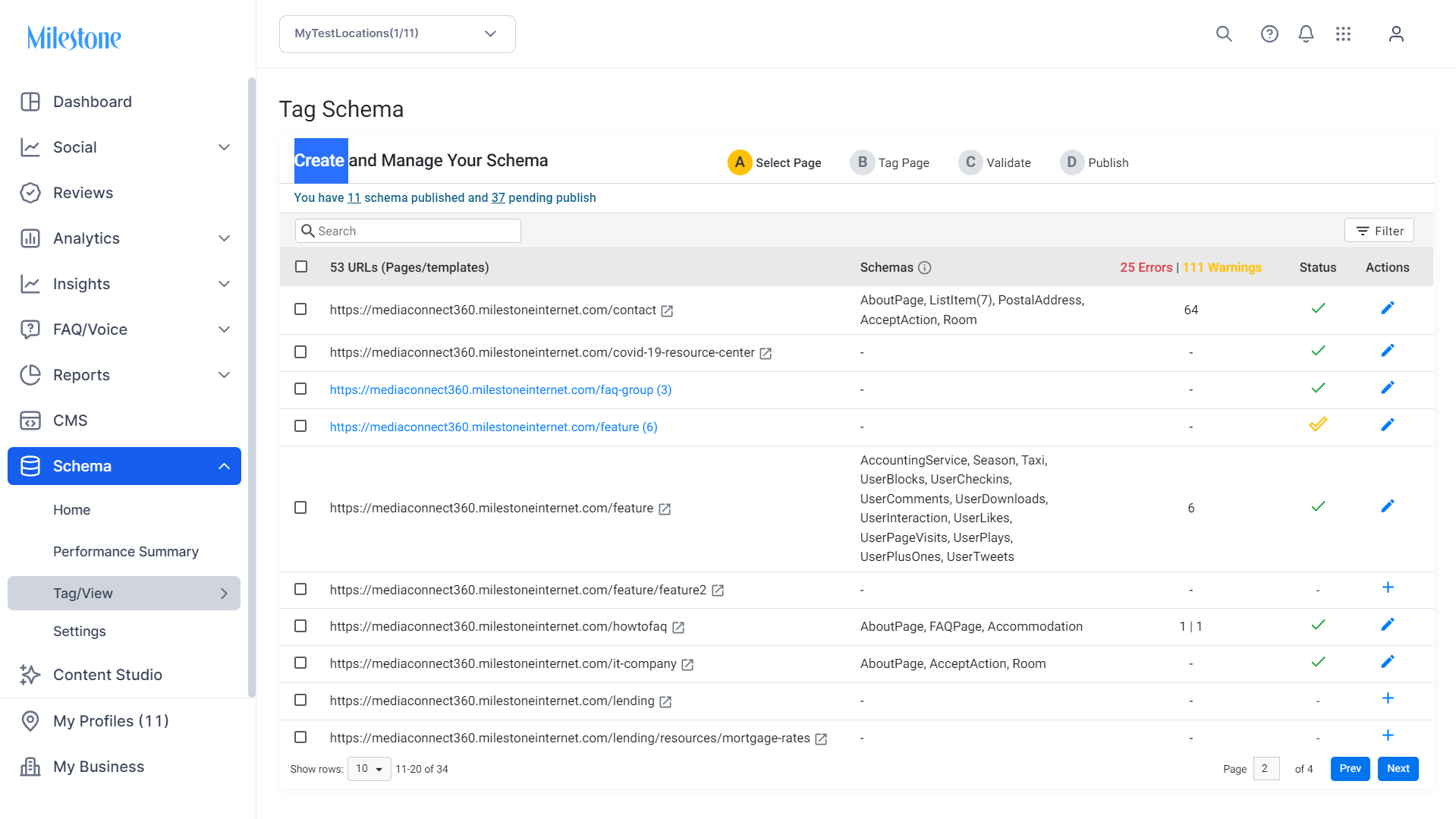
Step 8: Using Schema Manager, you can auto-discover up to 1 million pages. Till the discovery of URLs is complete, you will see this screen if you click on the ‘Tag Schema’ tab.

Step 9: Once discovered, the pages will appear here and are ready to tag.
Glossary of Terms
- Schema Markup: Structured data added to web pages to help search engines understand the content.
- Crawling: The process of systematically browsing web pages to index content.
- Schema Editor: A tool within Schema Manager used to create and modify schema markup.
- Validation: The process of checking schema markup for errors or warnings before publishing.
Tips for Agency Success
- Start with High-Impact Pages: Prioritize adding schema to pages that drive the most traffic or conversions.
- Maintain Consistency: Ensure uniform schema implementation across similar pages or templates.
- Regularly Monitor Performance: Use the dashboard to track the effectiveness of schema markup and make data-driven decisions.
- Stay Updated: Keep abreast of changes in schema.org guidelines to ensure compliance and optimal performance.
Was this article helpful?
That’s Great!
Thank you for your feedback
Sorry! We couldn't be helpful
Thank you for your feedback
Feedback sent
We appreciate your effort and will try to fix the article