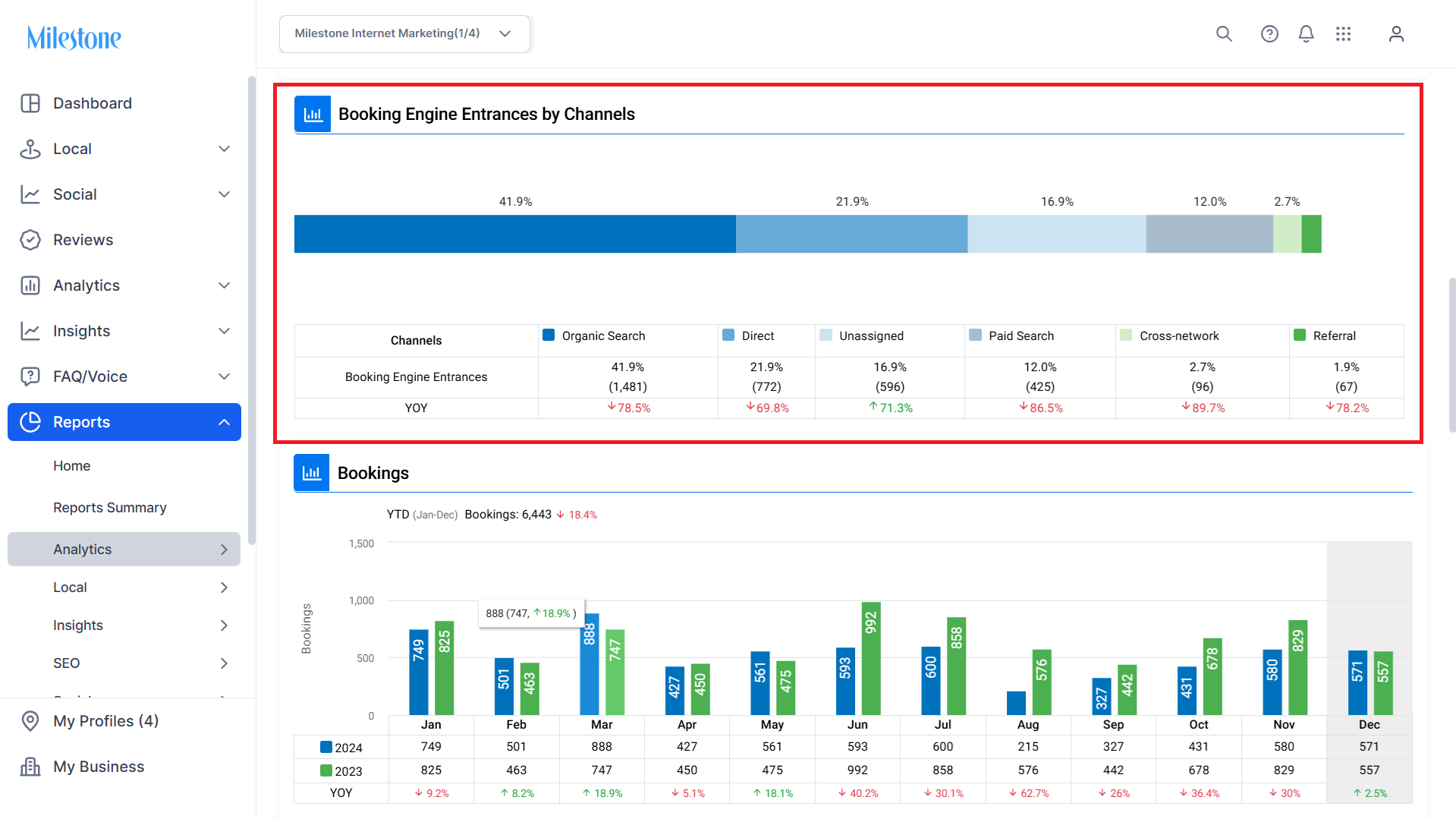
Milestone Analytics provides data on booking entrances by channel so that you can see which channels are getting you the most bookings.
Path: Reports > Analytics > Analytics Performance Reporting - GA4
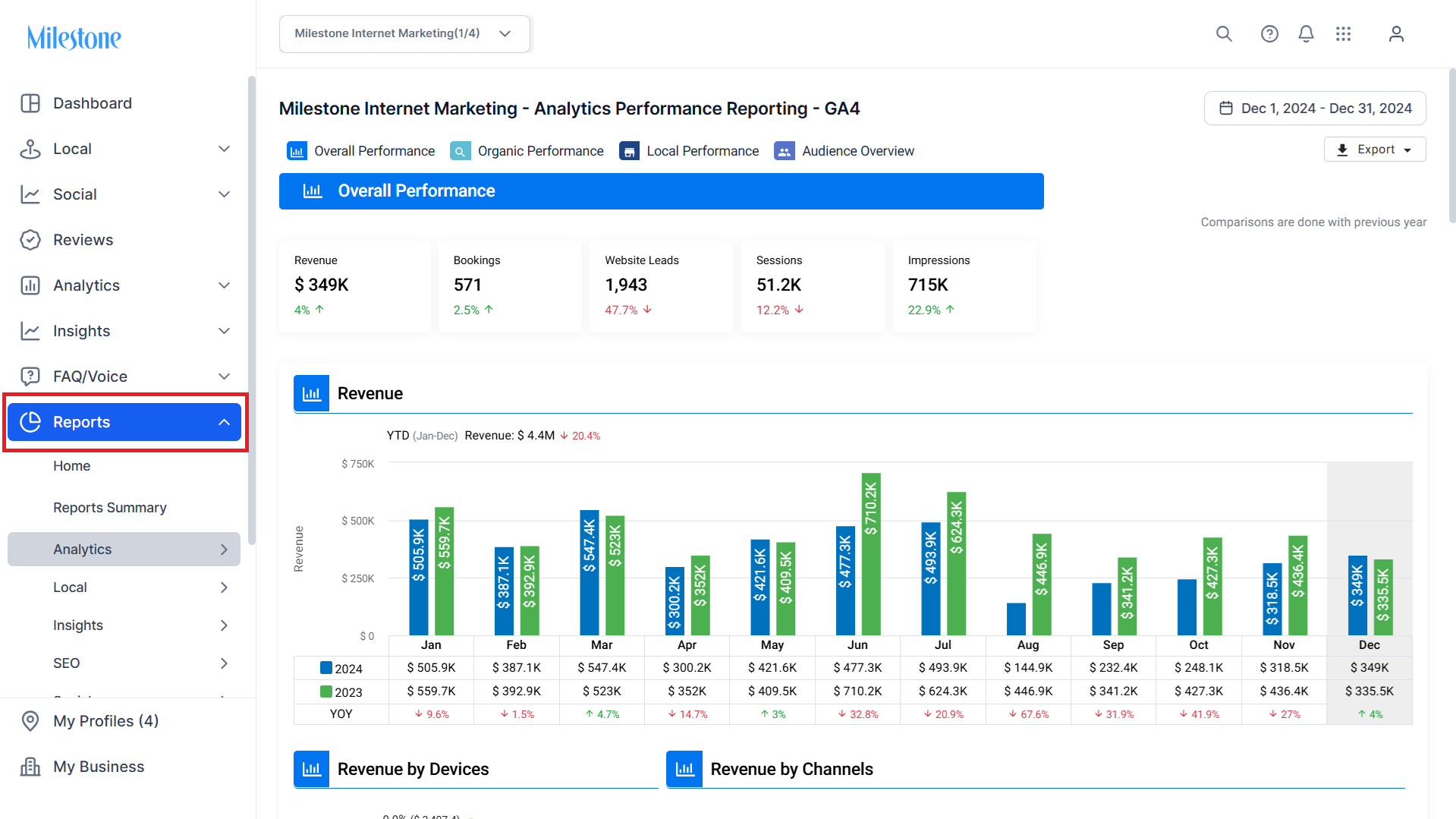
Step 1: Click on ‘Reports’ in the left navigation panel.
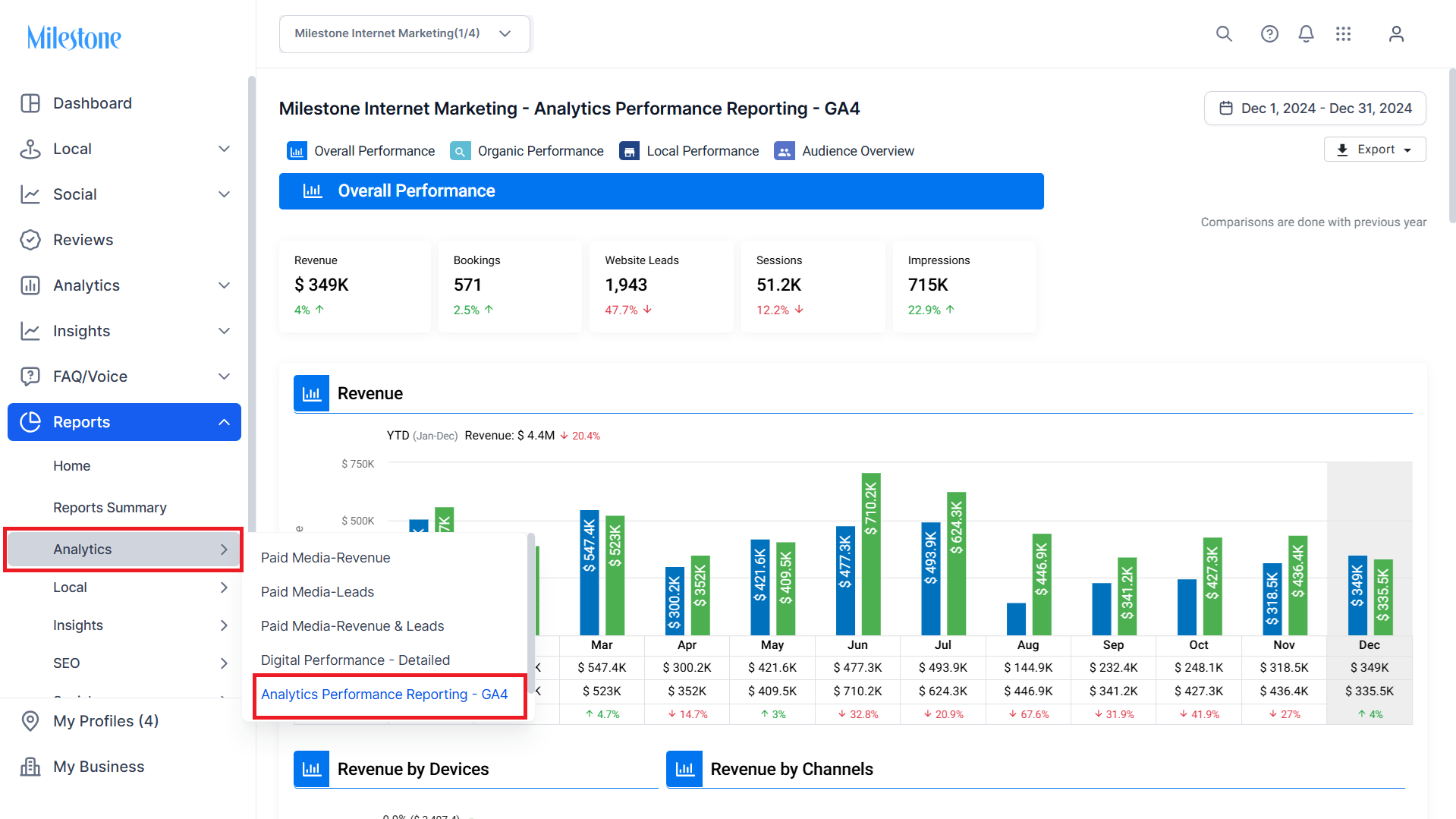
Step 2: In the ‘Analytics’ section select ‘Analytics Performance Reporting - GA4’.
Step 3: Here, you can view the ‘Booking Engine Entrances by Channels’.
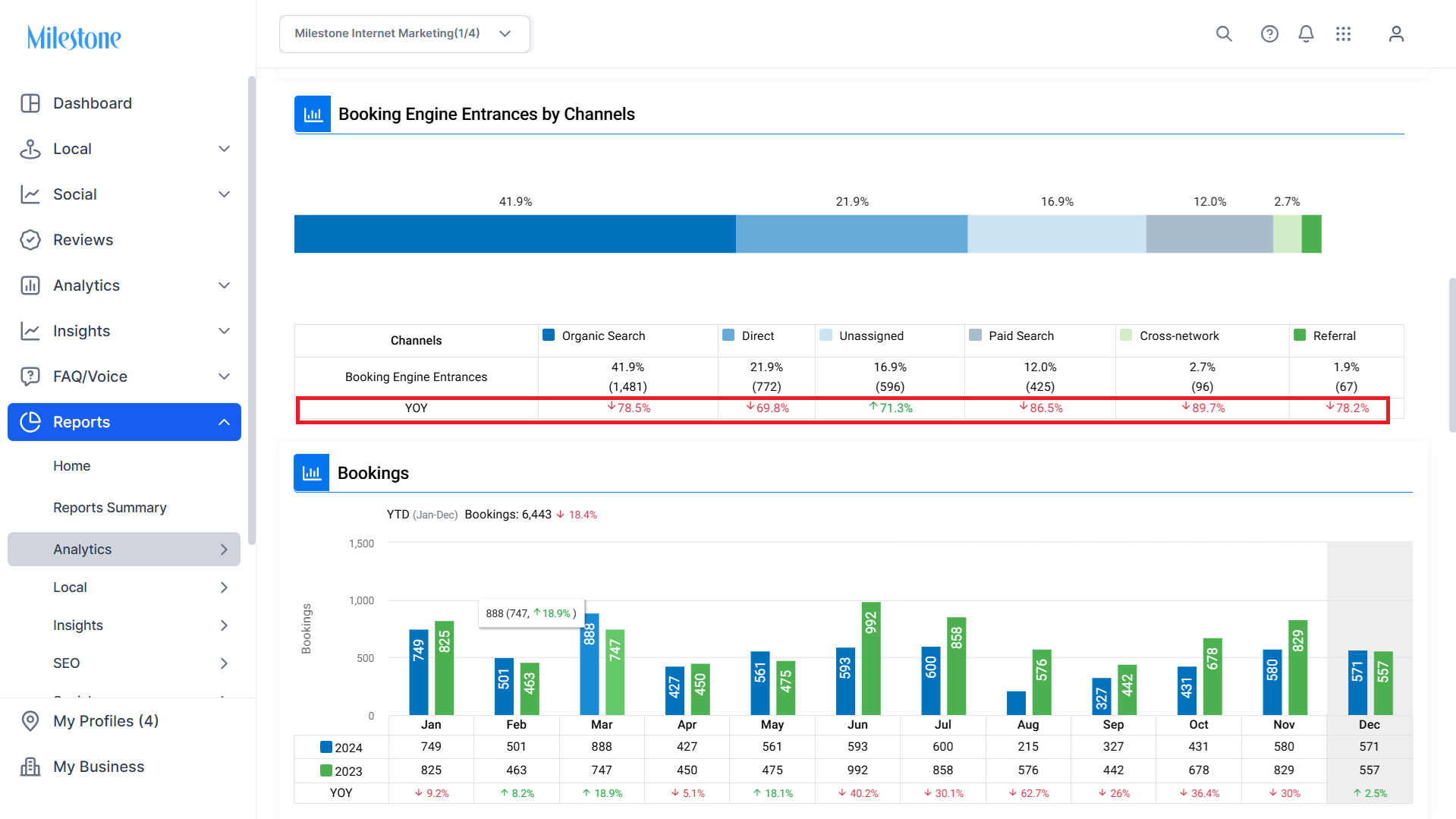
You can also view the Year-on-Year (YoY) performance of the respective channels.
Was this article helpful?
That’s Great!
Thank you for your feedback
Sorry! We couldn't be helpful
Thank you for your feedback
Feedback sent
We appreciate your effort and will try to fix the article