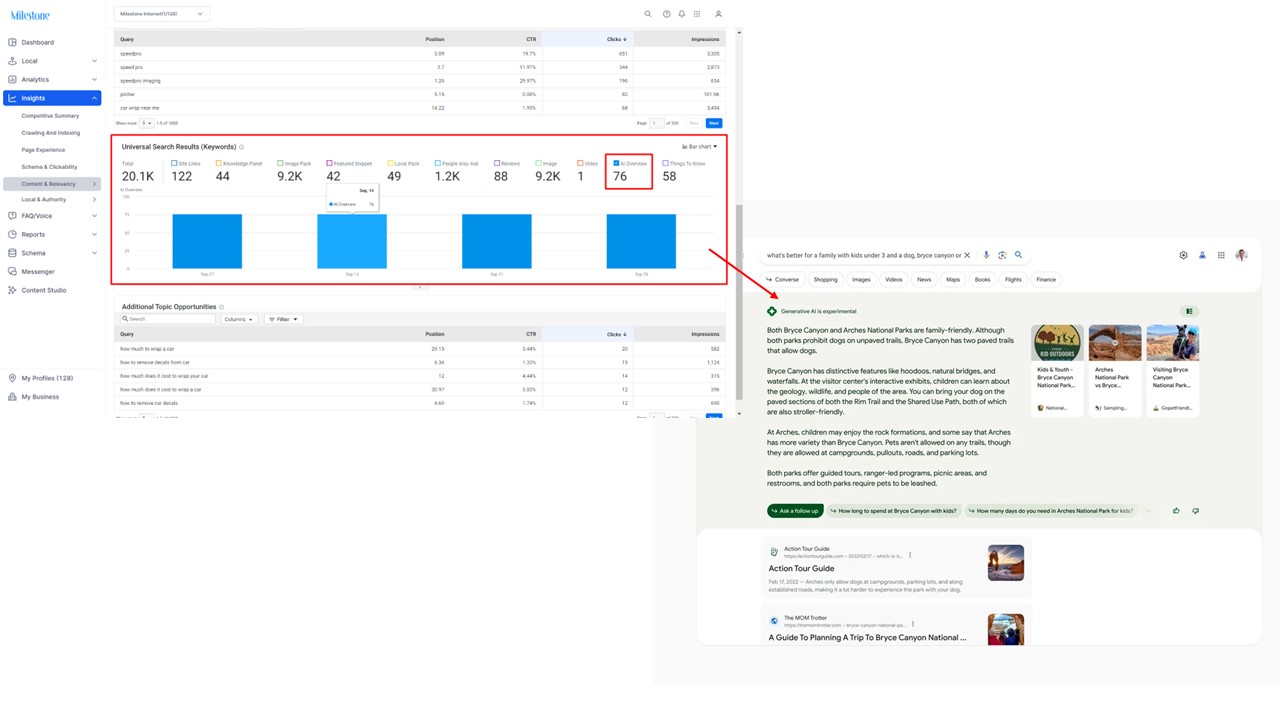
Milestone Insights now displays AI Overview data. The AI Overview shows you how many times your pages have been used as a source to generate AI search results on Google.
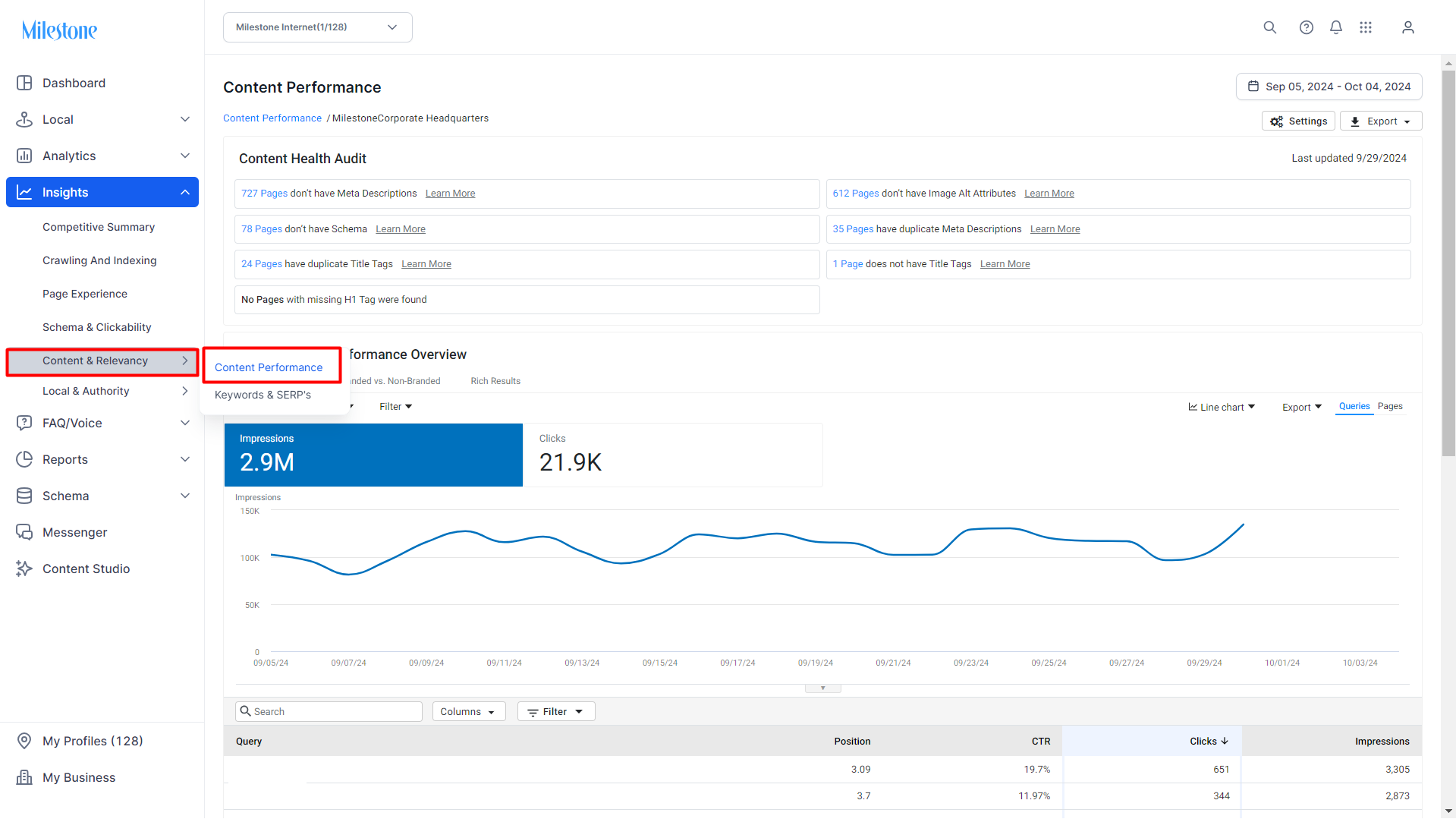
Path: Milestone Insights > Content & Relevancy > Content Performance > Universal Search Results
Step 1: Navigate to ‘Content Performance’ in the ‘Content & Relevancy’ section of Milestone Insights.
Step 2: The ‘Universal Search Results (Keywords)' data widget displays the AI Overview data. This is the number of times your content has been used as a source for AI-generated search results.
Was this article helpful?
That’s Great!
Thank you for your feedback
Sorry! We couldn't be helpful
Thank you for your feedback
Feedback sent
We appreciate your effort and will try to fix the article