Step 1: Select a content template to get started.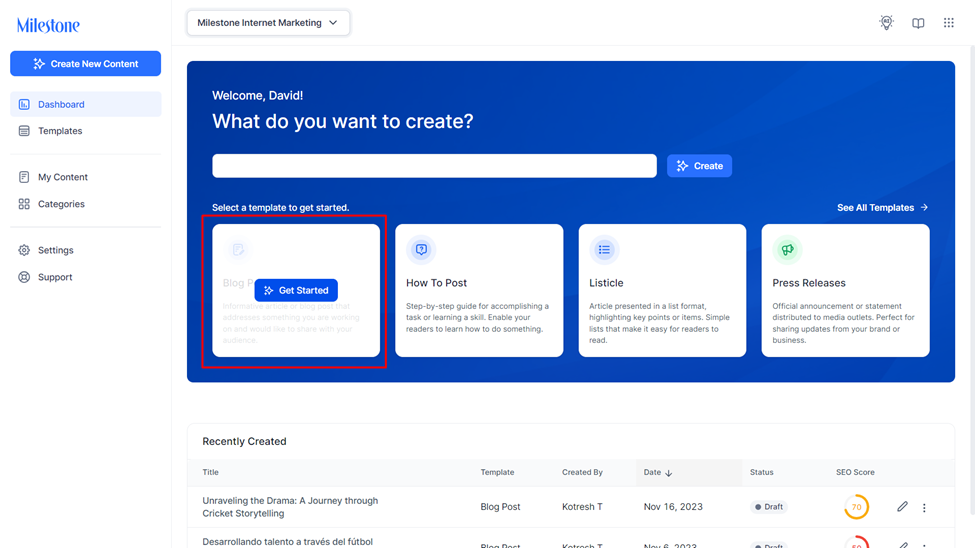
Step 2: Click on ‘Show Preferences’.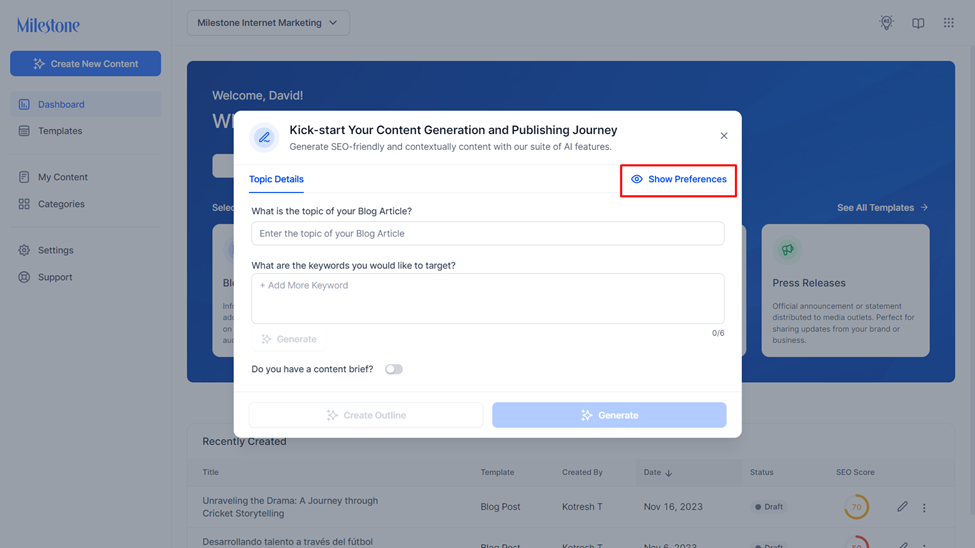
Step 3: Click on the ‘Target Audience’ tab to select your preferred target audience from the dropdown menu.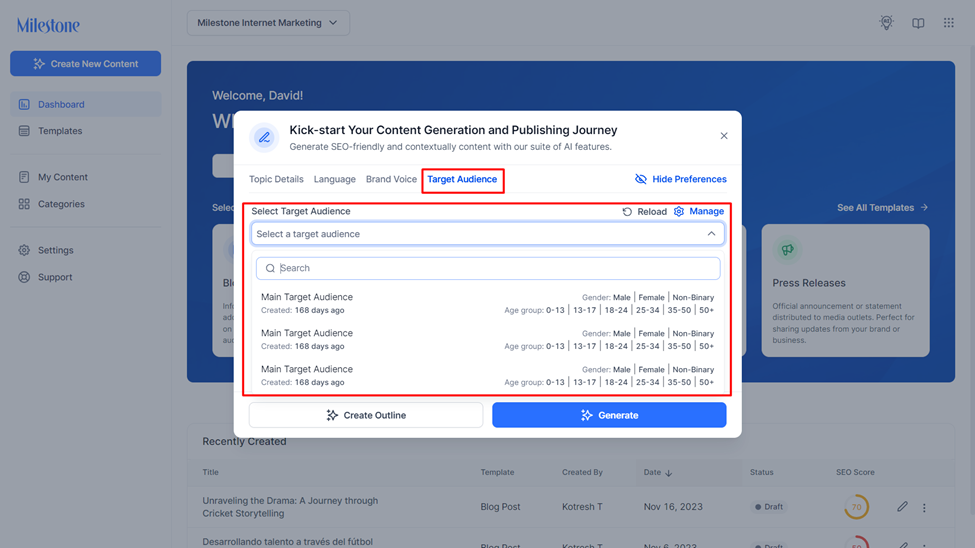
Step 4: Once you have selected a Target Audience click on ‘Generate’ to create content that is bespoke to them.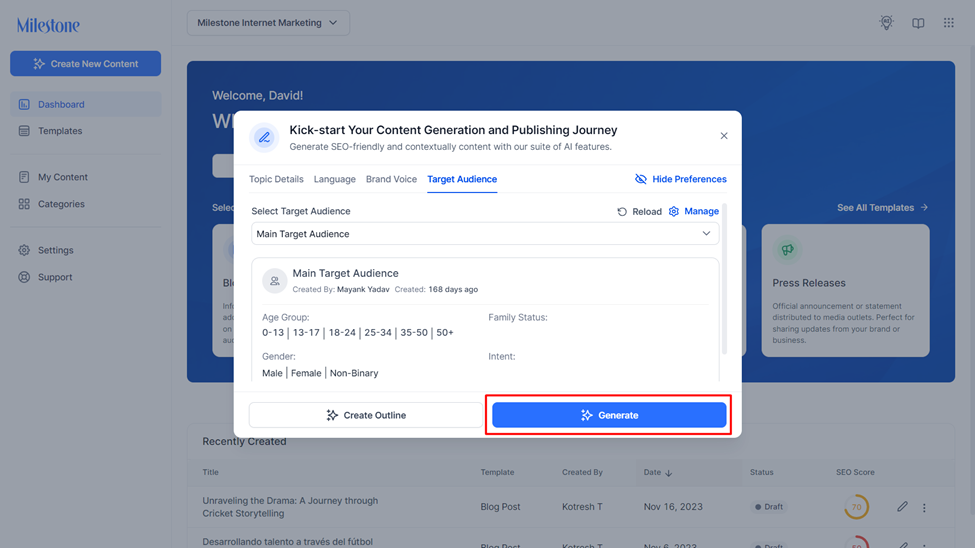
Was this article helpful?
That’s Great!
Thank you for your feedback
Sorry! We couldn't be helpful
Thank you for your feedback
Feedback sent
We appreciate your effort and will try to fix the article