Esta carpeta no está disponible en Spanish. Consúltala en English.
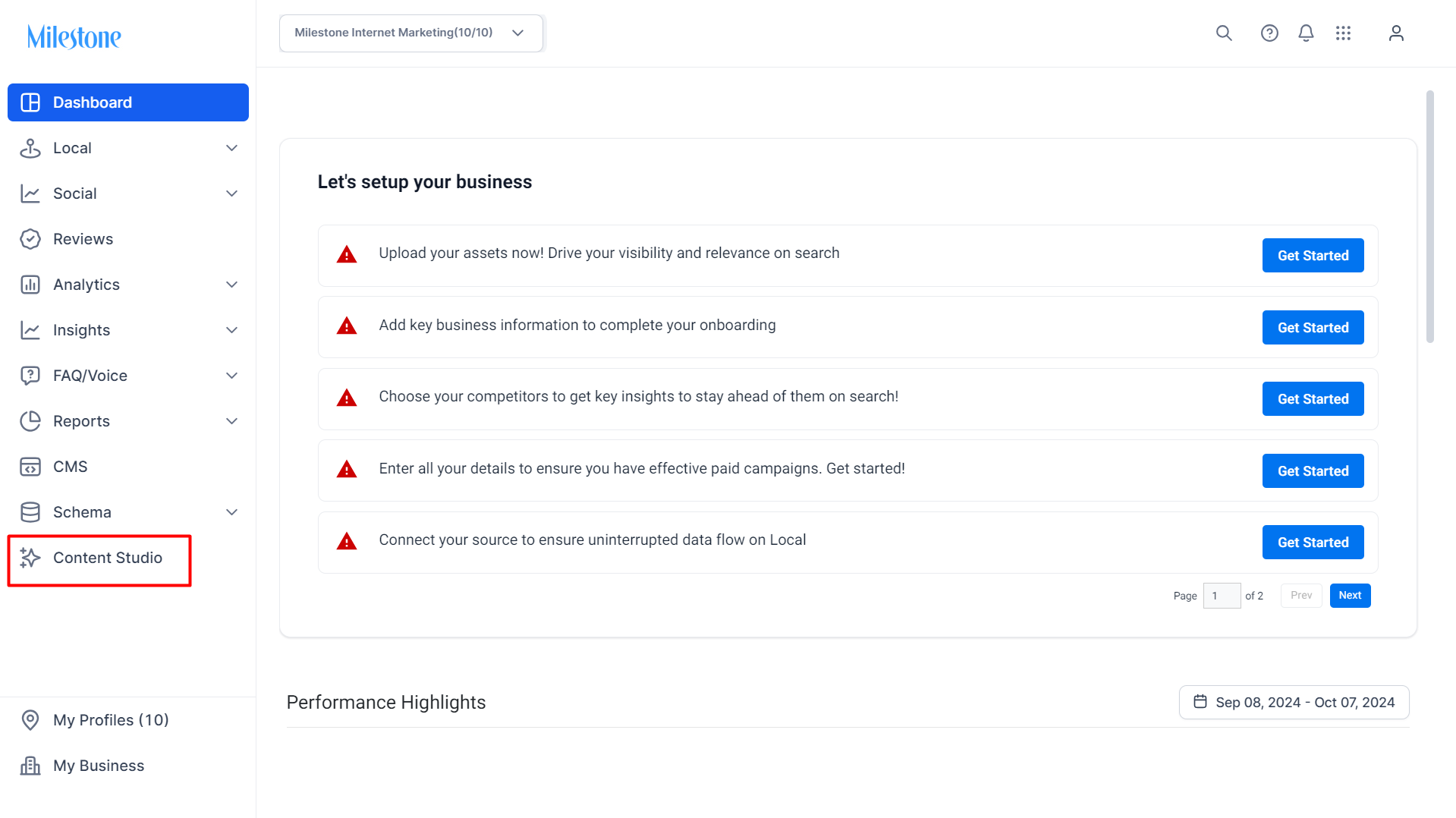
Step 1: From the Milestone Presence Cloud Dashboard click on ‘Content Studio’ in the left navigation panel.
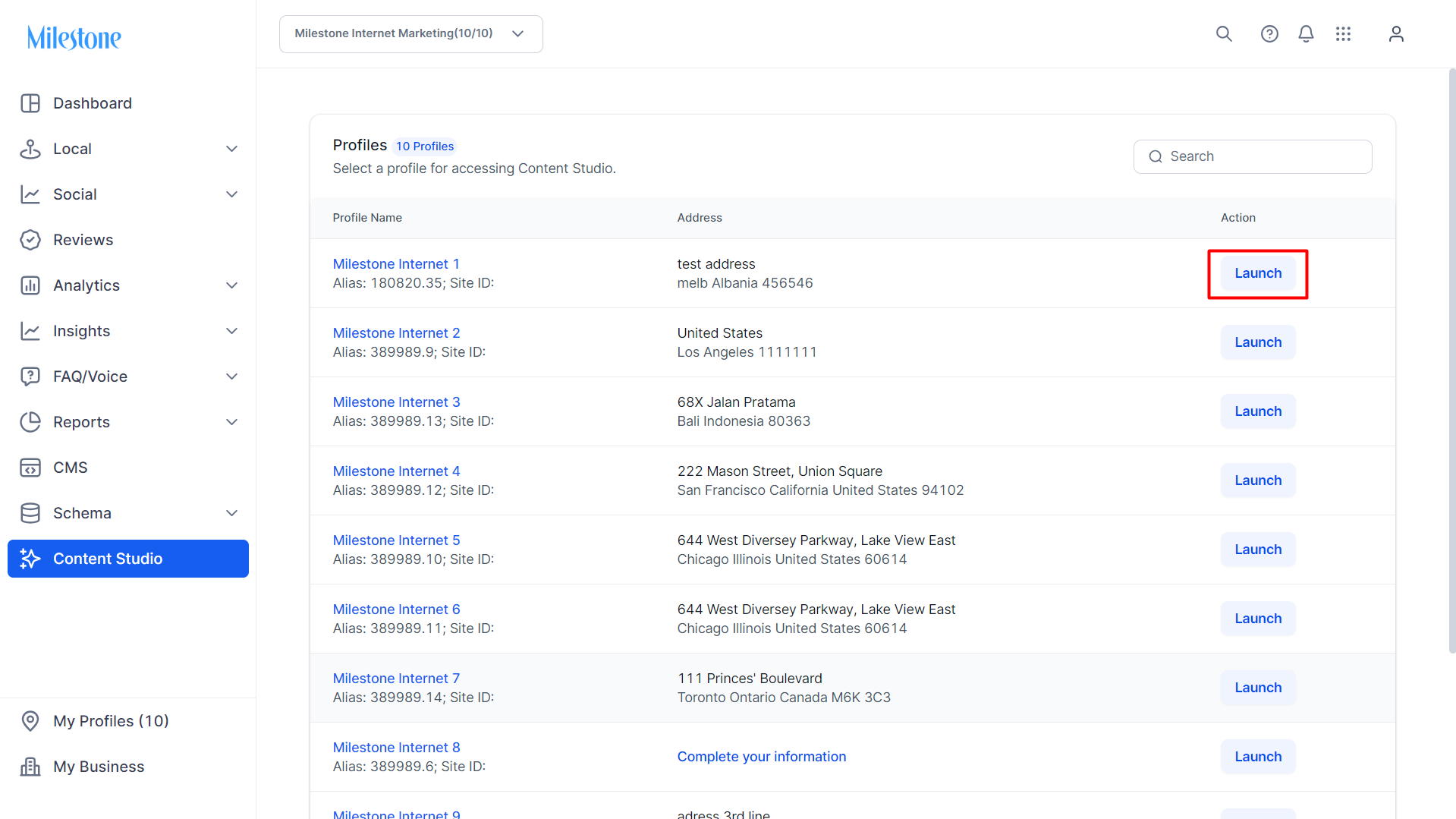
Step 2: If multiple profiles in your business have Content Studio setup you will be taken to the portfolio page. From here click on ‘Launch’ corresponding to the profile you wish to access.
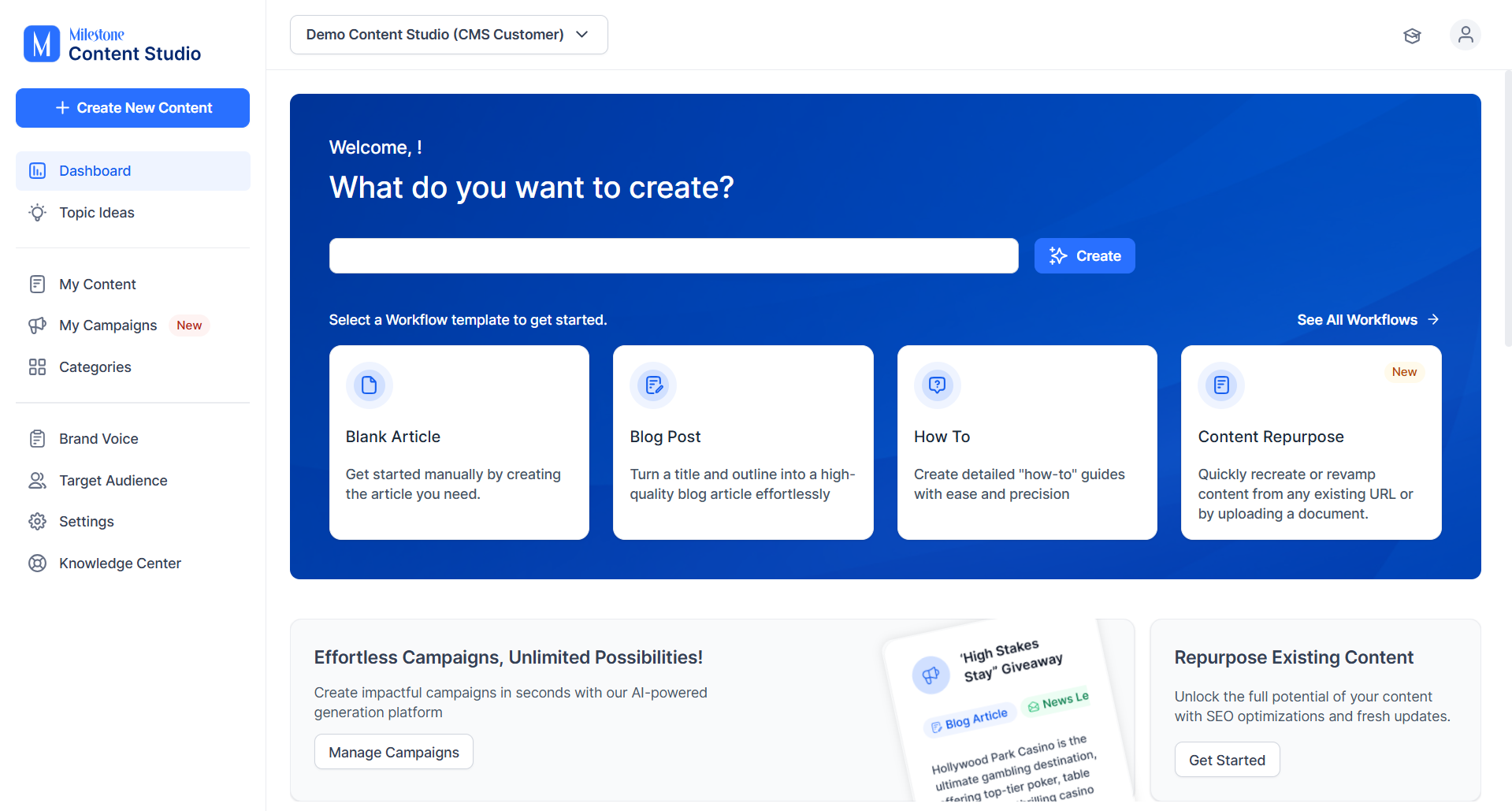
Step 3: You will be redirected to the Content Studio homepage.
Was this article helpful?
That’s Great!
Thank you for your feedback
Sorry! We couldn't be helpful
Thank you for your feedback
Feedback sent
We appreciate your effort and will try to fix the article