Follow these steps to bulk upload business categories.
Step 1: Agency-level permissions are required to carry out these actions.
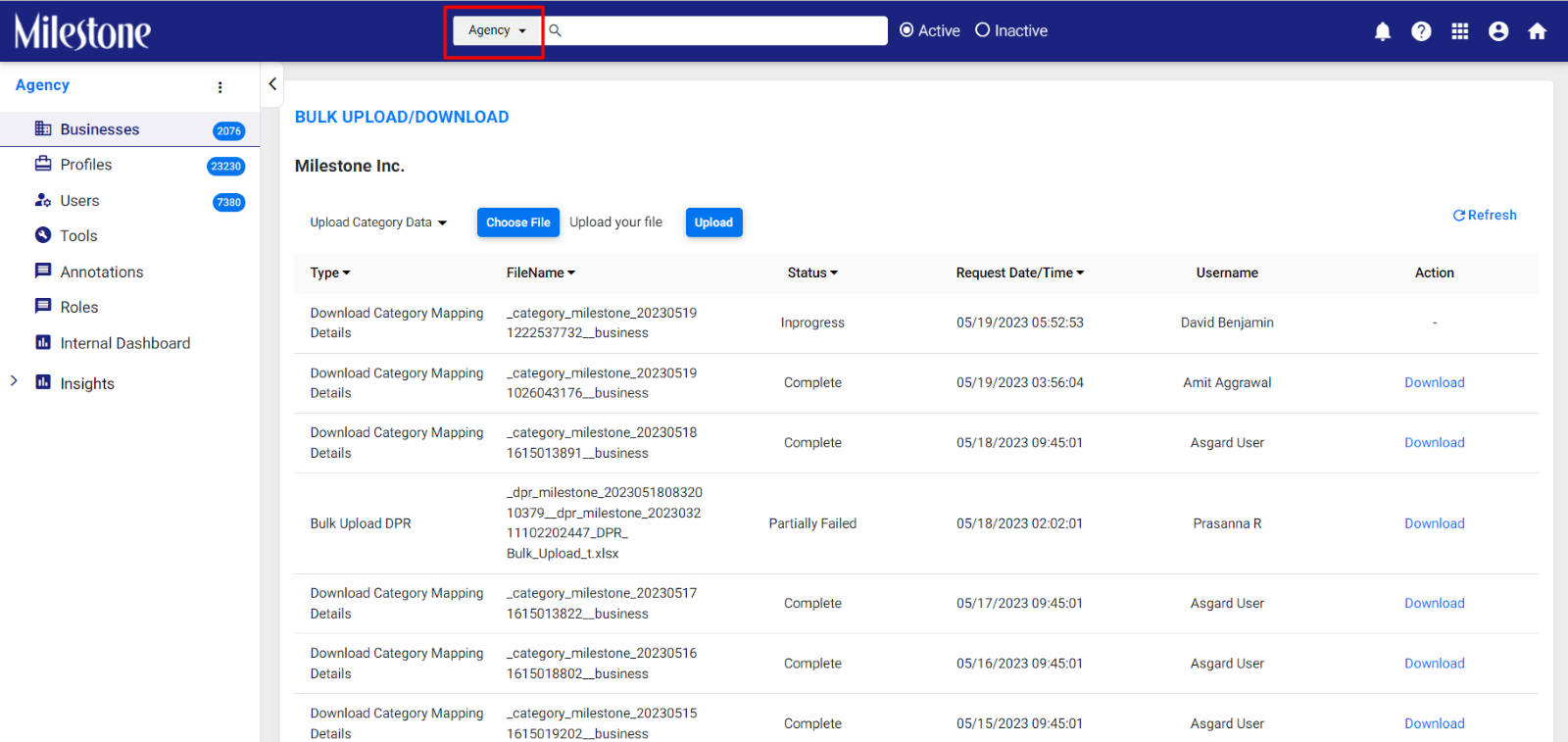
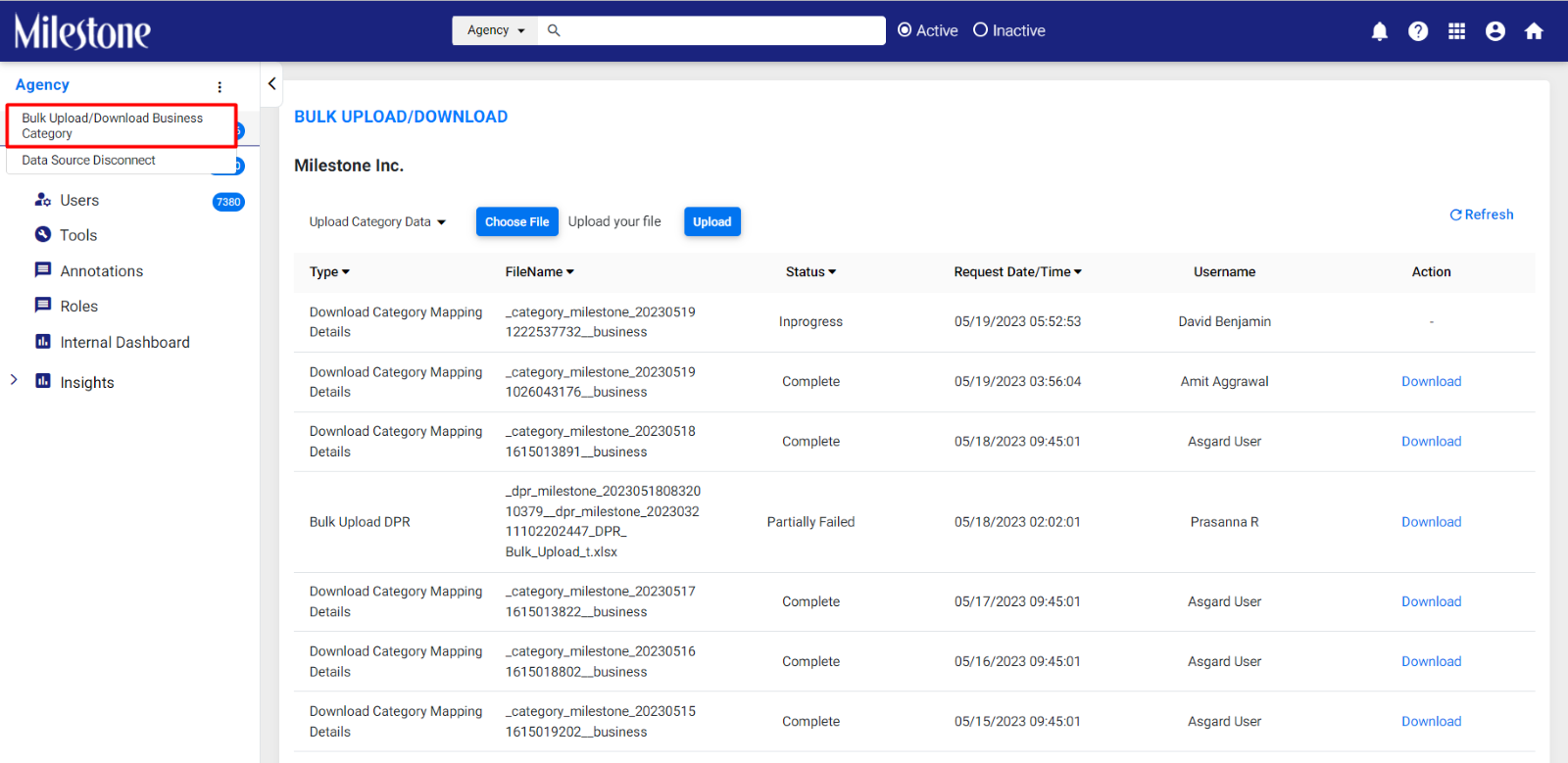
Step 2: Click on ‘Bulk Upload/Download Business Category’.
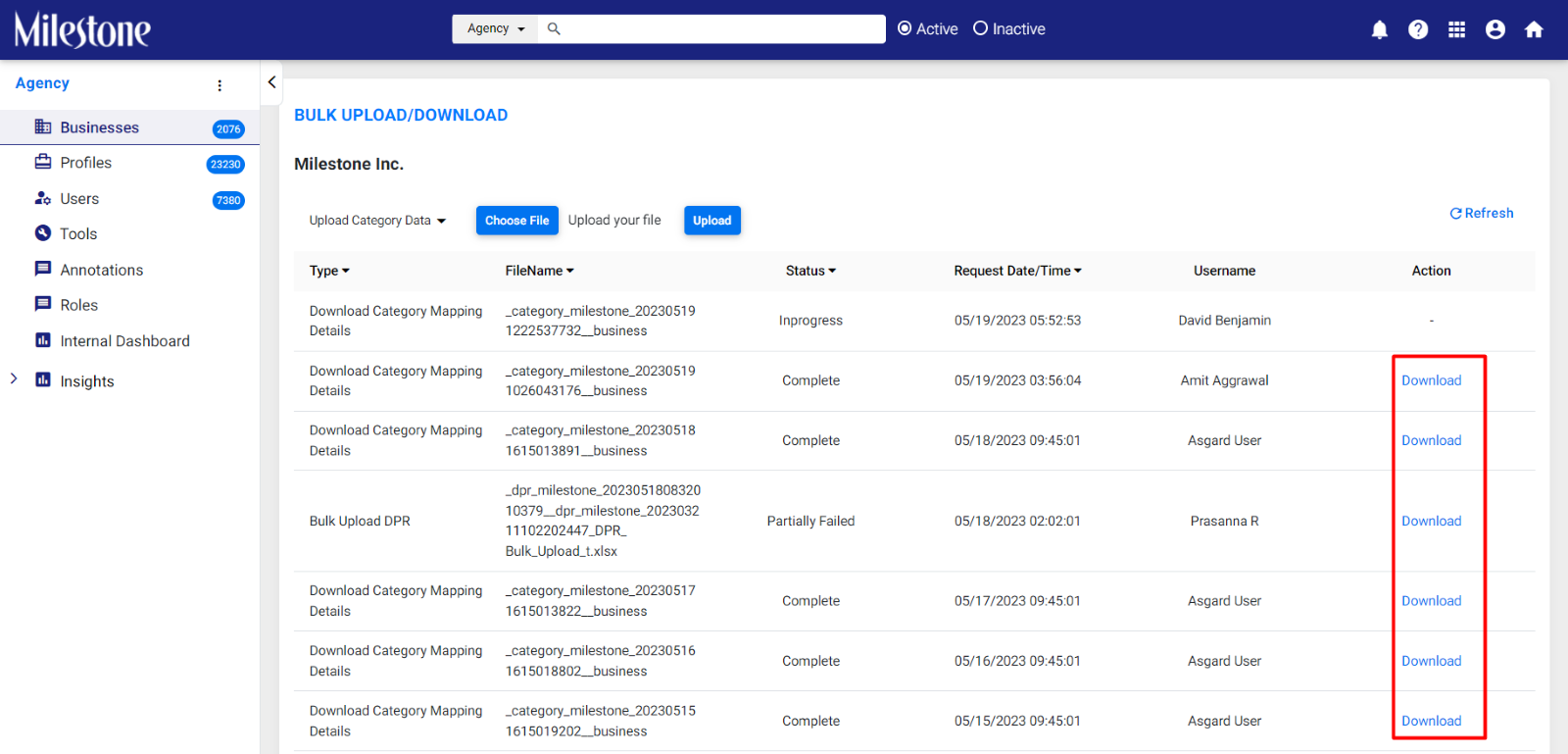
Step 3: Download the categories spreadsheet for the relevant business.
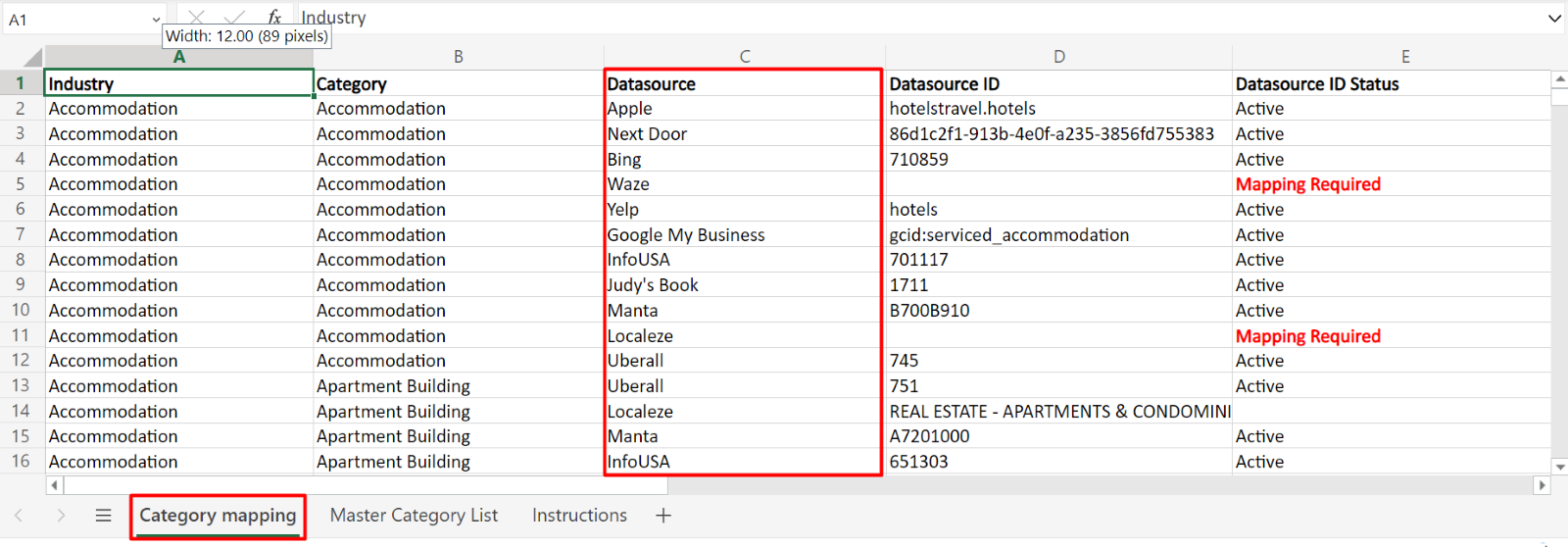
Step 4: The Data source in Column C in tab “Category mapping” should have the following mandatory sources. This information is case-sensitive.
- Apple
- Bing
- Uberall
- Google My Business
- Next Door
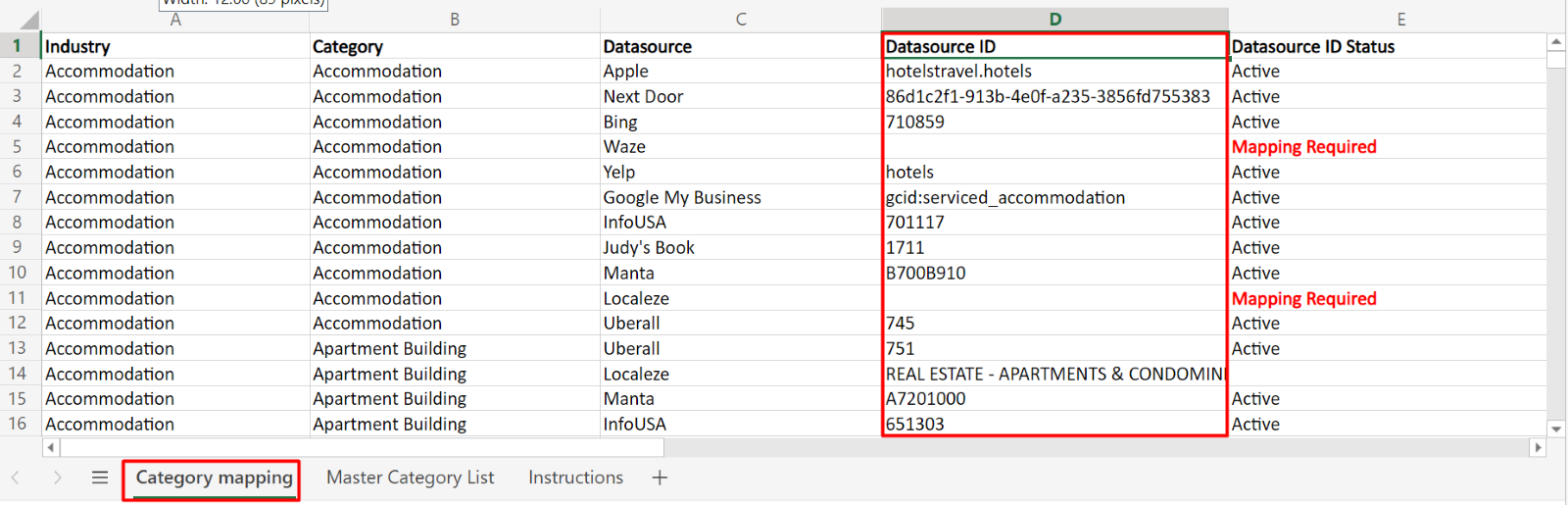
Step 5: The “Category ID” (column C) in “Master Category List” tab should match with “Datasource ID’ in “Category mapping” tab. This should be an exact match and case-sensitive.
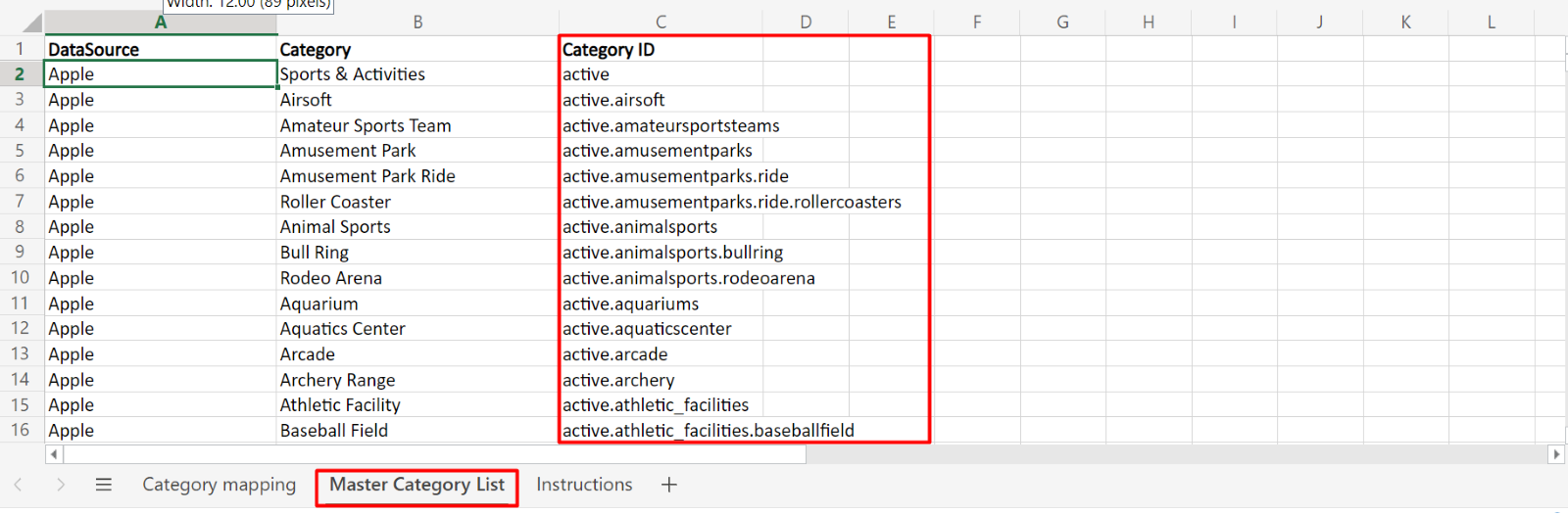
Data source ID in category mapping
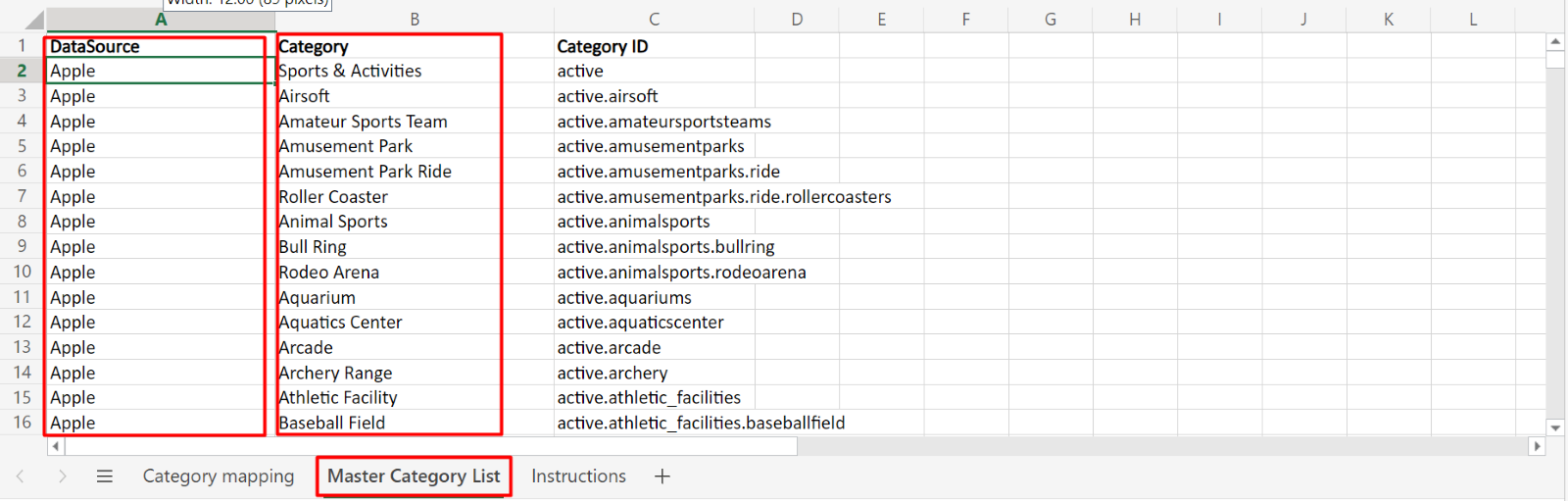
Step 6: The combination of category (Column B) and data source (Column C) in the “Category Mapping” tab should exist in “Master Category List” as Data Source (column A) and Category (column B).
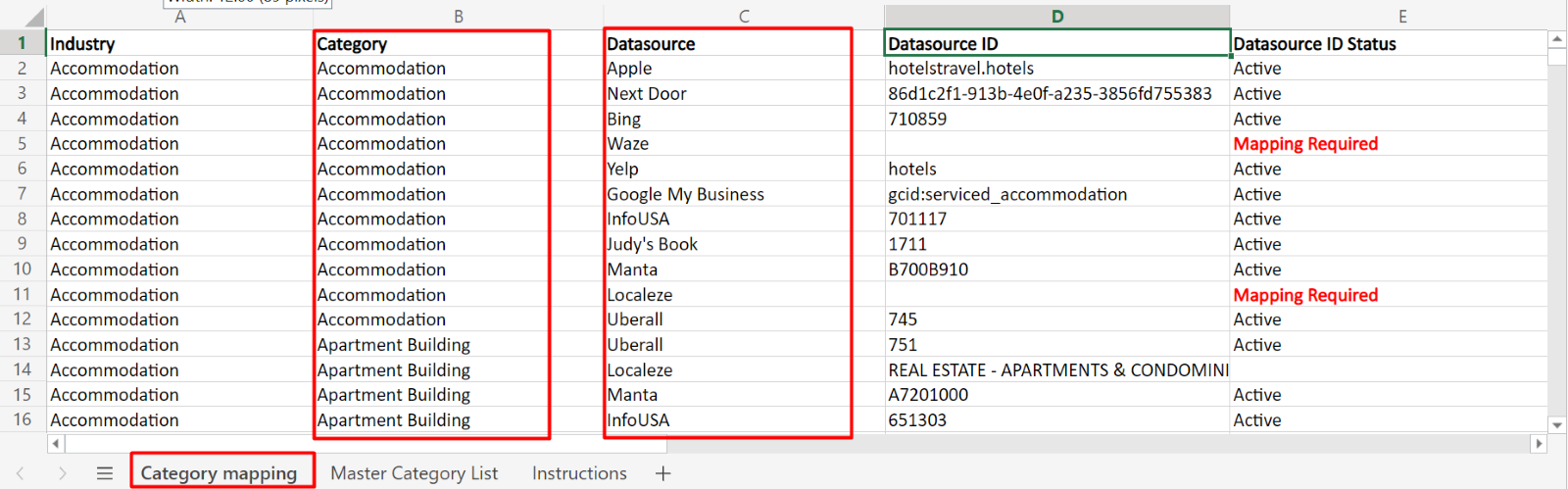 Data Source (Column A) and Category (Column B) in Master Category List
Was this article helpful?
That’s Great!
Thank you for your feedback
Sorry! We couldn't be helpful
Thank you for your feedback
Feedback sent
We appreciate your effort and will try to fix the article