OTA Dashboard Overview
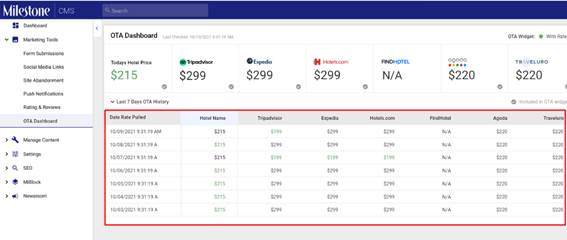
The OTADashboard provides you with a weekly comparison of your direct hotel booking prices versus those offered by top OTAs. Here is how the OTA Dashboard works,
The top left data panel displays the room prices on your website for a 1-night stay for 1guest.
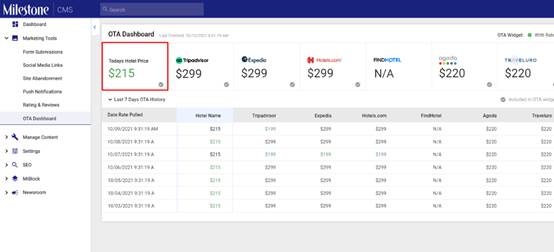
The data tiles to the right display the room prices on the top OTAs. This data is for a 1-night stay for 1 guest.
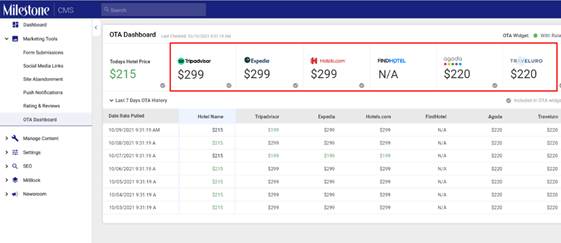
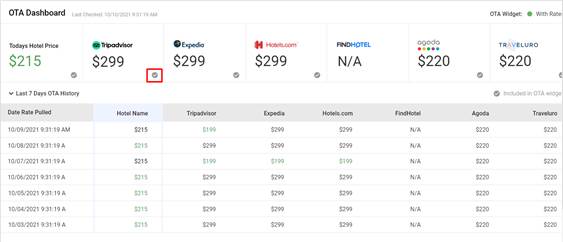
OTAs that have a green tick under the prices are being displayed on your website's Rate Comparison Module
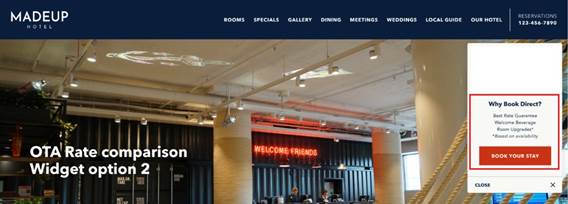
Rate comparison on the website
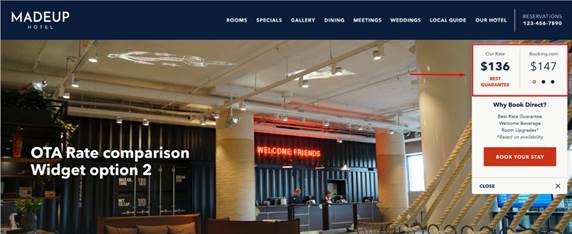
If all the OTA rates are lower than the direct booking rates a comparison will not be displayed and only the ‘Why Book Direct?’ text will be displayed to showcase the benefits of direct booking
The table in the OTA dashboard shows comparative rates for OTAs and direct bookings over the past 7 days
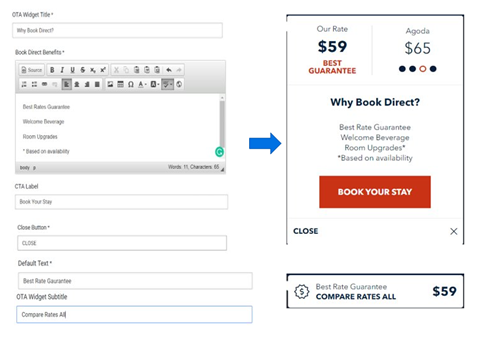
Editing the Direct Booking Benefits Section
On the website editor screen, you can edit the content displayed in the direct booking benefits section. To do so, click on the edit icon against the direct booking benefits section.
Enter the content you wish to change.
Was this article helpful?
That’s Great!
Thank you for your feedback
Sorry! We couldn't be helpful
Thank you for your feedback
Feedback sent
We appreciate your effort and will try to fix the article