Leverage rich data on Apple Maps for specific keywords. Represents service and offerings. Add keywords that are attributable to your business and provide a level of importance to them to support inquiries.
Path: MPC > Local > Locations> Business Profile > Profile Summary
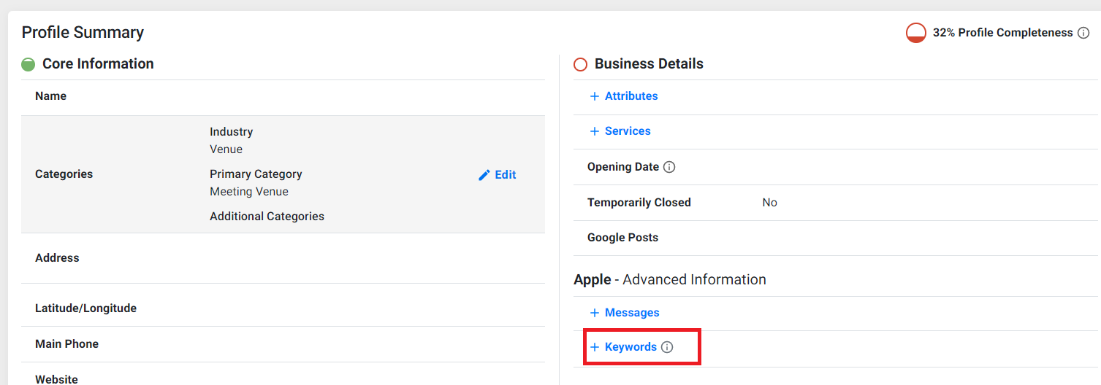
Step 1: From the Listing Status page select the profile you wish to add Keywords to, you will be redirected to the Profile Summary page. Click on Keywords to the right of the page.
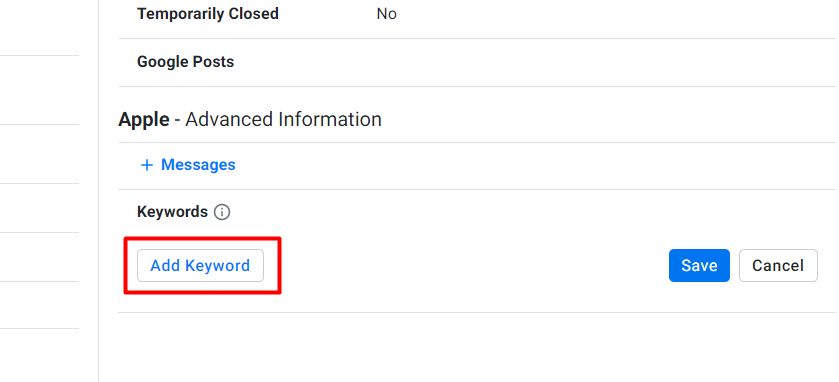
Step 2: Click on ‘Add Keyword’
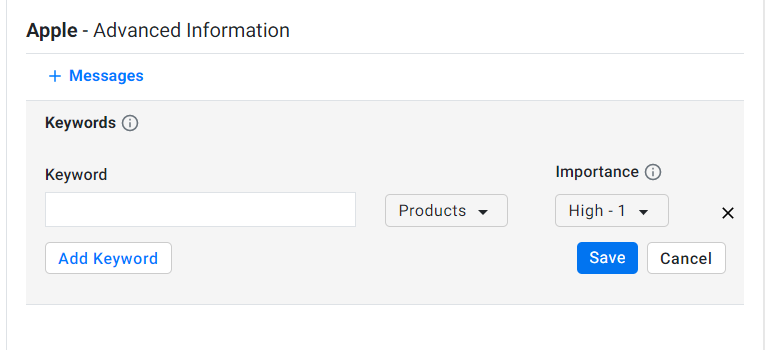
Step 3: Enter the Keyword, select a Category, and the relative importance of the keyword to other provided keywords
Was this article helpful?
That’s Great!
Thank you for your feedback
Sorry! We couldn't be helpful
Thank you for your feedback
Feedback sent
We appreciate your effort and will try to fix the article