Overview
Editing existing schema markup is essential for maintaining accurate structured data, which enhances how search engines interpret and display your website content. Regular updates ensure that any changes in your content are reflected in the schema, improving search visibility and user engagement.
Step-by-Step Process
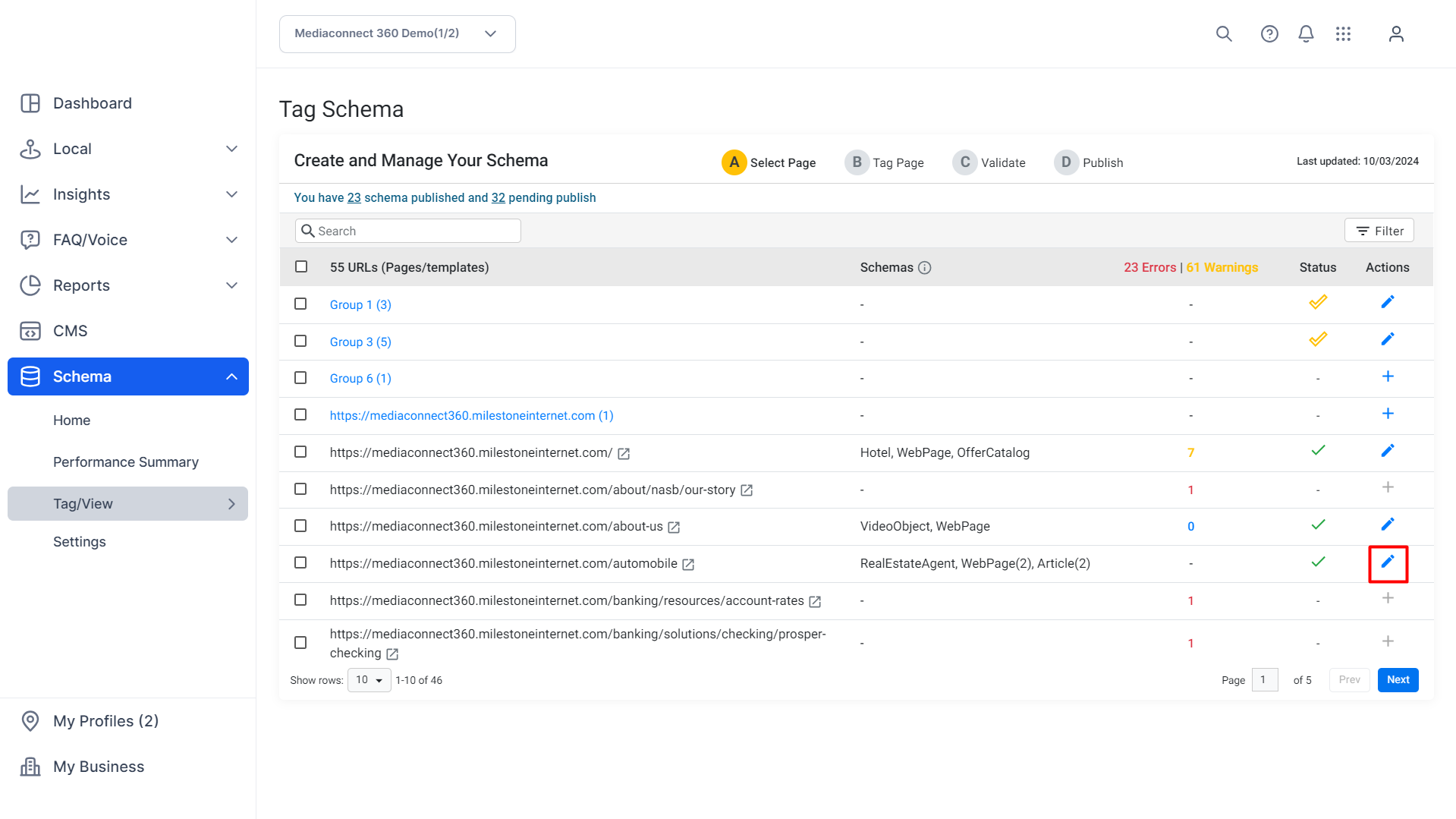
To edit an existing schema, from the 'Tag Schema' screen, click on the edit button under the 'Actions' column against the desired URL to launch the Schema Editor
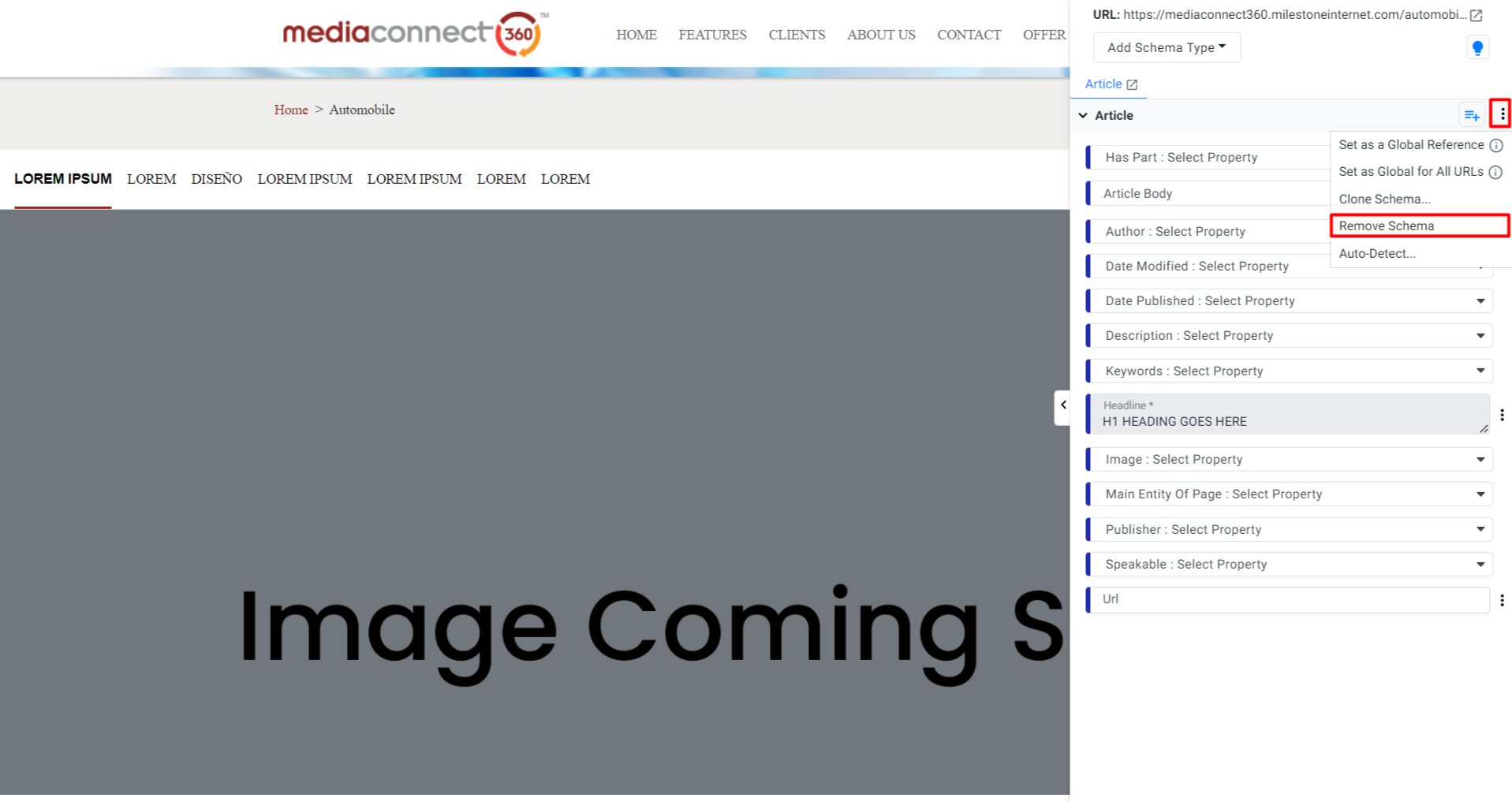
To delete an existing schema type, choose the schema, click on the 3 dots, and click on 'Remove Schema'.
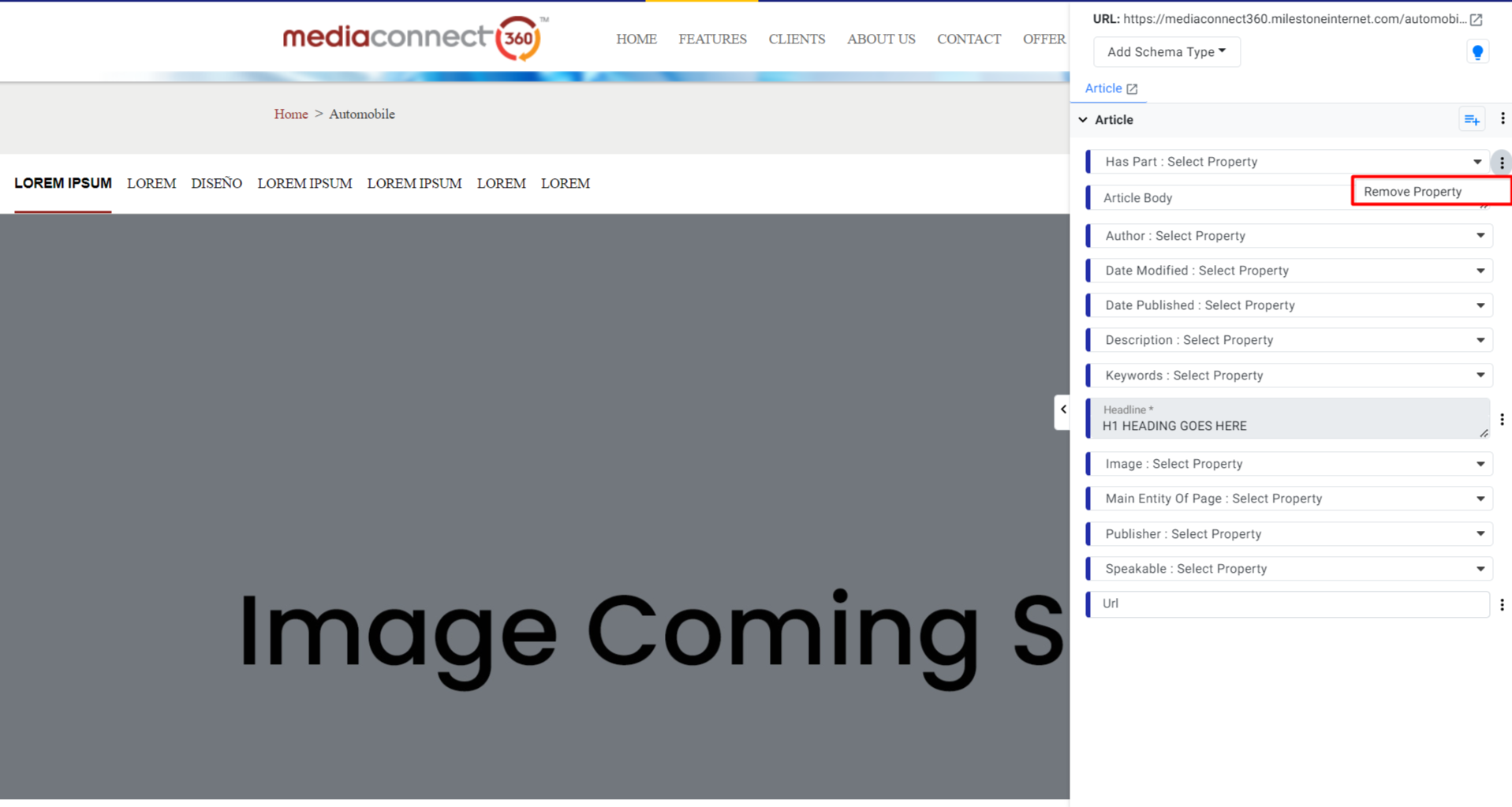
To remove a property, click on the 3 dots by the property and click on 'Remove Property'.
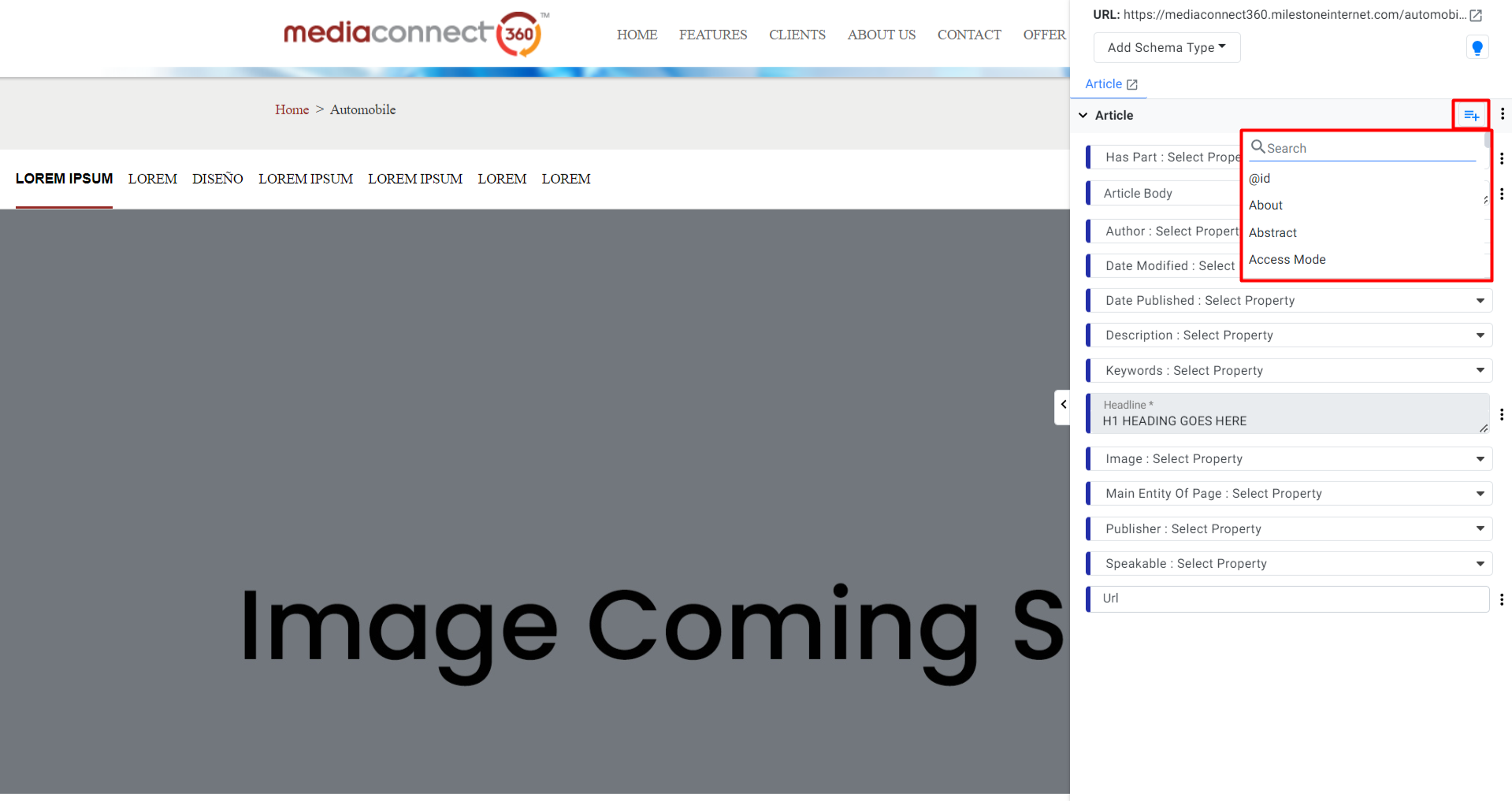
Click the menu option at the top of the Schema Editor Menu to add a property to the existing schema type.
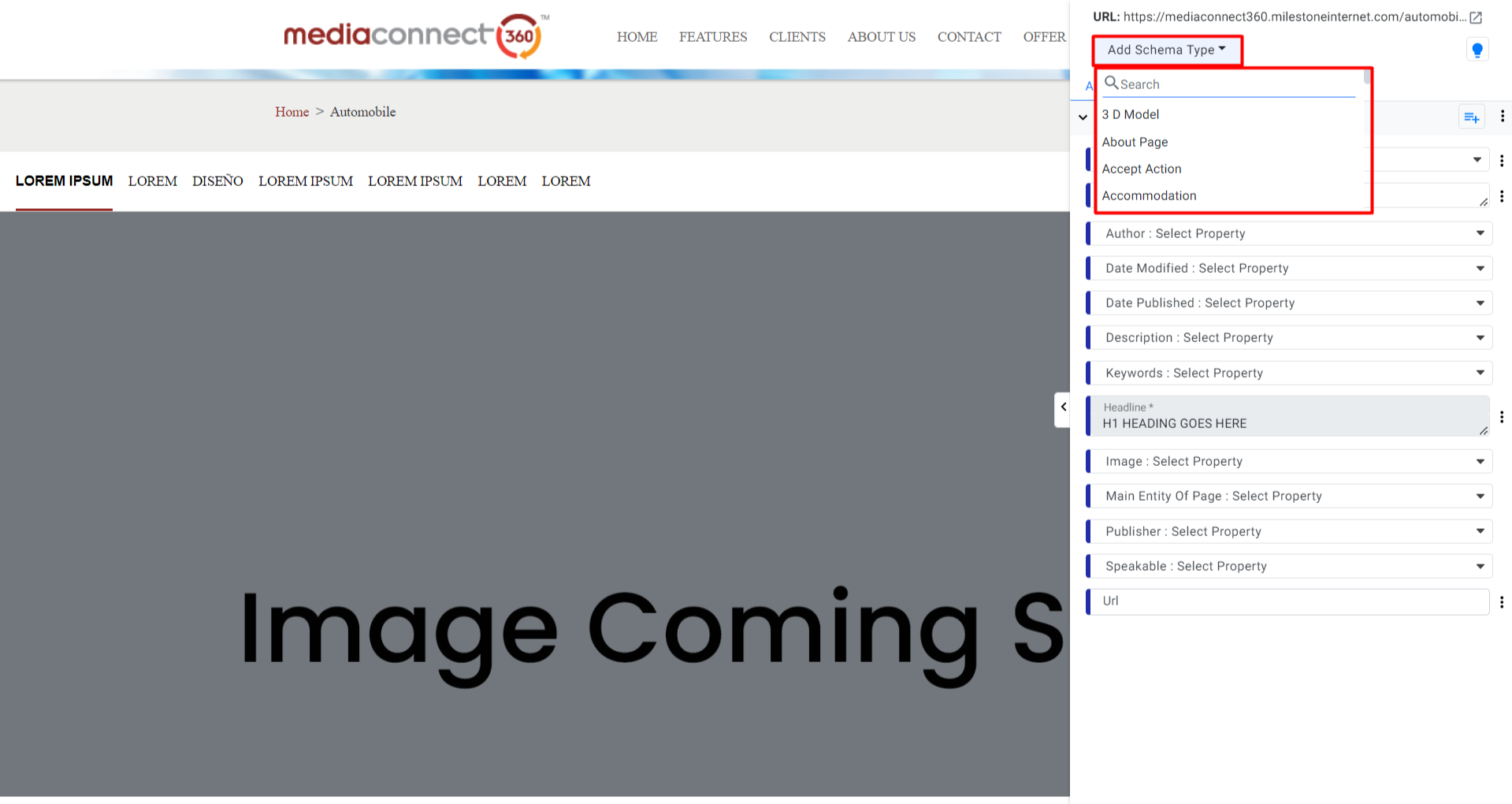
To add a new schema type click on the 'Add Schema Type' dropdown menu and select the schema type.
Was this article helpful?
That’s Great!
Thank you for your feedback
Sorry! We couldn't be helpful
Thank you for your feedback
Feedback sent
We appreciate your effort and will try to fix the article