Once you have auto-discovered the webpage URLs or uploaded them, to view the URLs, all you have to do is click on the ‘Tag Schema’ tab.
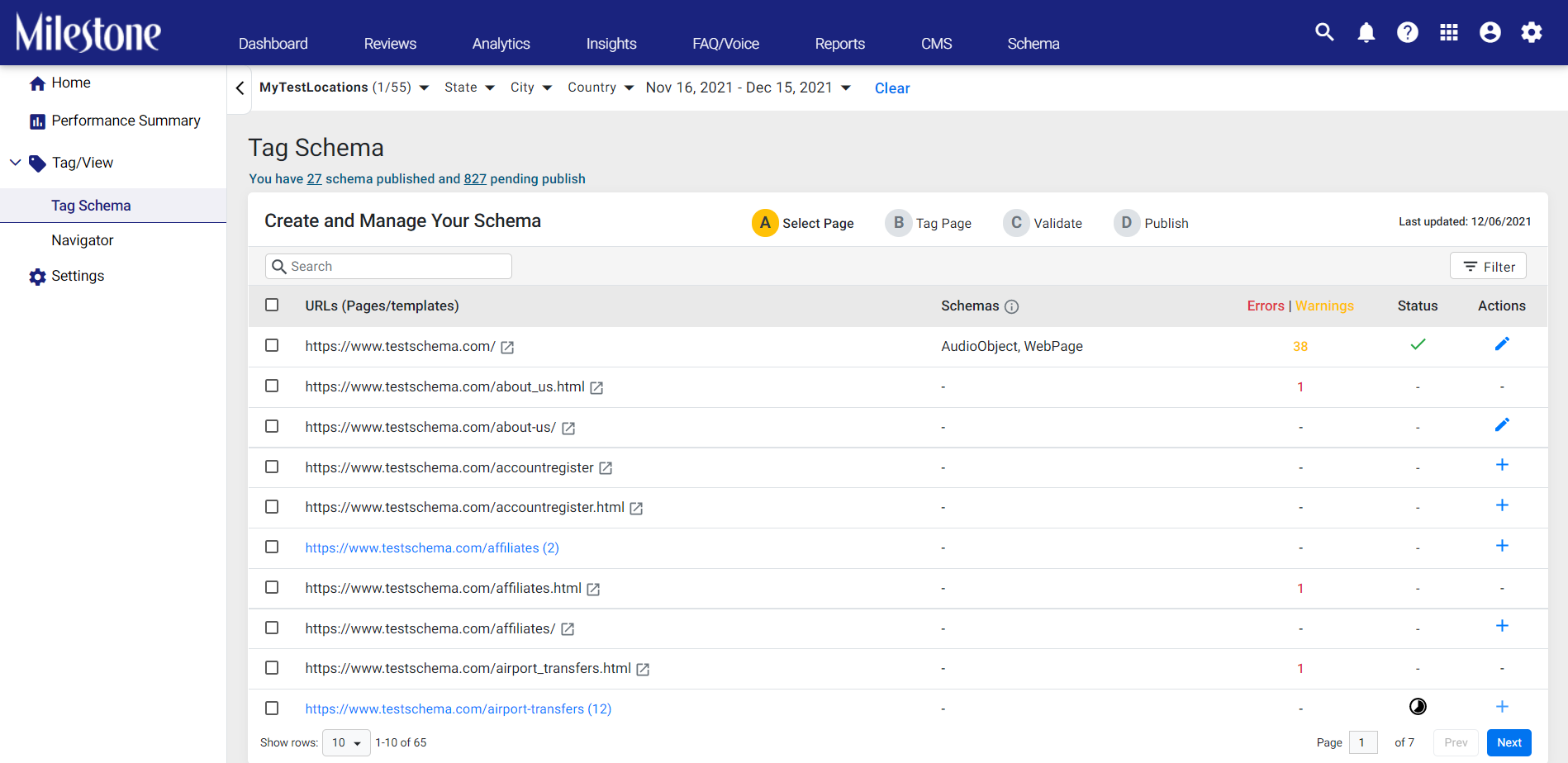
The page will then display the web page URLs that have been discovered and grouped together. URLs with a certain number against them and highlighted in blue are those that have been grouped.
You will see the schemas deployed under the ‘Schemas Deployed’ column, and the  sign under the ’Status’ column indicates that the schema has been successfully published.
However, till the discovery is complete, you will see this message.

Was this article helpful?
That’s Great!
Thank you for your feedback
Sorry! We couldn't be helpful
Thank you for your feedback
Feedback sent
We appreciate your effort and will try to fix the article