Adding an Annotation
Recording events on a performance graph is a great way to gauge the effectiveness of strategies implemented. Users can add annotations to performance graphs to mark recursive or non-recursive events. Let's see how users can add annotations to performance graphs on the platform.
Step 1: Click on the dropdown menu below the graph to view existing annotations
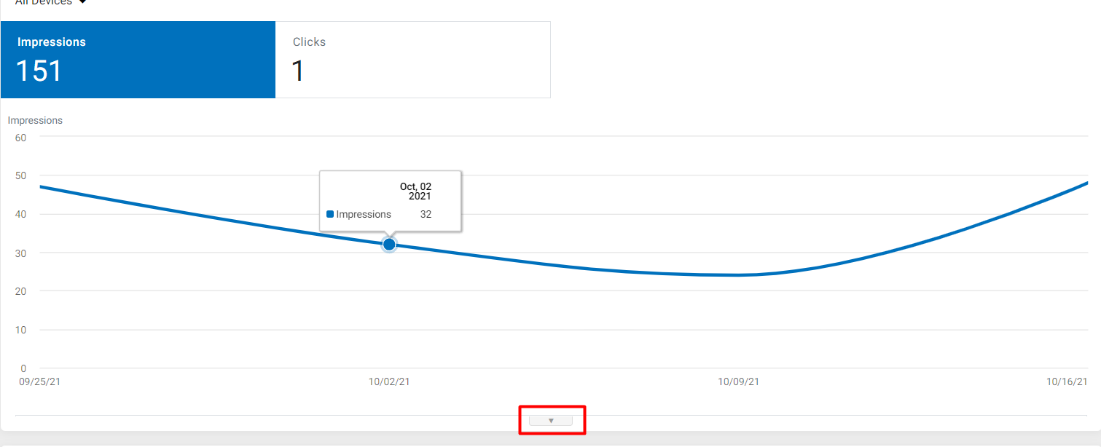
Step 2: Click on ‘Create New Annotation’

Step 3: Use the dropdown menu to provide the required information. You can also select pre-existing events to describe the annotation
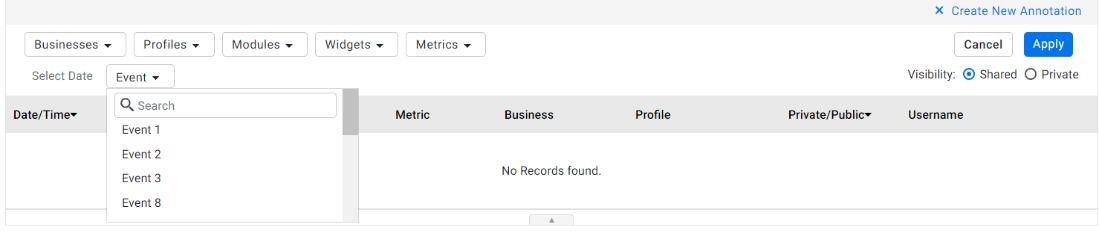
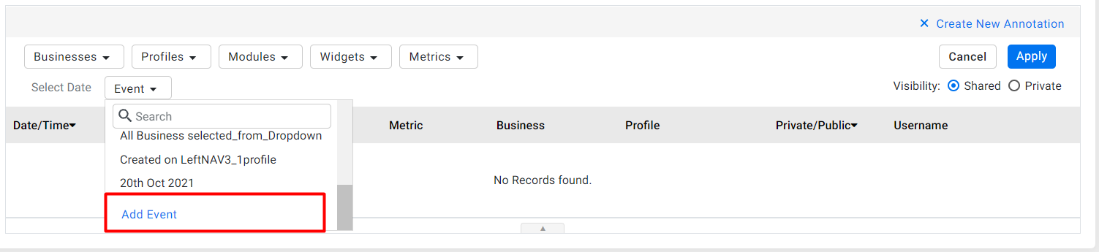
Step 4: If you want to create a new event, click on ‘Add Event’ from the Event dropdown menu
Step 5: Fill in the Event Name and Description in the ‘Add New Annotation’ section and click on ‘Save’ to update the annotation
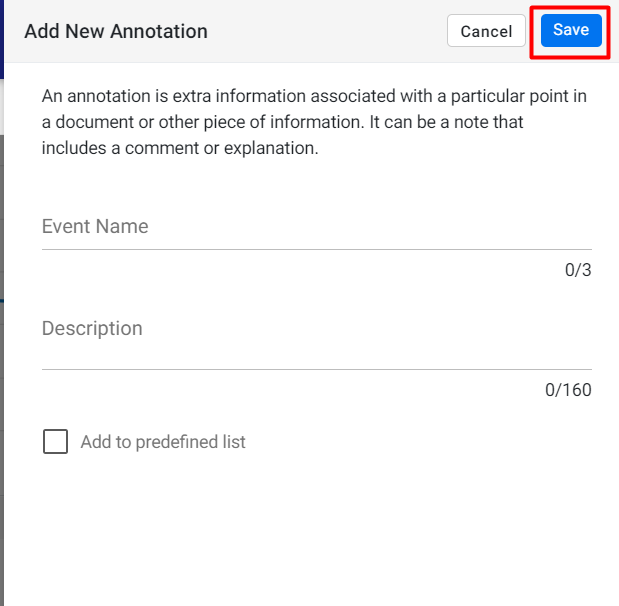
Step 6: Select the ‘Add to predefined list’ if the event occurs periodically. I
Was this article helpful?
That’s Great!
Thank you for your feedback
Sorry! We couldn't be helpful
Thank you for your feedback
Feedback sent
We appreciate your effort and will try to fix the article