Multilocation businesses can have thousands of profiles across locations. Using the Profile Selector and filters makes it easy to find the business profiles you are looking for.
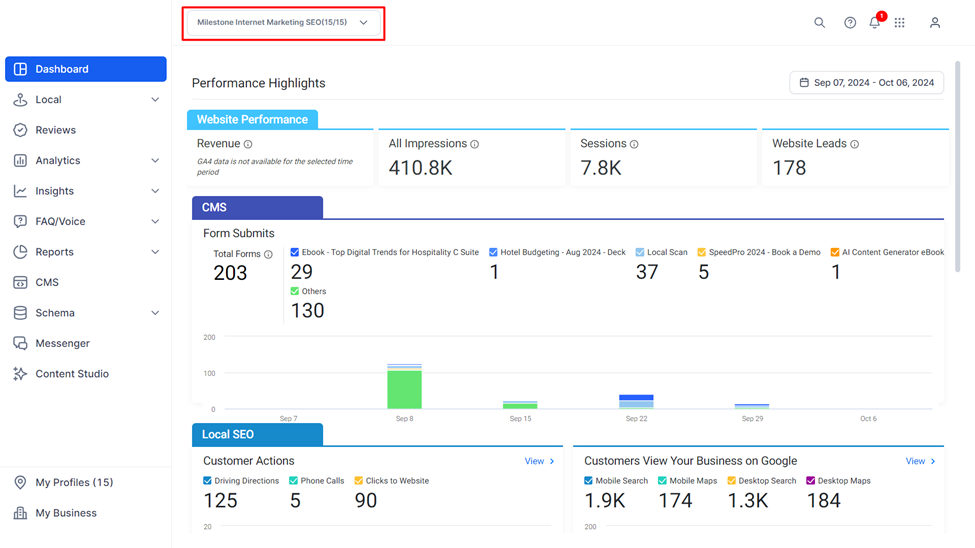
Step 1: Use the Profiles dropdown menu to the top of the screen to open the Profile Selector.
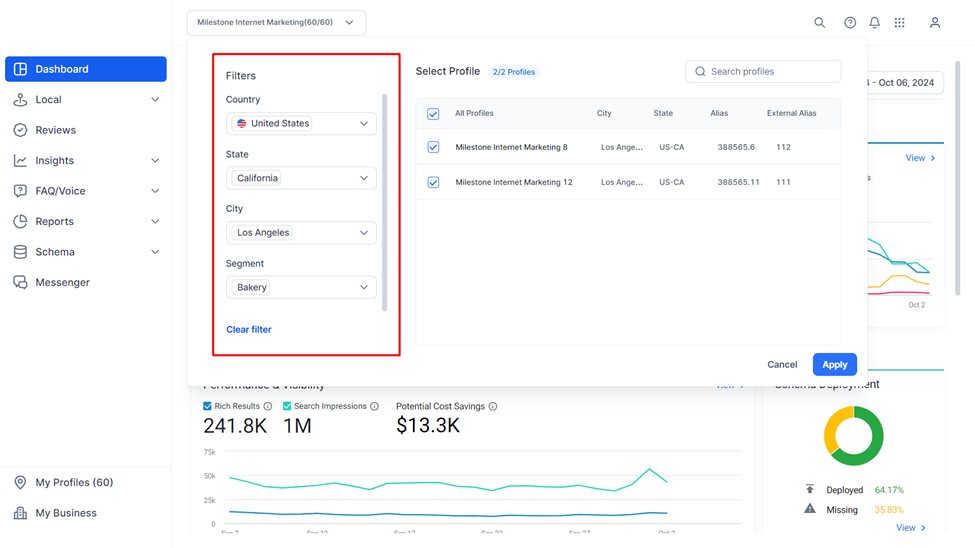
Step 2: Use the Filter to filter results by ‘Country’, ‘State’, ‘City’, and ‘Segment’ or market segment.
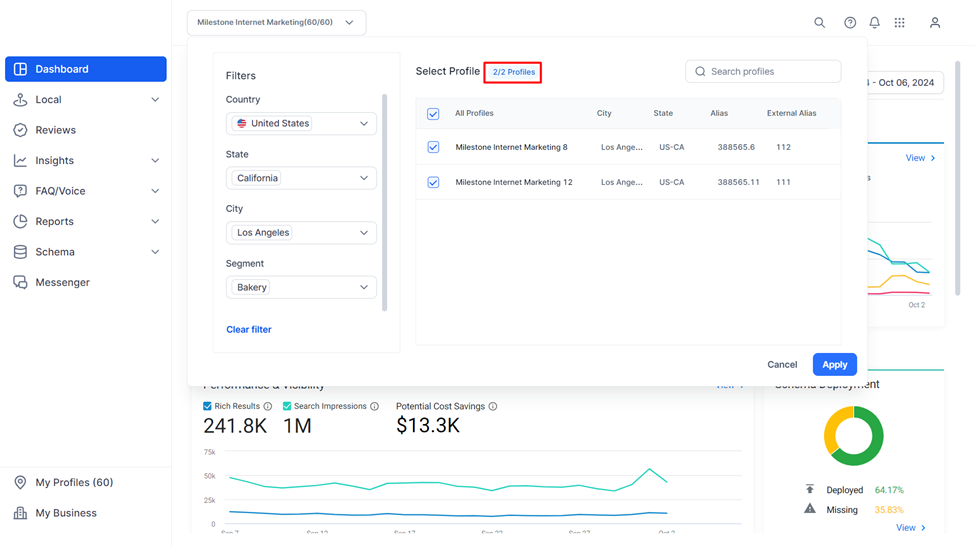
Step 3: The number of profiles currently selected within these filter types will be displayed above the profile list.
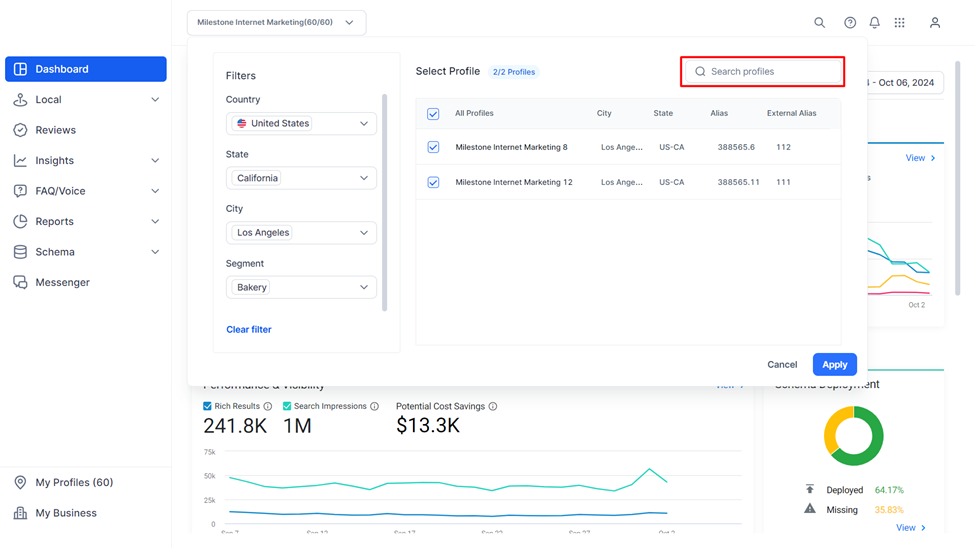
Step 4: You can search for profiles by using the search bar to the top right of this section.
Step 5: You can manually select or deselect profiles using the check boxes corresponding to them.
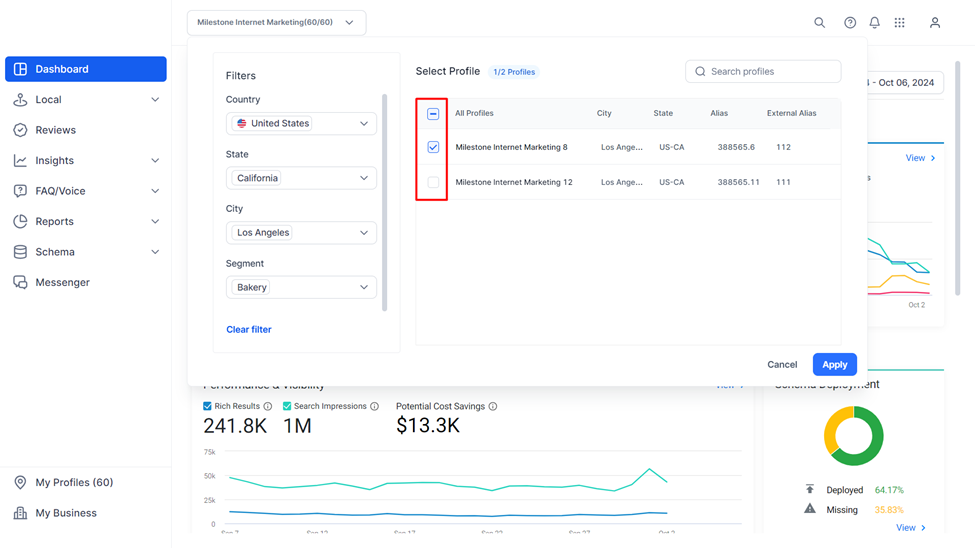
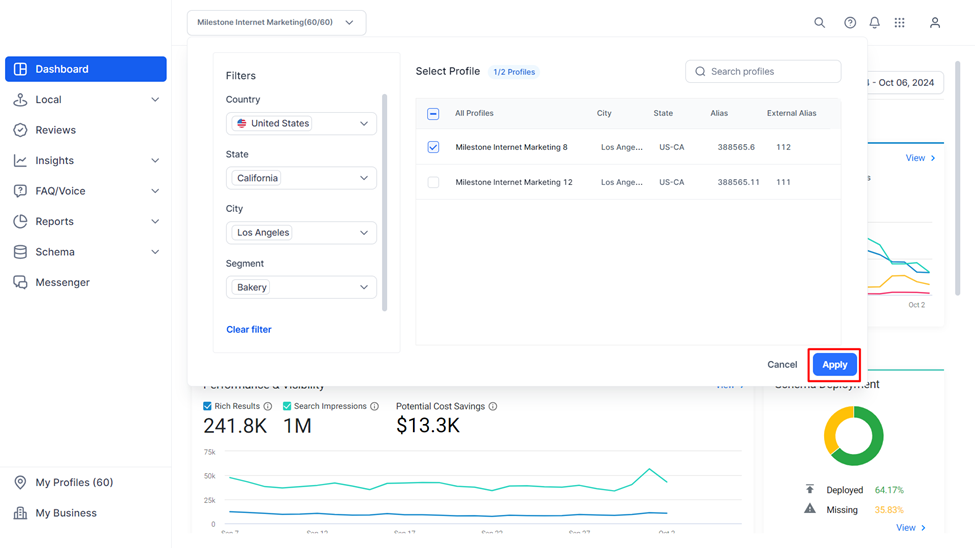
Step 6: Once you have made your selection click on ‘Apply’ to the bottom right. Once you click on ‘Apply’ only data for the selected profiles will be displayed.
Was this article helpful?
That’s Great!
Thank you for your feedback
Sorry! We couldn't be helpful
Thank you for your feedback
Feedback sent
We appreciate your effort and will try to fix the article